
In agile development, a task is only truly complete when it meets a pre-agreed set of criteria that ensures it delivers real value. Think of it as a shared checklist the entire team signs off on. This simple agreement guarantees every finished item is genuinely shippable and up to standard, which gets rid of frustrating ambiguity and rework down the line.
What Is a Definition of Done and Why It Matters
Imagine a chef who considers a dish "done" the moment the ingredients are chopped—not after it's been cooked, seasoned, and beautifully plated. That’s exactly what happens in software development without a clear Definition of Done (DoD). It’s a recipe for chaos, misunderstandings, and features that are technically “complete” but practically useless.
The DoD is the agile team's formal, shared agreement on what it means for a piece of work to be finished. Whether it's a user story, a small task, or an entire feature, it’s not just a vague feeling of completion. It's a concrete checklist of required activities and quality standards that everyone has bought into.
The Ultimate Quality Gatekeeper
Think of the DoD as a pilot's pre-flight checklist. Before taking off, pilots don't just "feel" that the plane is ready. They meticulously verify every single item on a list to ensure safety and success. In the same way, an agile team's DoD is a non-negotiable set of criteria that prevents half-finished work from ever moving forward. It’s the ultimate tool for finally solving the classic “it works on my machine” problem.
A strong DoD serves a few critical functions:
- It eliminates ambiguity. Everyone on the team—from developers and testers to the product owner—knows exactly what "done" looks like. No more guesswork.
- It ensures consistency. By setting a uniform quality bar for all work, it prevents technical debt from piling up sprint after sprint.
- It improves predictability. When the criteria for completion are crystal clear, teams can forecast their work more accurately and deliver on their commitments with much more confidence.
This simple agreement becomes the bedrock of consistent quality and predictable delivery. That's why the Definition of Done is a cornerstone of effective Agile software development best practices—it turns an abstract idea of "quality" into an actionable, enforceable standard.
A Definition of Done is not just a list; it is a pact of mutual understanding and commitment to quality. It’s the team’s promise to itself and its stakeholders that what they deliver is valuable, reliable, and truly complete.
The impact of a formal DoD is huge. A 2023 State of Agile survey revealed that 71% of Agile teams using a formalized DoD reported a 25-30% reduction in defect rates post-release. On the flip side, unclear standards can cause up to 40% of sprint capacity to be lost to rework as items bounce back and forth between "done" and "in progress." You can learn more about how a clear DoD prevents this costly churn and improves team efficiency by reading the full findings from Atlassian.
Core Benefits of a Strong Definition of Done
Adopting a DoD isn't just about ticking boxes; it delivers immediate, tangible benefits that ripple across the entire team and product lifecycle. Here’s a quick breakdown of what you stand to gain.
| Benefit | Impact on the Team and Product |
|---|---|
| Increased Transparency | Everyone has a clear, shared understanding of what it takes to get work to a releasable state. |
| Reduced Rework | Prevents "undone" work from slipping through, cutting down on bugs and tasks that get sent back. |
| Improved Team Alignment | Fosters collaboration between developers, QA, and product owners, as everyone works toward the same goal. |
| Higher Product Quality | Ensures that quality checks, like code reviews and testing, are built into the development process, not tacked on at the end. |
| More Accurate Forecasting | With a stable definition of "done," teams can make more reliable estimates and sprint commitments. |
Ultimately, a strong DoD builds trust. It gives the team confidence in their work and gives stakeholders confidence that the team is delivering a high-quality, valuable productincrement.
DoD vs. DoR vs. Acceptance Criteria Explained
In the world of agile development, it’s easy to get tangled up in the terminology. Three terms in particular—Definition of Done (DoD), Definition of Ready (DoR), and Acceptance Criteria (AC)—often get mixed up, leading to confusion and slowing everyone down. Getting these straight is crucial for a smooth workflow. Think of it like this: confusing them is like mistaking the architect's blueprint for the final inspection report. Both are vital for building a house, but they serve completely different purposes at very different times.
Let's stick with that house-building analogy to make things crystal clear.
Definition of Ready: The Blueprint
The Definition of Ready (DoR) acts as the entry gate for any development work. It’s your approved architectural blueprint and all the necessary building permits, all signed, sealed, and delivered. Before a single foundation is poured, the construction crew needs to know the plans are final, the materials are on site, and all the legal boxes are checked.
In agile terms, a user story is considered "Ready" only when it meets the team's DoR. This typically means:
- The story is clearly written and understood by everyone on the team.
- All dependencies are known and accounted for.
- The team has estimated the work and agrees it can be done within a sprint.
If a story doesn't meet the DoR, it doesn't get pulled into a sprint. Period. This simple rule prevents the team from getting bogged down by work they can't actually finish.
Acceptance Criteria: The Room-Specific Features
If the DoR is the blueprint for the entire house, then Acceptance Criteria (AC) are the detailed specs for a single room. These are the unique, pass/fail conditions a specific user story must meet to be considered functionally complete from the end-user's point of view.
For instance, the AC for the "build the master bathroom" story might look like this:
- The shower maintains a consistent water temperature.
- The vanity has two sinks, and both have hot and cold running water.
- The heated flooring can be activated by a wall switch.
Every user story has its own set of AC that spells out its exact behavior and expected outcomes. They're unique to the task at hand.
Definition of Done: The Final Inspection
Finally, we have the Definition of Done (DoD), which is the universal exit gate for all work. This is the final inspection of the entire house. The inspector isn't just checking the master bathroom; they're ensuring the plumbing, electrical, and structural systems for the whole house meet a consistent quality standard. They're making sure it's safe and ready for someone to move in.
A strong DoD isn't just about ticking boxes; it's a commitment to quality that brings clarity and predictability to the whole process.
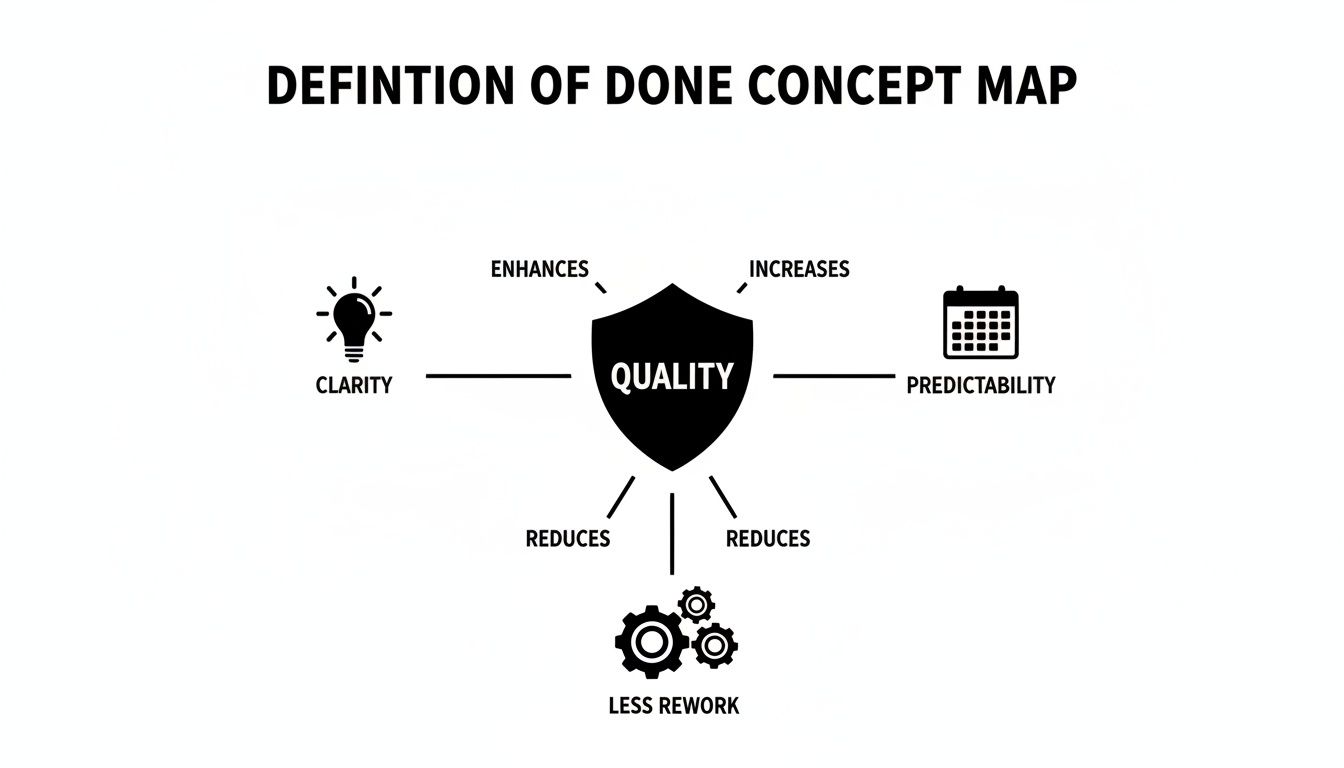
The DoD is one comprehensive checklist that applies to every single user story. It's the team's shared promise that even after a story meets its specific AC, it also lives up to the team's broader quality standards—things like "code has been peer-reviewed," "all unit tests are passing," and "documentation is updated."
An item isn't truly done just because it works. It's done when it works, meets all acceptance criteria, and satisfies the team’s shared quality standards defined in the DoD.
Nailing down these three concepts is fundamental. The entry gate (DoR), the story-specific requirements (AC), and the final quality gate (DoD) work together to create a powerful framework. This ensures work is properly vetted before it begins and is truly complete—not just "code complete"—when it's finished.
Crafting a Powerful Definition of Done Checklist
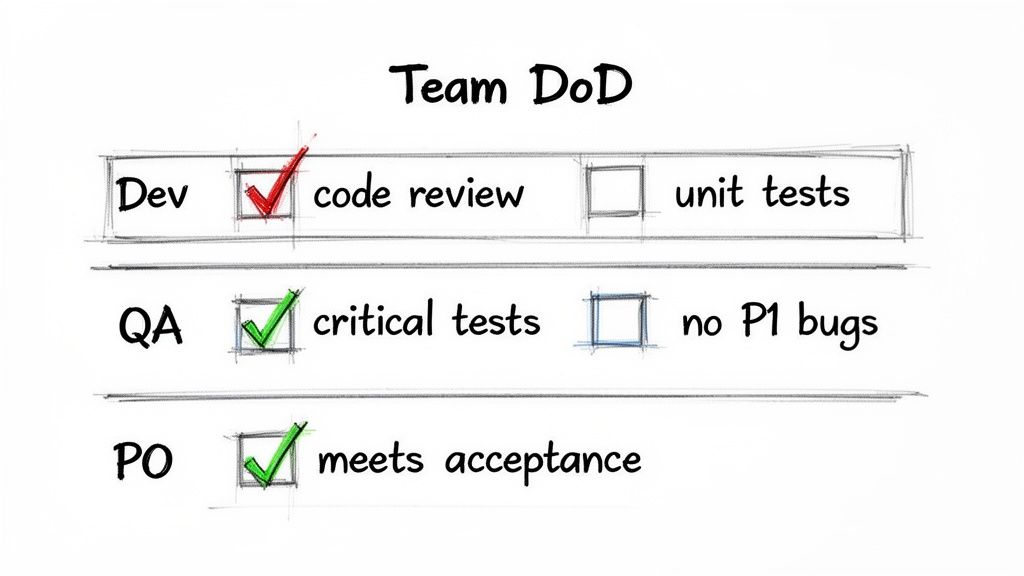
A generic, one-size-fits-all Definition of Done just doesn't work. To create an effective DoD, build a practical, multi-layered checklist tailored to your team's specific skills, standards, and product. The most actionable approach is to create nested quality gates for individual stories, the entire sprint, and the final release. This layered strategy ensures quality is baked in at every single step, not just tacked on at the end.
Building Your DoD From the Ground Up
The best Definition of Done checklists are built by the team, not handed to the team. To make this happen, schedule a workshop with developers, QA engineers, product owners, and anyone else involved. This shared ownership is what turns a simple document into a real commitment.
Start by brainstorming every single activity needed to get a piece of work from "in progress" to "potentially shippable." If you're looking for a solid foundation for software craftsmanship, diving into Robert C. Martin's Clean Code principles can provide an excellent framework for these conversations.
A great Definition of Done answers one simple question for everyone on the team: "How do we know we're really done?" It transforms assumptions into explicit, verifiable steps that build trust and predictability.
Once you have a brain-dump of activities, group them by scope. This is where you'll define your distinct checklists—one for user stories, another for sprints, and a final one for releases.
Sample Checklist Templates to Get You Started
To make this concrete, use these examples as a starting point for your team's workshop. Adapt them to fit your specific needs.
| Level of Work | Sample DoD Checklist Item |
|---|---|
| User Story | Code is peer-reviewed and approved by at least one other developer. |
| User Story | Unit and integration tests pass with at least 90% code coverage. |
| User Story | All acceptance criteria are fully met and verified by QA. |
| User Story | Product Owner has reviewed and formally accepted the functionality. |
| Sprint | All stories in the sprint meet the User Story DoD. |
| Sprint | End-to-end regression testing is complete with no major failures. |
| Sprint | The sprint increment is successfully deployed to a UAT environment. |
| Release | Final security and vulnerability scans are complete and passed. |
| Release | Deployment plan is reviewed and signed off by DevOps/SRE. |
| Release | A go/no-go decision is made with all key stakeholders. |
Remember, these are just templates. The real value comes from your team debating these points and creating a DoD that truly reflects how you work and the quality you want to deliver.
Level 1: The User Story DoD
This is your ground-level checklist, applied to every single task the team picks up. Use it as the first line of defense for quality.
- For the Developer:
- Code is written and committed to the correct feature branch.
- Unit and integration tests are written and passing, hitting at least 90% code coverage.
- Code has been peer-reviewed and approved by at least one other developer.
- The feature works as expected in a local development environment.
- For the QA Engineer:
- The story’s acceptance criteria are fully met and verified.
- Manual and automated tests for the critical path have been run.
- No new priority-1 or priority-2 bugs have been introduced.
- The story has passed testing in a shared staging environment.
- For the Product Owner:
- The new functionality has been reviewed and formally accepted.
- Any relevant user guides or API docs have been updated.
Keeping track of testing is a huge part of this. For teams on Jira, figuring out an efficient way of https://harmonizepro.com/blog/managing-test-cases-in-jira is a critical step that directly feeds into a strong DoD.
Level 2: The Sprint DoD
At the end of a sprint, use this checklist to ensure the collection of "done" stories forms a cohesive, valuable whole.
- All user stories committed to the sprint meet their own DoD.
- The sprint's output has been successfully deployed to a staging or UAT environment.
- End-to-end regression testing has finished without any show-stopping failures.
- The Product Owner has approved the entire sprint increment during the sprint review.
- Performance and load tests show no degradation compared to the last release.
Level 3: The Release DoD
This is the final gate before your hard work goes live to customers. This checklist ensures production readiness and stakeholder alignment.
- All sprint-level DoD items are met.
- Final security scans (like vulnerability checks) have been completed and passed.
- Release notes and all other external communications are written and approved.
- The deployment plan has been reviewed and signed off by the DevOps/SRE team.
- A formal "go/no-go" decision has been made with all key stakeholders present.
By structuring your Definition of Done this way, you build a system of checks and balances that scales naturally. It makes a developer's code review just as crucial as the final sign-off from the product owner, weaving quality into the fabric of your team's process from start to finish.
Common Pitfalls and Anti-Patterns to Avoid
A well-crafted agile development definition of done can be a team's best friend, a shared pact that keeps quality high and everyone on the same page. But when it's mismanaged, that same DoD can turn into a source of serious friction, creating more problems than it ever solved.
It's easy to fall into a few common traps that completely undermine the DoD's purpose. Instead of building alignment, these anti-patterns sow confusion, point fingers, or just bring progress to a standstill. Knowing what these look like is the first step to steering clear of them.
The Gold-Plated DoD
This is a DoD that's more of a wish list than a checklist. It’s so ambitious and packed with exhaustive checks that actually finishing anything feels like a monumental task. Instead of ensuring quality, it paralyzes the team, and velocity grinds to a halt.
Actionable Strategy: Start with the absolute minimum criteria needed for an item to be "potentially shippable." Evolve your DoD incrementally. During retrospectives, if the team identifies a recurring problem, propose adding a new checklist item to prevent it. Let your DoD grow organically from real-world lessons, not from an idealistic fantasy.
The Forgotten DoD
This is painfully common. A team writes a brilliant DoD, saves it to a dusty corner of their wiki, and it's never looked at again. As the team’s tools, skills, and processes change, the DoD becomes a fossil—a relic of a process that no longer exists.
Actionable Strategy: Make the DoD a visible, active part of your workflow. Print it out and post it on your physical board. Better yet, build it directly into your digital tools like Jira. During daily stand-ups, reference the DoD when discussing ticket progress. An active DoD prevents technical debt, which according to a 2022 study, can be cut by 42% by Scrum teams who actively use their DoD. To dive deeper, you can learn more about mastering the agile scrum Definition of Done.
The Weaponized DoD
This is the most toxic anti-pattern of them all. The "Weaponized DoD" happens when the checklist stops being about shared ownership and starts being about blame. You'll hear things like, "Well, I did my part of the DoD. It's not my fault the release broke." This kind of behavior shatters trust and poisons team culture.
A Definition of Done should be a shield that protects the team's quality standards, not a sword to be used against fellow team members. Its purpose is to foster collective responsibility, not to create silos of individual blame.
Actionable Strategy: Reinforce that the DoD is a team commitment. The entire team owns the outcome. When something goes wrong, frame the conversation as, "How can we adjust our process to catch this next time?" instead of "Whose checklist item failed?" This shifts the focus from individual blame to collective process improvement, which is the heart of agile.
How to Enforce Your DoD in Jira Automatically
A Definition of Done gathering dust on a Confluence page isn't a commitment; it's a suggestion. To make it a real, unbreakable contract with quality, you must bake it directly into your daily workflow in Jira. This transforms your DoD from a passive document into an active, automated quality gate.
This is how you make your DoD an active, enforceable part of your team's daily muscle memory.
Starting with Jira’s Native Features
Jira offers built-in tools that provide a solid starting point for enforcing basic guardrails. The two key features to use are workflow conditions and validators.
-
Workflow Conditions: Use these to control who can move a ticket. For example, set a condition that only someone in the "QA-Team" user group can transition an issue from "In Review" to "Done." This creates a simple, role-based gatekeeper.
-
Workflow Validators: Use these to check that certain fields are filled out before a transition happens. For example, add a validator to block a ticket from moving to the QA column until the "Code Reviewer" field is populated.
These native features are effective for enforcing simple, procedural rules. However, to implement a detailed, multi-step DoD checklist, you need more powerful tools.
Elevating Your DoD with Marketplace Apps
To truly automate a rich DoD, you need to turn that list of bullet points into a series of mandatory, in-your-face blockers. Apps from the Atlassian Marketplace, like Nesty from Harmonize Pro, let you build the sophisticated quality gates your team actually needs.
Instead of just checking if a field is filled, you can embed a dynamic checklist right inside a Jira issue. More importantly, you can make specific items on that checklist mandatory blockers, preventing the ticket from moving forward until they are ticked off.
Imagine a developer trying to push a ticket to "Done," but the system physically stops them with a clear message: the "PO has reviewed and approved the functionality" box is still unchecked.
This provides instant, contextual feedback that’s impossible to ignore. The system itself stops incomplete work dead in its tracks.
A Practical Guide to Automated Enforcement
Here’s a step-by-step playbook for wiring a robust, automated DoD directly into your Jira workflow using an advanced checklist app.
-
Digitize Your DoD Checklist: First, build a checklist template that perfectly mirrors your team’s Definition of Done for a user story. A great template often has sections for dev, QA, and product owner tasks. For a detailed guide on this, check out our post on how to build a powerful checklist in Jira.
-
Configure Blockers: Pinpoint the absolute non-negotiables in your DoD. For each one, configure it as a "blocker" that prevents a specific transition. For example, make "Code has been peer-reviewed" a hard stop for moving an issue from "In Progress" to "In QA."
-
Automate Handoffs: Use the app's automation features to smooth out the flow of work. You could set a trigger so that when the final developer checklist item is ticked, the issue is automatically assigned to a QA engineer and a heads-up is posted in your team's Slack channel.
-
Apply Templates Automatically: Configure your Jira project to automatically add the DoD checklist template to every new user story. This makes sure your quality standard is baked in from the very beginning, eliminating any chance of it being forgotten.
By embedding your Definition of Done directly into Jira's workflow, you are not just documenting a process; you are building a self-enforcing system of quality. It moves the responsibility from individual memory to the process itself, guaranteeing that standards are upheld every single time.
An automated approach doesn't just enforce rules—it oils the gears of collaboration. When the handoff from developer to tester is automated, there’s no more guesswork about whether a task is really ready for review. The system orchestrates the handoffs, freeing up your team to focus on what they do best: building and testing a fantastic product. This is how you make your Definition of Done a living, breathing part of your delivery pipeline.
Measuring the Real-World Impact of Your DoD
Getting a solid Definition of Done in place is a huge win for any agile team. But the real victory? Proving its value to the business. To get lasting buy-in from stakeholders, you need to move beyond saying your process is better and start showing it with hard data.
By tracking the right metrics, you can tell a compelling story about how your DoD isn't just improving code—it's improving the bottom line. Suddenly, abstract ideas like "quality" become concrete gains in efficiency, predictability, and customer satisfaction.
Key Metrics to Track
To demonstrate your DoD's effectiveness, focus on these high-impact metrics that paint a clear picture of your development process's health.
-
Escaped Defects: This is your primary quality metric. Track the number of bugs found in production after a release. Your goal is a consistent downward trend, which proves you're building quality in from the start.
-
Rework Percentage: Measure the percentage of your team's capacity spent on work that was previously marked "Done" and came back. You can track this by hours or story points. A dropping rework percentage is a clear sign your DoD is catching issues earlier, saving valuable time.
-
Velocity Predictability: While a team's velocity will naturally ebb and flow, its predictability should improve. A stable, consistent velocity shows the team can reliably forecast what they can deliver in a sprint. This stability is a direct result of everyone having the same clear understanding of what "Done" truly means.
A Definition of Done transforms quality from a subjective ideal into a measurable outcome. When you can show a 20% reduction in production bugs, you’re no longer just talking about a better process—you’re talking about a stronger business.
Visualizing Your Success
Data is only powerful if people can see it. Create simple, at-a-glance dashboards to visualize your DoD's impact.
Jira dashboards are perfect for this. Set up gadgets to chart escaped defects over time or show the sprint-over-sprint reduction in rework. If you need a hand getting started, our guide on how to create a report in Jira can walk you through the process.
When you tie your process improvements to these kinds of measurable results, you build an undeniable case that a disciplined Definition of Done leads to higher-quality products, more reliable delivery, and a healthier workflow for everyone.
Your Top Questions About the DoD, Answered
As teams start to get their heads around the agile development definition of done, a few common questions always pop up. It's natural to wonder about who owns it, how to keep it fresh, and how it applies when you've got multiple teams running around. Getting these answers straight is key to making sure your DoD is a living, breathing tool for quality, not just another document gathering dust in a forgotten corner of Confluence.
Let's tackle the big ones.
Who Actually Writes the Definition of Done?
Short answer: The entire development team. This isn't a top-down mandate from a manager or something the Scrum Master cooks up alone.
Actionable Insight: The Scrum Master should facilitate a workshop where developers, testers, designers, and the Product Owner collaborate to define the criteria. This shared creation process is what creates real buy-in and a genuine commitment to hitting that quality bar together.
How Often Should We Update Our DoD?
Your DoD should never be set in stone. It's a living document that needs to grow and change right along with your team and your product.
Actionable Insight: Make reviewing the DoD a standard agenda item in your Sprint Retrospective. Ask specific questions: "Did any 'undone' work slip through this sprint?" or "Is any item on our DoD causing unnecessary friction?" Use the answers to make immediate, incremental improvements. Your DoD should evolve as your team learns and your project's needs shift.
Treat your DoD like a piece of software—it needs regular maintenance and updates to stay useful. If it feels stale, it's time for the team to refactor it.
Can We Have Different DoDs for Different Teams?
Not only can you, but you probably should. It’s common for a company to have a baseline DoD—a minimum standard of quality that any "shippable" piece of work has to meet. But that's just the starting line.
Actionable Insight: Start with an organizational baseline DoD that covers universal standards like security and legal compliance. Then, empower each team to add their own specific criteria relevant to their tech stack, domain, or unique dependencies. The one golden rule is that the team's DoD must always meet or exceed the company-wide one. It can be tougher, but never weaker. This gives you consistency across the organization while allowing for context-specific quality checks.
Ready to turn your Definition of Done from a static wiki page into an automated, unbreakable part of your workflow? Harmonize Pro's Nesty app for Jira transforms your checklists into dynamic quality gates with mandatory blockers and automated handoffs. Eliminate manual checks and ensure your quality standards are enforced on every single ticket.
Learn how to build a self-enforcing DoD.
Leave a Reply