Agile story acceptance criteria are the specific, testable conditions a user story must meet to be considered complete. They draw a clear line in the sand, ensuring developers, testers, and product owners share a precise understanding of what "done" means for a feature. Without them, your team operates on assumptions—a fast track to rework, missed expectations, and building features nobody wants.
Why Clear Acceptance Criteria Are Your Team's North Star
Imagine this scenario: a team ships a new "user profile update" feature. The developers built it so users could change their display name. But the product owner expected users to also update their email address and profile picture. That simple misunderstanding, born from a fuzzy requirement, just created weeks of frustrating, expensive rework. This is the preventable chaos that erupts when you don't have clear agile story acceptance criteria.
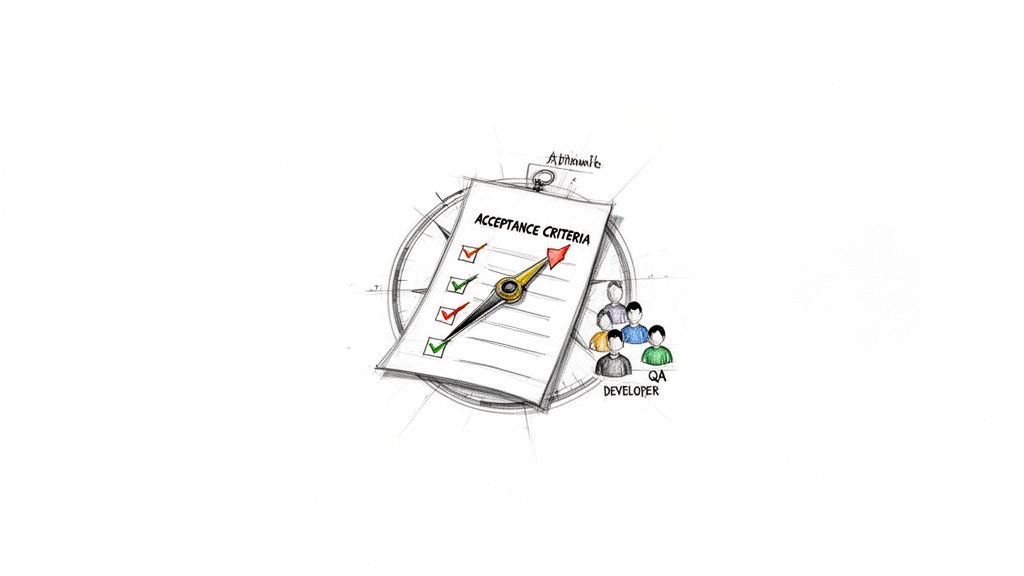
Good acceptance criteria (AC) are more than a checklist; they are the contract between the development team and business stakeholders. They transform a user story from a vague idea into a solid, testable set of requirements.
The Foundation of Shared Understanding
When your criteria are well-defined, they become the single source of truth for a story, eliminating the dangerous guesswork that pollutes handoffs between product, dev, and QA. Everyone—from the person writing the code to the person testing it—knows the exact goal. Getting this alignment right is the secret to building the right thing, the first time.
Actionable Tip: Use your acceptance criteria as a tool to defend against scope creep. When a new request comes in, compare it against the agreed-upon AC. If it doesn't fit, it's a new story. This simple check locks in the 'what' and 'why' and keeps your sprint focused.
This shared clarity delivers powerful, practical benefits:
- Reduced Rework: Teams stop building the wrong thing or missing critical functionality, which drastically cuts down on bug-fix cycles.
- Accurate Estimations: With a precise picture of the requirements, developers can provide more reliable story point estimates.
- Improved Collaboration: The act of co-writing criteria during backlog refinement sparks essential conversations that uncover edge cases and technical hurdles early. Learn more in our guide on how to improve team collaboration.
From Ambiguity to Actionable Rules
Investing time to define these rules upfront is the single most effective action you can take to prevent project delays. It forces stakeholders to think through the details and make decisions before development starts, not after.
If you want to dig deeper into defining and measuring work against set standards, these actionable guides on assessing competence offer practical frameworks. Ultimately, this structured approach gets every team member pulling in the same direction, guided by a clear and unified purpose.
Proven Formats for Writing Actionable Acceptance Criteria
How you frame your agile story acceptance criteria matters as much as the content itself. A consistent, clear format is your best defense against misinterpretation and is key to making requirements genuinely testable. Without structure, you invite ambiguity—the very thing acceptance criteria are designed to eliminate.
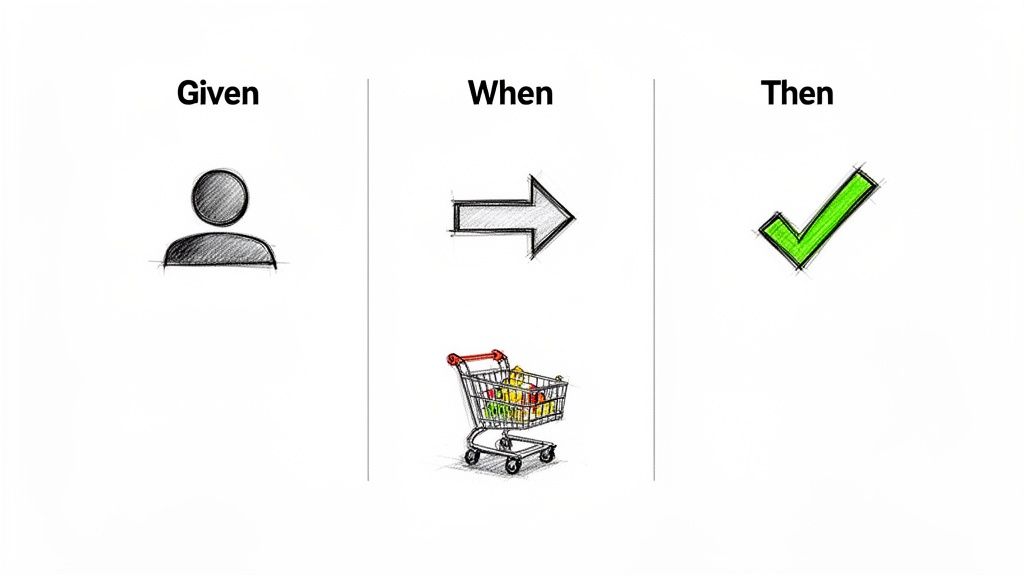
The best formats don't just list rules; they guide your thinking. They force the team to walk through the user's interaction, defining the starting context, the action taken, and the specific, observable outcome.
The Power of Given/When/Then (GWT)
For describing user-facing behavior, the Given/When/Then format is the gold standard. Often called Gherkin syntax, it tells a miniature story about how a feature should behave from the user's perspective, making it incredibly intuitive for everyone to grasp. As a cornerstone of Behavior-Driven Development (BDD), it bridges the gap between product, development, and QA. This approach also naturally lends itself to creating automated tests. For a deeper dive, explore the details behind the GWT format.
Let's break it down with a classic e-commerce example:
- Given: Sets the scene. What is the state of the system before the user acts?
- Example: Given I am a logged-in user with two items in my shopping cart.
- When: The specific action or trigger initiated by the user. It should be a single, clear event.
- Example: When I click the "Proceed to Checkout" button.
- Then: Describes the observable, verifiable outcome. What changes to prove the feature worked?
- Example: Then I am taken to the shipping details page and my two items are listed in the order summary.
Actionable Tip: If your team struggles to agree on the "Given," stop immediately. It’s a red flag that the user's starting point is undefined. Resolve that ambiguity before writing any more criteria.
Rule-Oriented Checklists
While GWT is brilliant for user journeys, it can be cumbersome for other types of requirements. This is where a simple, rule-oriented checklist excels. This format is a straightforward list of conditions that must be met.
It’s the perfect tool for:
- Non-Functional Requirements: Performance targets (e.g., API response must be <100ms) or security rules.
- Technical Stories: Tasks like setting up a new database or configuring a CI/CD pipeline.
- UI/UX Details: Pinpointing design constraints, like specific hex codes, font sizes, or exact wording for validation messages.
Here’s how to apply it:
User Story: As a user, I want to create a secure password for my account.
Acceptance Criteria (Checklist Format):
- Password must be a minimum of 12 characters.
- Password must contain at least one uppercase letter.
- Password must contain at least one number.
- Password must contain at least one special character (e.g., !, @, #, $).
- A real-time strength indicator must update as the user types.
Which Format Should You Choose?
Deciding between GWT and a checklist isn't about finding a single "best" method; it's about choosing the right tool for the job. The correct format enhances clarity, while the wrong one adds confusion.
This table provides a practical breakdown to guide your team's decision.
Acceptance Criteria Format Comparison
| Format Type | Best For | Advantages | Potential Drawbacks |
|---|---|---|---|
| Given/When/Then (GWT) | User-facing features, complex workflows, and behavior-driven scenarios. | – Promotes clear, story-like thinking. – Aligns product, dev, and QA. – Excellent for test automation (BDD). |
– Can be overly verbose for simple rules. – Awkward for non-functional or technical requirements. |
| Rule-Oriented Checklist | Technical stories, non-functional requirements (NFRs), UI design rules, and simple validation. | – Concise and easy to scan. – Great for atomic, independent rules. – Flexible for a wide range of criteria. |
– Lacks narrative context. – Can lead to a long, disconnected list of rules if not managed well. |
Actionable Insight: Don't force one format on every story. Empower your team to use GWT for user-facing logic and checklists for technical or design constraints, even within the same user story. This flexibility leads to clearer, more effective criteria.
Common Mistakes That Undermine Your User Stories
Having bad acceptance criteria is worse than having none at all. Ambiguous or poorly written criteria create a false sense of security, leading the team down a path of wasted effort and features that completely miss the mark. To improve, first learn to spot these common anti-patterns.
Dictating the "How" Instead of the "What"
A frequent mistake is writing criteria that spell out the technical implementation for the development team. This fundamentally misunderstands the purpose of a user story. It stifles creativity, often locks in a subpar solution, and puts the focus on the how instead of the what.
Actionable Guideline: Good acceptance criteria must describe an observable outcome from the user's perspective. This empowers your engineers to find the best, most efficient way to achieve that outcome.
What Not to Do (Too Prescriptive):
- When the user clicks the "Save" button, a JavaScript function called
updateProfile()is triggered, which sends a POST request to the/api/user/profileendpoint.
A Better Way (Outcome-Focused):
- When the user clicks the "Save" button, their updated profile information is successfully stored and reflected on the profile page.
The second example is testable from a user's perspective. The first is a premature technical decision that doesn't belong in the story's criteria.
The Pitfall of Vague and Untestable Criteria
Another classic error is writing criteria that you can't actually verify. Phrases like "the page must be fast" or "the design should be user-friendly" are subjective and untestable. What's "fast" to one person might be painfully slow to another. A developer cannot build to a feeling, and a QA engineer cannot test it.
Actionable Test: If you cannot write a definitive pass/fail test case for a criterion, it needs to be rewritten. This simple check is your best defense against ambiguity and prevents conflict during sprint reviews.
What Not to Do (Vague):
- The search results page must load quickly.
A Better Way (Specific & Testable):
- The search results page must load and display all content in under 2 seconds on a standard broadband connection.
By adding a measurable target, "quickly" becomes a clear, actionable goal. This clarity is essential for effective test planning. For more on this, check out our guide on managing test cases in Jira.
The Overloaded User Story
If a user story has a list of 10 or more acceptance criteria, that’s a major red flag. You don't have a story; you have an epic in disguise. These massive stories are a nightmare to estimate, build, and test thoroughly in one sprint.
Actionable Rule of Thumb: If a user story has more than five to seven acceptance criteria, hold a team discussion about splitting it. Breaking it into smaller, more focused stories creates faster feedback loops, reduces risk, and enables you to deliver tangible value within a single sprint. You can read more about how this improves product development cycles on uxplanet.org.
Avoiding these common mistakes will instantly elevate the quality of your backlog and help ensure every sprint delivers clear, well-defined value.
Building Quality Gates with Acceptance Criteria in Jira
To make great acceptance criteria a non-negotiable part of your workflow, integrate them directly into your team's daily tool: Jira. Instead of relying on manual checks, you can configure Jira to act as a quality gate, making it impossible for a story to progress without solid agile story acceptance criteria.
This process starts before a sprint even begins, with a strong Definition of Ready (DoR). A DoR is a simple pact within your team: a user story must meet specific standards before it can be considered for a sprint. This prevents vague ideas from derailing sprint planning and forces crucial conversations to happen early.
Establishing Your Definition of Ready
Your DoR acts as the gatekeeper for your sprint backlog, ensuring every story that gets in is clear, actionable, and ready for development.
A solid DoR, enforced directly within your Jira workflow, can be a simple checklist:
- The story is clearly written and understood by the team.
- Acceptance criteria are defined and testable. (This is the core of the DoR).
- Dependencies are identified and resolved.
- The story has been estimated by the development team.
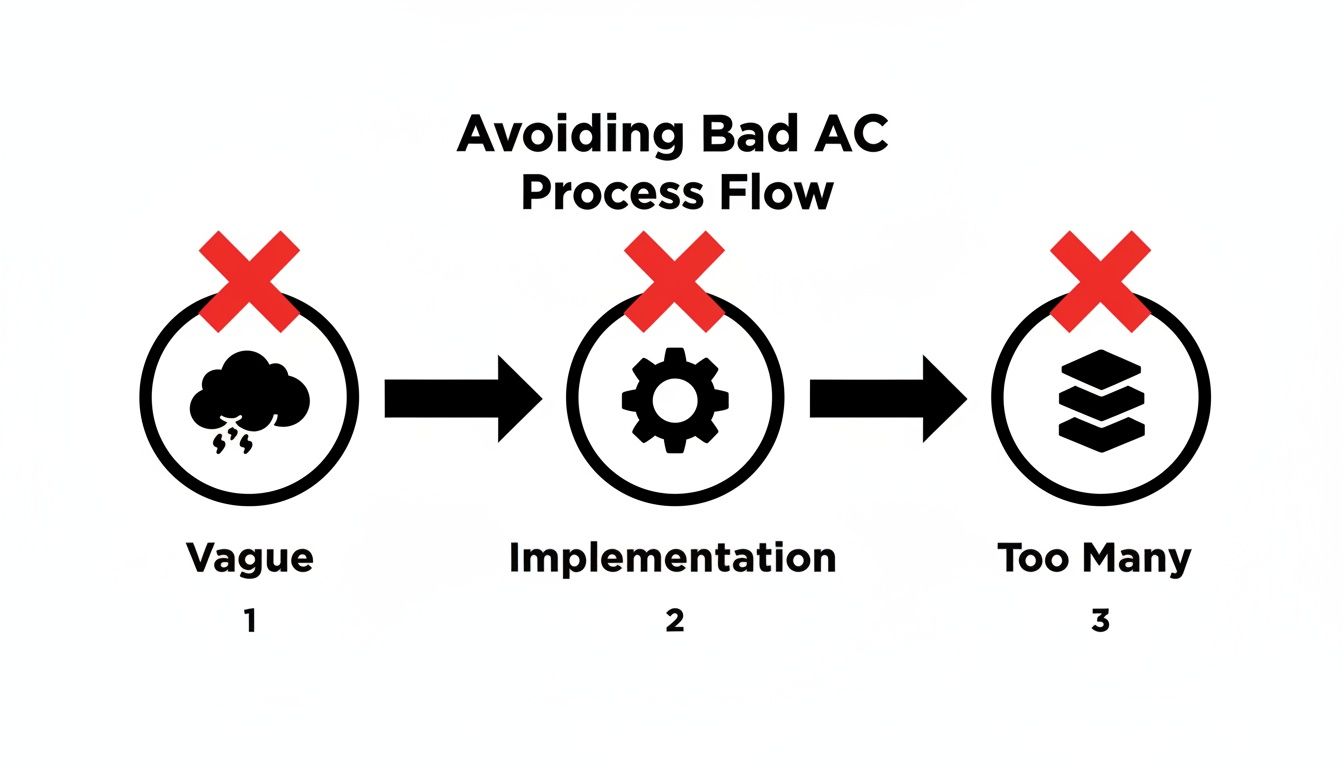
A formal DoR helps you sidestep common pitfalls like vague goals or overly prescriptive details, catching these issues before they waste development time.
Automating Quality Gates and Handoffs
Manually checking a DoR for every story is tedious, and items will inevitably slip through. This is where you let Jira do the heavy lifting. Imagine a workflow where a story is blocked from moving from 'To Do' to 'In Progress' until its acceptance criteria are confirmed.
Tools like Nesty for Jira by Harmonize Pro are designed for this. Nesty lets you create detailed checklists within a Jira issue and then build automation rules based on them. Your static criteria become a living, enforceable quality gate. For a step-by-step walkthrough, see this guide on building a powerful checklist in Jira.
Actionable Strategy: Automate your DoR checks in Jira. You're not just enforcing a process; you're embedding quality into your workflow. Every step becomes auditable, ensuring standards are met consistently without relying on memory.
This automation extends beyond the start of the process. Consider the handoff from development to QA—a classic point of friction. With an app like Nesty, you can set up a rule that triggers as soon as a developer completes their "Development Complete" checklist.
The moment that happens, the story can be automatically:
- Reassigned to the designated QA engineer.
- Moved to the 'Ready for QA' column on your board.
- A notification is sent to the QA team's Slack or Teams channel.
This creates a seamless handoff that eliminates manual steps and idle time. It guarantees that the QA team only receives work that has verifiably met all its acceptance criteria, transforming Jira from a simple task board into a smart system that actively defends quality.
The Future of AI in Validating Acceptance Criteria
Emerging technology is set to transform how we validate acceptance criteria. We are moving from manual reviews toward a future where AI can scan our criteria for clarity, completeness, and hidden conflicts before development begins. This represents a major shift from reactive quality checks to proactive, intelligent validation.
This evolution is driven by machine learning algorithms that can learn from your team's historical data. Imagine an AI that has analyzed thousands of your past user stories. It learns what "good" criteria look like in your context, identifies common patterns of ambiguity, and flags criteria that are too vague to be testable.
From Manual Checks to Predictive Insights
The true game-changer is predictive power. Research on machine learning in Agile has shown that certain models can validate criteria compliance with high accuracy. This allows teams to move from tedious manual reviews to AI-assisted validation, where technology highlights which criteria are most critical for success. You can explore the research on machine learning applications in Agile workflows for more details.
Practical AI applications on the horizon:
- Predicting Edge Cases: AI could analyze a story's context and suggest missing acceptance criteria that even a seasoned product owner might overlook.
- Ensuring Testability: It could automatically flag subjective words like "fast" or "user-friendly" and prompt for concrete, measurable metrics.
- Identifying Conflicts: It could spot contradictory criteria between two related user stories, catching a potential integration nightmare before it happens.
As this technology evolves, the broader practice of AI-powered knowledge management becomes essential, as these systems rely on high-quality project data to learn.
Actionable Insight: This isn't about replacing the critical conversations between team members. It's about augmenting them. AI can handle repetitive, pattern-matching work, freeing up your team to focus on creative problem-solving and innovation.
Preparing Your Team for an AI-Powered Future
How do you prepare your team for this future? It all comes down to your data hygiene today.
The performance of any future AI model will depend entirely on the quality and consistency of the information you feed it. The process discipline you build now will pay massive dividends later.
By implementing a structured process for your agile story acceptance criteria now—using tools like Nesty to enforce a clear Definition of Ready and ensure criteria are consistently formatted—you are building the high-quality dataset that will train these future AI systems. Every well-defined story becomes a valuable piece of training data, future-proofing your team’s agile practices.
Answering Common Questions About Acceptance Criteria
Even experienced teams encounter the same questions about agile story acceptance criteria. Let's clarify the most common points of confusion to keep your team aligned and productive.
Who's Actually Responsible for Writing Acceptance Criteria?
While the Product Owner (PO) is ultimately accountable for the "what" and "why," writing acceptance criteria is a collaborative act, not a solo mission. The best results emerge from a team effort.
Actionable Process: Write acceptance criteria together during backlog refinement sessions.
- The Product Owner brings the business goals and user perspective.
- Developers identify technical constraints and suggest efficient implementation paths.
- QA Testers excel at spotting edge cases and ensuring every criterion is verifiably testable.
This collaborative "three amigos" approach ensures that the resulting criteria are valuable, feasible, and testable from the start.
What's the Difference Between Definition of Done and Acceptance Criteria?
This common point of confusion trips up many teams. They sound similar but serve distinct purposes.
- Definition of Done (DoD): A universal quality checklist that applies to all user stories.
- Acceptance Criteria (AC): Specific rules that apply to only one user story.
Actionable Analogy: Think of it like this: your DoD is the factory's final quality inspection that every car must pass (e.g., brakes work, engine starts). The AC are the specific features for one particular car order (e.g., color is blue, has leather seats).
Your Definition of Done includes items like "Code is peer-reviewed," "Unit tests pass with 90% coverage," and "Documentation is updated." A story is not truly finished until it meets both its unique AC and the team's universal DoD.
Can We Change Acceptance Criteria After a Sprint Has Started?
Ideally, no. Acceptance criteria should be locked down before a story enters a sprint. Changing them mid-sprint is a primary cause of scope creep and jeopardizes the sprint goal.
If a stakeholder realizes something crucial was missed, the correct agile response is to create a new user story for that requirement and prioritize it for a future sprint. This protects the team from disruption and keeps delivery predictable.
Small clarifications are acceptable, but any change that alters the scope or effort requires a new story. This discipline is essential for maintaining a stable and productive workflow.
Ready to turn your acceptance criteria into automated quality gates? With Harmonize Pro, you can use Nesty to build enforceable checklists in Jira, ensuring your Definition of Ready is met every time. Learn how to build smarter workflows with Nesty.
Leave a Reply