Tag: agile testing

  • Zephyr for Jira: A Practical Guide to QA Orchestration

    Zephyr for Jira: A Practical Guide to QA Orchestration

    If you've worked in software development, you've seen the gap. Developers manage tasks in Jira, while the QA team tracks tests in spreadsheets or an external tool. This split creates a communication black hole where context is lost and bugs slip through.

    Zephyr for Jira is a native Jira app designed to close that gap. It embeds a complete test management system directly into your projects, eliminating the need for context switching and disconnected tools. It turns Jira into a single source of truth for both development and quality assurance.

    How Zephyr Bridges the Dev-to-QA Gap

    When a developer finishes a feature, how does QA know which tests to run? When a bug is found, how can you trace it back to the specific requirement and test case that failed? Zephyr provides direct answers to these questions by integrating testing into your development workflow.

    It introduces new Jira issue types—Test, Test Plan, and Test Execution—that live alongside your stories and tasks. This native integration is the key to its effectiveness.

    Why Native Integration is a Game-Changer

    Because Zephyr lives inside Jira, your test cases are actual Jira issues. This allows you to link them directly to user stories and defects, creating a transparent, interconnected system with immediate benefits.

    • Actionable Traceability: See exactly which tests cover a feature, review pass/fail history, and trace every bug back to its source test case. This is crucial for impact analysis and regression planning.
    • Unified Workflow: Developers and QA engineers work from the same boards and use the same language. This reduces friction and makes collaboration seamless. To start, get both teams to agree on a single workflow for stories that includes a "Ready for QA" status.
    • Live Reporting: All your testing metrics are available in Jira dashboards. Set up a simple dashboard with gadgets for "Test Execution Progress" and "Top Defects Found" to give everyone immediate visibility into project health.

    Actionable Tip: By embedding test management within Jira, you can make quality a shared responsibility. Create a workflow where developers are required to link their user stories to existing test cases before handing them off to QA.

    Which Zephyr is Right for You?

    Zephyr comes in two primary versions, each tailored to different team sizes and needs. Zephyr Squad is designed for agile teams needing a quick, simple solution within a single project. Zephyr Scale is for larger organizations requiring advanced features like reusable test libraries across multiple projects and detailed versioning.

    As part of the SmartBear portfolio, Zephyr is widely used in large enterprises. Market data reveals that 42% of its customers have over 1,000 employees, and 39% report revenues exceeding $1 billion. You can explore the data on Zephyr's enterprise adoption on Enlyft.com.

    Mastering Core Zephyr Workflows and Features

    To use Zephyr for Jira effectively, you need to understand its core building blocks: Test Cases, Test Cycles, and Test Executions. Mastering this structure is the first step toward building an organized and repeatable QA process.

    A Test Case is a reusable Jira issue containing the steps to validate a specific piece of functionality, like "Verify user can log in with a valid password." Your goal is to build a comprehensive library of these test cases. For practical advice on organizing them, read our guide on managing test cases in Jira.

    The Testing Lifecycle in Action

    When it's time to test a new feature or release, you group relevant test cases into a Test Cycle. Think of this as a testing assignment. For example, create a "Sprint 3.2 Regression" cycle and add all tests related to features modified in that sprint.

    Once the cycle is ready, a QA engineer begins the Test Execution. This is the practical step of running each test and marking its status: Pass, Fail, Blocked, or Work in Progress. This action provides immediate, real-time feedback on testing progress directly within your Jira project.

    This diagram illustrates how Zephyr integrates these components into your development workflow.
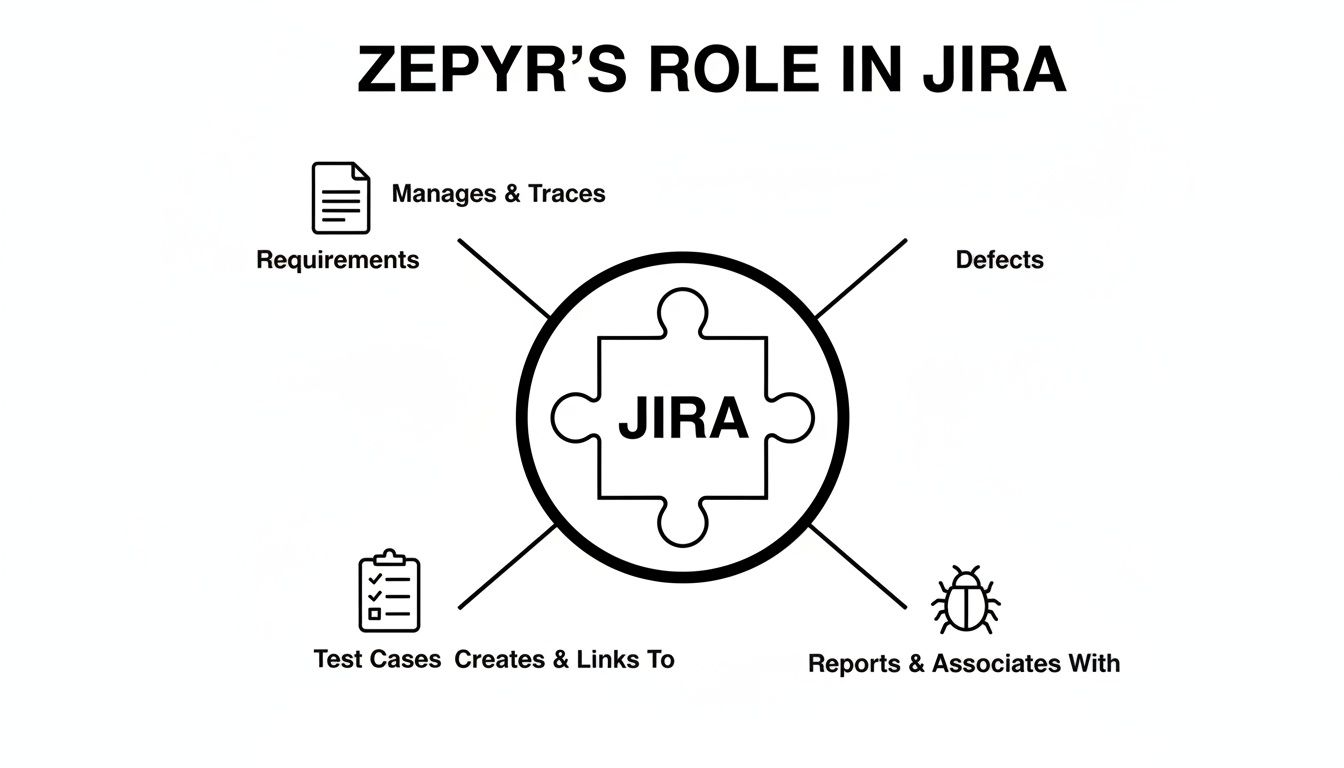
    Diagram illustrating Zephyr's role in Jira, managing requirements, creating test cases, and handling defects.

    As you can see, Jira acts as the central hub, linking requirements to the tests that validate them and the defects discovered during the process.

    To get started quickly, familiarize yourself with these essential terms.

    Zephyr for Jira Key Terminology Explained

    Term Description Actionable Use Case
    Test Case A Jira issue with steps to validate a requirement. Create a script to test one function, e.g., "Verify password reset email is sent."
    Test Cycle A container grouping test cases for a specific effort. Plan your work by creating a cycle named "Regression Tests for v2.5 Release."
    Test Execution The act of running a test and recording the outcome. Mark a test as "Pass" or "Fail" to track progress and generate reports.
    Test Plan A high-level container that can group multiple cycles. Use a Test Plan to manage the entire testing strategy for a major product launch.
    ZQL Zephyr Query Language, used to search for tests. Find all failed tests in the current sprint with a query like cycleName = "Sprint 3.2 Regression" AND executionStatus = "FAIL".

    Understanding these components allows you to build a structured, traceable testing workflow.

    From Test Execution to Defect Logging

    What do you do when a test fails? Let's say the "Verify user login" test fails because the password field doesn't accept special characters.

    Actionable Tip: Directly from the test execution screen, click "Create Defect." Zephyr automatically links the new bug ticket to the original user story, the failed test case, and the specific test cycle. This creates a perfect audit trail for the developer.

    This tightly linked workflow eliminates guesswork. Anyone on the team can open a user story and instantly see:

    • All test cases covering the feature.
    • The complete execution history for every test run.
    • All defects found during testing.

    This visibility helps teams track quality and identify problem areas. To make this data even more accessible, add Zephyr reporting gadgets to a shared Jira dashboard for a live view of the project's health.

    How to Get Zephyr Up and Running for Your Team

    Successfully implementing Zephyr for Jira requires a solid setup from day one. A well-planned configuration will create an organized, scalable QA process that integrates smoothly into your development cycle. The process starts in the Atlassian Marketplace.

    A Jira administrator can simply navigate to the Atlassian Marketplace, search for Zephyr Squad or Zephyr Scale, and install the app. Afterward, enable it for the specific Jira projects where you intend to manage testing.
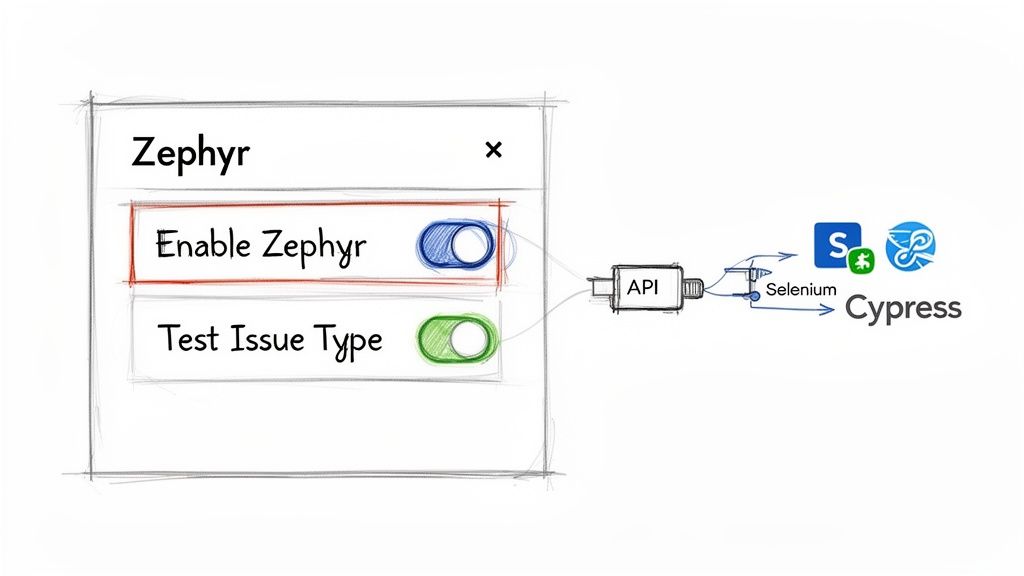
    Zephyr for Jira UI settings connecting to API, Selenium, and Cypress testing tools.

    Enabling the app activates all of Zephyr's features within that project, adding the necessary issue types and panels for your team.

    First-Time Project Setup

    With Zephyr enabled, your first action is to configure the project settings. The most critical step is ensuring the "Test" issue type is included in your project's issue type scheme. If you skip this, your team will be unable to create test cases.

    Next, customize your project's screen schemes. Add custom fields to the "Test" issue type to capture data that is important to your team.

    • Priority: Add a "High," "Medium," or "Low" priority field to help focus regression testing on what matters most.
    • Test Type: Create a field to distinguish between "Functional," "UI," "Performance," or "Security" tests for better planning and reporting.
    • Automation Status: Include a field to track whether a test is "Manual," "Automated," or a "Candidate for Automation." This is essential for monitoring your automation goals.

    These custom fields add valuable metadata, making your test repository easier to search, filter, and report on as it grows.

    Organizing Your Test Repository for Long-Term Success

    A common mistake is creating test cases without a clear organizational structure. To avoid chaos, organize your tests into a logical folder structure from the start, mirroring your application's features or modules.

    Actionable Tip: Think of your test repository like a file system. Create top-level folders for major components like "User Authentication," "Payment Processing," and "Admin Dashboard." This makes it easy for anyone to find existing tests, add new ones, and prevent duplicates.

    This simple organizational discipline will save your team countless hours in the long run.

    Tying in Your Automation Frameworks

    To integrate your automated tests, use Zephyr's REST API. This API connects your test scripts with your Jira project, allowing you to push results from frameworks like Selenium, Cypress, or Playwright directly into Zephyr test cycles.

    This integration provides a unified view of all testing activities. In a single Jira test cycle, you can see the results of both manual and automated test runs side-by-side. Configuring this API connection is a critical step toward achieving a modern, efficient QA process.

    Where Zephyr Can Stumble: Common Limitations and Roadblocks

    No tool is perfect, and while Zephyr for Jira excels at integrating testing into development, it has limitations. Understanding these potential challenges allows you to plan around them instead of being caught by surprise.

    A primary concern for growing teams is performance. With tens of thousands of test cases, the user experience can become sluggish. Loading large test cycles or filtering extensive lists of tests can introduce delays, impacting your QA team's productivity.

    Actionable Tip: Any app built inside another platform is constrained by the host's architecture. Zephyr's performance is tied to Jira's. If you anticipate managing over 50,000 test cases, consider running performance tests with a sample project before committing to a full-scale rollout.

    The Challenge of Per-User Licensing

    Zephyr's pricing model can also be a significant roadblock. The license cost, particularly for Zephyr Scale, is often tied to your total number of Jira users, not just your testers. This means developers, product managers, and other team members with Jira licenses could contribute to your Zephyr bill, even if they never write or execute a test.

    This can lead to unexpectedly high costs. Based on user reviews, dedicated QA testers often make up only 10–20% of total Jira users in a company. In this scenario, you could pay 5 to 10 times more than anticipated. These same reviews frequently cite performance issues, with some users reporting that large test suites can take 10–20 minutes to load. You can find a collection of these user-reported insights on aqua-cloud.io.

    Navigating the User Interface

    Finally, while functional, the user interface can feel clunky compared to modern, standalone testing platforms. Some common pain points include:

    • Difficult bulk edits: Updating hundreds of test cases at once requires a cumbersome, multi-step process.
    • Rigid reporting: Standard reports are available, but creating custom, cross-project dashboards often requires exporting data to another tool.
    • Challenging navigation: In large projects, finding a specific test cycle or execution can be time-consuming.

    By evaluating these trade-offs—performance at scale, licensing costs, and UI limitations—you can make an informed decision about whether Zephyr for Jira is the right long-term solution for your team.

    Elevating Your QA with Advanced Workflow Orchestration

    While Zephyr for Jira is excellent for managing test cases, modern QA requires more than just logging results. It requires orchestrating the entire quality process—from code commit to final sign-off. This is where you move from test management to workflow automation, closing the coordination gaps that test management tools alone cannot address.

    Consider the standard handoff: a developer moves a Jira ticket to 'Ready for QA.' This action often triggers a series of manual steps, Slack messages, and status checks. This is a common friction point where context is lost and delays occur. Workflow orchestration automates these handoffs to ensure nothing is missed.

    From Test Management to Process Automation

    This is where a tool like Harmonize Pro's Nesty complements Zephyr. While Zephyr manages the "what" of testing (the test cases and cycles), Nesty orchestrates the "how" and "when" by automating the process around the testing. It acts as an air traffic controller for your quality process.

    For instance, when a ticket is moved to 'Ready for QA', Nesty can enforce your team's standards before testing begins.

    • Enforce a Definition of Ready: Automatically present a checklist to the developer, requiring them to confirm that release notes are attached, unit tests have passed, and deployment instructions are clear before the ticket can be assigned to QA.
    • Automate Handoffs: Once the checklist is complete, automatically reassign the ticket to the appropriate QA engineer, eliminating the manual assignment process.
    • Trigger Notifications: Simultaneously, send a notification to a specific Slack channel to inform the QA team that a new feature is ready for testing.

    Actionable Tip: Shift your quality process from reactive to proactive. Implement a "Definition of Ready" checklist to ensure that by the time a QA engineer receives a ticket, it has already been validated and contains all necessary information.

    Closing the Coordination Gap

    Zephyr provides the library of tests; Nesty builds the intelligent pipeline that governs the processes around them. This creates a resilient quality gate where standards are enforced, reducing rework and miscommunication. To learn how to implement these workflows, explore the guides on how to structure dev-to-QA handoffs with Nesty.

    To further advance your QA strategy, look beyond functional validation. Visual consistency across browsers is a critical aspect of quality that standard test cases often miss. Exploring the best visual regression testing tools can help you catch UI bugs that automated functional tests cannot.

    By combining robust test management with intelligent workflow orchestration, you can build a comprehensive and reliable quality system.

    Practical Use Cases for Zephyr and Nesty

    Combining Zephyr’s structured test management with Nesty’s workflow automation allows you to build powerful quality pipelines directly inside Jira. These three practical scenarios demonstrate how this partnership eliminates manual work and enforces consistent processes.

    These examples show how to build a smart workflow around Zephyr for Jira that prevents messy handoffs and ensures no steps are forgotten.
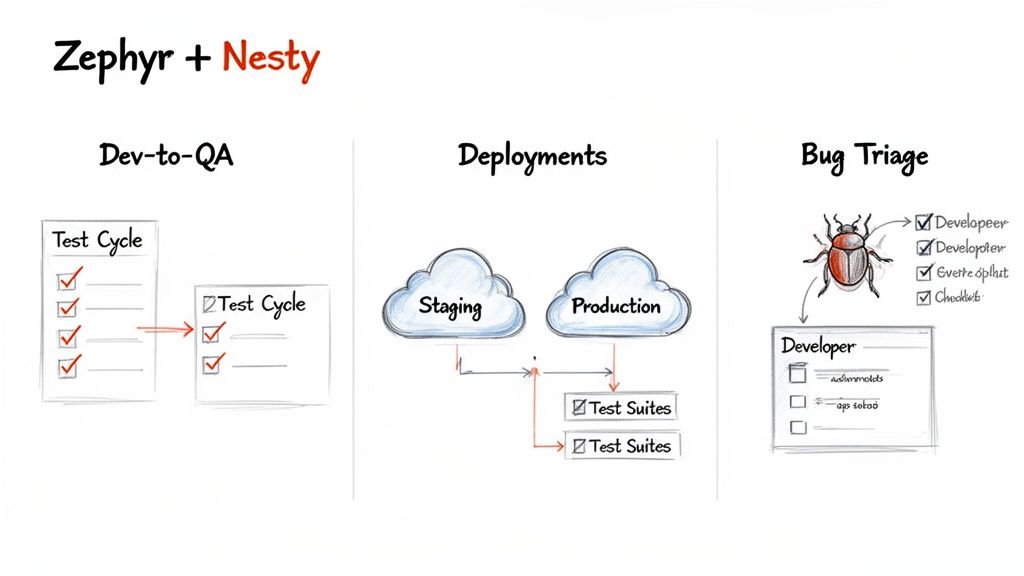
    Diagram showing Zephyr and Nesty integration for Dev-to-QA, deployments, and bug triage workflows.

    Automated Dev-to-QA Handoffs

    When a developer moves a Jira ticket to "Ready for QA," you can automate the entire handoff process. The moment the ticket status changes, Nesty can trigger a mandatory "Definition of Ready" checklist for the developer.

    Actionable Tip: Use this checklist as a quality gate. The ticket cannot be assigned to QA until the developer confirms that unit tests have passed, documentation is updated, and the code has been deployed to the correct test environment.

    Once the checklist is complete, Nesty can automatically reassign the ticket to the QA lead and link the relevant Zephyr test cycle for execution. The handoff is seamless and fully documented without a single Slack message.

    Managing Multi-Environment Deployments

    Deploying features across Staging, UAT, and Production environments requires careful coordination. Use a nested checklist in Nesty to manage this sequence within a single Jira ticket, linking specific Zephyr test suites at each stage.

    Here’s how to structure the workflow:

    1. Deploy to Staging: A checklist item guides the DevOps engineer through the staging deployment. Upon completion, a Zephyr regression test cycle is automatically linked and assigned for verification.
    2. Deploy to Production: This stage only unlocks after the staging tests pass. The production deployment is then performed, followed by the automatic assignment of a focused Zephyr smoke test suite.

    This approach establishes a validated quality gate for each environment, with the entire process tracked transparently in Jira. You can learn more about building these structured workflows with Nesty by Harmonize Pro.

    Streamlining Bug Triage and Verification

    When QA finds a bug and logs it in Zephyr, automate the fix-and-verify loop. Nesty can create a developer-focused sub-task checklist to guide the process. Include mandatory items like "Identify root cause," "Write a unit test to replicate," and "Submit for peer review."

    Once the developer completes their checklist, the ticket automatically transitions back to the original QA engineer with a notification. This prompts them to re-run the failed Zephyr test case to confirm the fix. This closed-loop process eliminates communication gaps and ensures every bug is properly validated before being closed.

    Zephyr vs. Nesty A Comparison of QA Functions

    This table clarifies how Zephyr and Nesty solve different but related problems within the QA lifecycle. Zephyr is your test library; Nesty is the conductor ensuring the right processes are followed.

    Function Zephyr for Jira Nesty by Harmonize Pro
    Primary Goal Organize, plan, and execute test cases. Orchestrate and enforce workflows across teams.
    Core Asset Test Cases & Test Cycles. Actionable Checklists & Quality Gates.
    Who Uses It? QA Engineers, Test Managers. Developers, QA, DevOps, Project Managers.
    Key Question Answered "Did this feature pass its tests?" "Did we follow the correct process to ship this feature?"

    Zephyr provides the "what" of testing (the test cases), while Nesty provides the "how" and "when" (the workflow). Together, they create a robust and repeatable quality process inside Jira.

    Got Questions About Zephyr for Jira? We've Got Answers.

    Here are quick answers to the most common questions teams have about Zephyr for Jira.

    What's the Real Difference Between Zephyr Squad and Zephyr Scale?

    Zephyr Squad is ideal for agile teams that need a simple way to manage tests within a single Jira project. It's straightforward and easy to adopt.

    Zephyr Scale is designed for larger organizations that require enterprise-level features, such as a centralized, reusable test library that can be shared across multiple projects, advanced reporting, and audit trails.

    Can You Hook Up Automated Tests with Zephyr?

    Yes. Both Zephyr Squad and Zephyr Scale provide REST APIs that allow you to integrate with automation frameworks.

    You can connect tools like Selenium, Cypress, and Playwright to push automated test results directly into your Jira test cycles. This gives you a single dashboard to view results from both manual and automated tests.


    Ready to move beyond just managing tests and start truly orchestrating your quality process? Harmonize Pro's Nesty builds intelligent, automated workflows directly inside Jira to kill manual handoffs and enforce quality gates. Find out how Nesty can help.

  • A Practical Guide to Managing Test Cases in Jira

    A Practical Guide to Managing Test Cases in Jira

    To effectively manage test cases in Jira, your first actionable step is to move away from native sub-tasks and install a dedicated test management app from the Atlassian Marketplace. This one change provides structured test repositories, clear traceability from requirement to defect, and reporting dashboards that standard Jira can’t offer. It’s how you transform Jira from a task tracker into a QA command center.

    Why Your Native Jira Testing Is Holding You Back

    If you're currently using Jira sub-tasks or custom labels for test cases, you've felt the pain. It starts with a few tests tacked onto a user story. Soon, you're lost in a tangled web of tickets where tracking progress is manual detective work, and proving a feature is fully tested is a shot in the dark.

    This ad-hoc approach simply doesn't scale.

    A visual metaphor showing interconnected software modules, with red lines and bugs emerging from a central system crack.

    This disorganization has real consequences. Critical bugs slip through because you lack a clear view of test coverage. Release delays become the norm as teams scramble to manually verify what’s been tested.

    We've seen teams repurpose user stories for tests and end up with 30-40% more manual rework, slowing down their release cycles by up to two weeks per sprint. This is a direct hit to productivity.

    The Limits of Standard Jira

    At its core, Jira is a phenomenal issue and project tracker. But it wasn't built for dedicated test management. Forcing it into that role creates immediate, practical roadblocks.

    • No Reusability: Test cases created as sub-tasks are trapped. You can't pull them into a regression suite or reuse them in another project without tedious copy-pasting, which introduces errors.
    • Poor Visibility: Without a central test repository, there’s no single source of truth. To get an overview of all test suites or the overall health of product quality, you have to manually compile data.
    • Broken Traceability: Can you quickly prove that every requirement in a release is covered by a test case? With native Jira, this means exporting data to a spreadsheet and manually connecting the dots—a process that fails audits and wastes time.

    This setup forces QA teams into administrative busywork, pulling them away from their primary mission: ensuring a high-quality product. You can start improving your process by reviewing common workflow pitfalls described in https://harmonizepro.com/blog/changing-workflow-in-jira.

    The real cost of native Jira testing isn't just wasted time; it's the erosion of confidence. When you can't trust your process, you can't be certain about your product's quality, which leads to release anxiety and customer-facing defects.

    Native Jira vs. Dedicated Test Management Apps

    To understand the gap, let's compare the capabilities side-by-side. The difference between using sub-tasks and a purpose-built tool is stark.

    Capability Native Jira (Using Sub-tasks/Labels) Dedicated Apps (e.g., Nesty, Xray) Actionable Insight
    Test Case Reusability None. Each test is a one-off sub-task. Central repository allows reuse across cycles and projects. Action: Build a regression suite once and reuse it indefinitely, saving hours each sprint.
    Traceability Manual and fragile. Relies on linking issues. Built-in, end-to-end traceability from requirements to defects. Action: Generate a traceability matrix report in one click to satisfy audit requirements.
    Reporting & Metrics Basic issue reports. No QA-specific dashboards. Advanced dashboards for test coverage, pass/fail rates, and more. Action: Create a live dashboard to show stakeholders real-time quality metrics.
    Execution History Buried in issue comments or requires custom fields. Detailed, versioned history of every test run. Action: Pinpoint when a test started failing by comparing execution histories.

    The difference is clear. Dedicated apps introduce a structured, professional workflow that native Jira was never designed to support.

    A Path Forward with Dedicated Tools

    The solution isn't to ditch Jira—it's to augment it. Dedicated test management apps integrate directly into your Jira instance, adding the necessary structure and features. These tools introduce specialized issue types for test cases, test plans, and test executions, giving everything a proper place.

    This fundamental shift brings order to the chaos. Many teams have found success by leveraging a brilliant combination for a perfect bug reporting workflow in Jira to handle the defect side of the equation.

    When you layer in smart automation, like the kind Nesty provides, you can build truly intelligent workflows that connect all the pieces. This sets the stage for the practical, step-by-step guidance that follows.

    How to Structure Test Cases for Clarity and Reuse

    To move past ad-hoc testing, you need a blueprint. Building a solid foundation for managing tests in Jira means creating a structure that brings clarity, encourages reuse, and scales with your team. Your first step is to create a centralized test repository right inside Jira by using a dedicated "Test Case" issue type from a test management app.

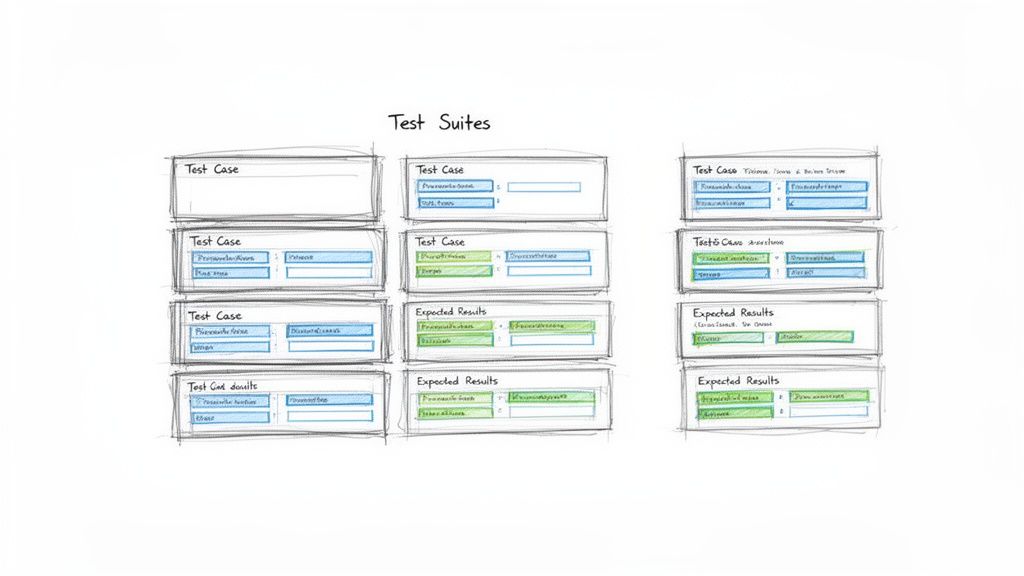
    Hand-drawn sketch illustrating multiple test cases and expected results organized into test suites.

    This simple move immediately separates your testing artifacts from the development backlog, making them searchable, reportable, and, most importantly, reusable. It's a small change with a massive impact on organization.

    Designing the Perfect Test Case Issue Type

    A great test case ticket leaves no room for interpretation. It provides all the necessary information so any team member can execute it correctly. Before you build this in Jira, review how to write test cases effectively to master the fundamentals of clarity and reuse.

    To standardize everything, configure your "Test Case" issue type to include these key fields:

    • Summary: A short, clear title (e.g., "Verify user login with valid credentials").
    • Component: The part of the application under test (e.g., Authentication, Checkout, User Profile).
    • Preconditions: What must be true before the test starts? (e.g., "User account testuser@email.com must exist and be active.")
    • Test Steps: A numbered list of specific actions.
    • Expected Results: For each step, the exact, observable outcome that proves it passed.

    This structure removes guesswork and drives consistency across your entire QA practice.

    Think of a test case as a recipe. A vague recipe gives you inconsistent results. A precise one ensures anyone in the kitchen can create the same dish perfectly, every time. Your Jira test cases need to be that clear.

    The Power of Atomic Test Steps

    Vague test steps are the number one cause of flaky test results. Instead of "Test the login form," break it down into atomic actions. This makes the test easier to follow and simplifies debugging.

    A Poor Example:

    • Step 1: Go to the login page and try to log in.

    A Much Better Example:

    1. Action: Navigate to the application's login URL.
      Expected Result: The login page loads with fields for username and password.
    2. Action: Enter a valid, registered username into the username field.
      Expected Result: The text is accepted by the field.
    3. Action: Enter the corresponding valid password into the password field.
      Expected Result: The text is masked and accepted.
    4. Action: Click the "Login" button.
      Expected Result: The user is redirected to their account dashboard.

    If this test fails on step 4, the developer knows exactly where the process broke, speeding up the fix.

    Organizing Tests into Logical Suites

    Once you have a library of test cases, you need to group them. This is where test suites (or test sets) come in. These are collections of test cases executed together for a specific purpose. Getting this organization right is crucial for managing test cases in Jira effectively.

    Actionable Tip: Use folders or labels within your test management app to create suites like:

    • By Feature: All tests for the new "Shopping Cart" feature.
    • By Type: A "Full Regression Suite" containing all critical-path tests.
    • By Release: A specific set of tests needed to validate the upcoming "v2.1" release.

    This doesn't just keep your repository tidy; it makes planning test cycles efficient. A QA lead can simply assign an entire suite to a tester for a given sprint, instead of picking dozens of tests one by one.

    This integrated approach pays off. A Forrester study on QA tools found that teams using Jira-native apps achieve 28% higher test coverage rates. They link 92% of requirements to executable tests, a huge leap from the 65% managed in standalone systems. For product managers tracking releases across dev, staging, and production, that’s a game-changer. With a well-structured repository, you're building a foundation for quality that helps you ship more reliable software, faster.

    Executing and Tracking Test Cycles with Precision

    You’ve built a solid repository of test cases. Now, it’s time to execute and track your test cycles with precision. This is where your Jira setup evolves from a library into a command center for your entire quality assurance operation.

    The goal is a clear, repeatable process for running tests against a specific sprint, release, or feature. To do this, group the right test cases into a Test Cycle or Test Run, assign them to QA engineers, and watch the progress unfold in real time. A well-managed cycle in Jira is the antidote to the last-minute chaos many teams dread before a release.

    Kicking Off a Test Cycle

    A Test Cycle is a specific, targeted mission. For instance, create a cycle named "v2.5 Sprint 3 Regression" or "New User Onboarding Feature." This naming provides immediate context.

    Once you have your cycle, pull in the relevant test suites and individual test cases from your repository. Then, assign the whole batch or individual tests to your QA team. This simple act of assigning ownership is critical—everyone knows exactly what they’re responsible for.

    Of course, a perfect test case is useless if the environment isn't ready. A test will fail against a broken or outdated build every time. It's crucial to have clear protocols for ensuring the testing environment is stable. For a deeper dive, review these test environment management best practices.

    Think of a test cycle like a mission briefing. It defines the objective (what we're testing), assigns roles (who's testing it), and ensures everyone has the right equipment (the correct environment and test data). Without this briefing, teams are just running disconnected drills.

    Tracking Execution Status in Real Time

    As your testers work, their progress needs to be visible to the entire team—not locked in a spreadsheet. This is where standardized execution statuses are so important. Move beyond vague comments like "it worked" and start marking every test run with a clear, universally understood status.

    This immediate feedback loop is a major benefit of managing test cases in Jira. A project manager can glance at a dashboard and instantly understand test cycle progress, see the pass/fail rate, and pinpoint blocked areas.

    Essential Test Execution Statuses and Their Meanings

    To make real-time tracking work, everyone must use the same statuses. This table breaks down the most common statuses, their meaning, and the next steps for QA and development.

    Status Definition Action for QA Action for Developer
    Pass The actual result matched the expected result perfectly. Move to the next test case. No further action needed. None. The functionality works as intended.
    Fail The actual result did not match the expected result. Create a new bug ticket, linking it to this test run. Investigate the linked bug ticket to identify and fix the issue.
    Blocked The test cannot be executed due to an external factor. Document the blocker (e.g., "Staging environment is down"). If the blocker is a bug, prioritize a fix. If environmental, coordinate with DevOps.
    In Progress The tester has started executing the test but has not finished. Continue executing the remaining steps. Monitor for status changes.

    Using these statuses consistently ensures there's no ambiguity. A "Fail" is a clear signal to a developer, while a "Blocked" status tells the team that an external issue needs attention.

    Creating an Unbreakable Traceability Chain

    The most powerful outcome of this process is an unbreakable chain of evidence. Every action is linked, giving you complete traceability from the initial requirement down to the final test result.

    When a test fails, you don't just mark it red. Action: Create a new bug issue directly from the test execution screen. Most dedicated Jira test management apps automate this, pre-populating the bug report with crucial context like the test steps, expected results, and actual results. The tester just needs to add proof—screenshots, videos, or logs.

    This new bug is automatically linked to the failed test run, which is linked to the test case, which is linked back to the original user story. This closed-loop system creates a complete audit trail and makes it easy to answer critical questions:

    • Which requirements are affected by this bug?
    • What tests were run against this user story?
    • Has the fix for this bug been verified by QA?

    This integrated tracking elevates your team from simply managing tasks to running a sophisticated quality engineering workflow.

    Automating QA Handoffs and Quality Gates

    You've got your test cycles running. But the real bottleneck is often the manual handoff. A developer moves a ticket to "Ready for Test," but the QA engineer misses the notification. The ticket sits idle for hours or even days.

    This is where you move from managing tasks to orchestrating a workflow. By automating handoffs and building quality gates, you can cut out the manual back-and-forth. The goal is a system where the right person is notified at the exact right moment with everything they need.

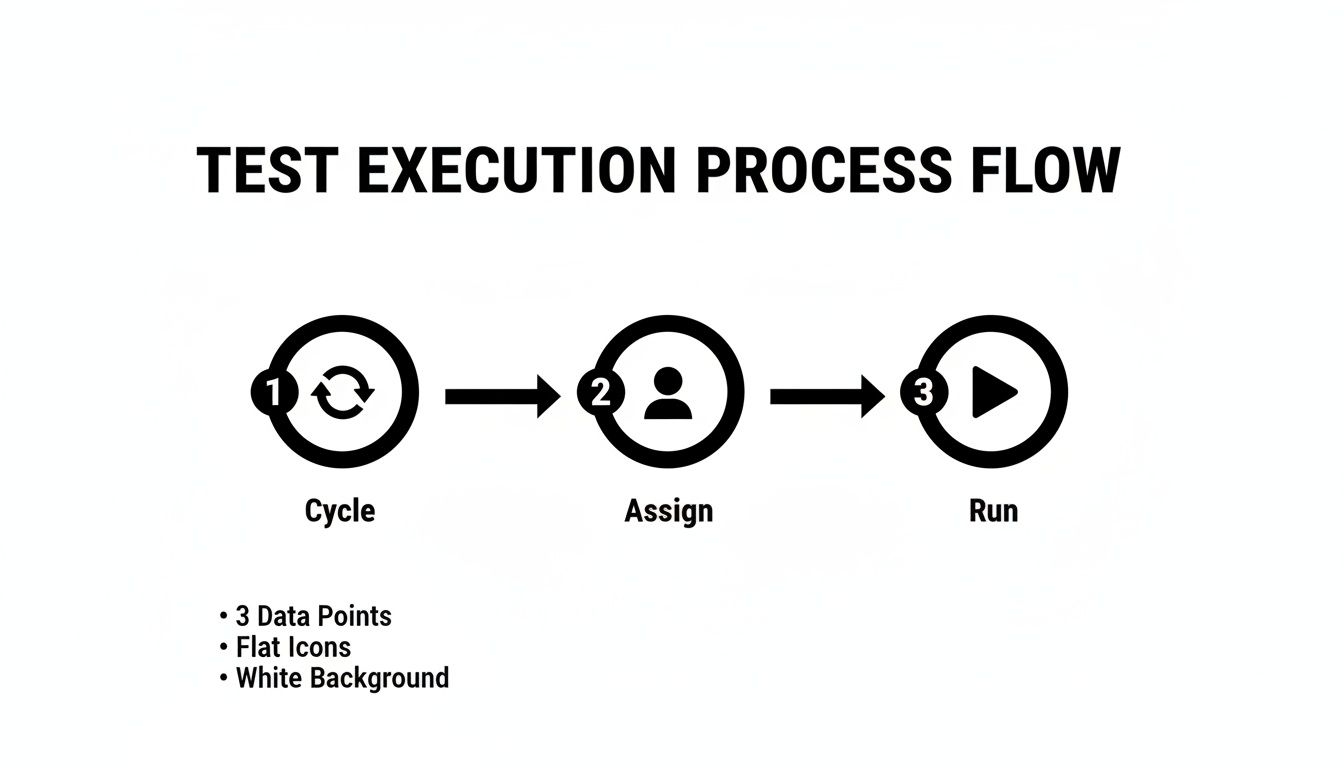
    This flow chart breaks down a typical test execution cycle. Automation is what glues these stages together, making the transition seamless.

    Process flow diagram outlining the three steps for test execution: Cycle, Assign, and Run.

    Building an Automated Handoff from Dev to QA

    Here's an actionable automation recipe using a Jira app like Nesty. When a developer drags a user story into the "Ready for Test" column, a chain of actions kicks off automatically.

    This is more than just changing the assignee; it's delivering a complete package to the tester.

    • The Trigger: An issue transitions to the "Ready for Test" status.
    • Assign Instantly: The ticket is immediately reassigned to the QA Lead or a designated tester. No more ambiguity.
    • Notify the Team: A message instantly pings a specific Slack channel (e.g., #qa-team), tagging the new assignee with a direct link: "@jane.doe – US-123 'User Login Flow' is ready for testing."
    • Attach the Goods: The workflow can automatically attach the latest build artifacts, ensuring the tester has the right version.

    This one automation eradicates missed handoffs and the "is this ready yet?" chatter. It's a fundamental step for how to improve team collaboration in a fast-moving environment.

    Enforcing Quality with Automated Gates

    A quality gate is a checkpoint—an automated rule that prevents a ticket from moving forward until certain conditions are met. It’s your workflow’s enforcer. One of the most powerful gates prevents a user story from being marked "Done" until every single linked test has passed.

    A quality gate acts as your workflow's conscience. It doesn't rely on memory or good intentions; it programmatically enforces the Definition of Done, ensuring quality standards are met every single time, without exception.

    Using an app like Nesty, you can build this logic directly into Jira. Here's how:

    • Set the Blocker: Put a blocker on the workflow transition to "Done."
    • Define the Condition: The blocker stays active as long as any linked test case has a status other than "Pass."
    • See the Result: A developer literally cannot close the story. When they try, the system stops them and shows a message like, "Cannot be closed. 3 of 5 linked test cases have not passed."

    This creates a powerful, self-regulating loop. The burden of checking test results shifts from a person to an automated rule, guaranteeing that buggy code doesn't slip through.

    Building Actionable QA Reports and Dashboards

    Great testing is invisible without great reporting. If your hard work is buried in individual tickets, it's not helping anyone. The next step is to turn that raw testing data into live dashboards in Jira that tell a clear story about product quality.

    The key ingredient here is Jira Query Language, or JQL. Think of it as a super-powered search bar for Jira. You write simple queries to pull exactly the information you need, and these queries become the engine for your dashboard gadgets.

    Mastering JQL for QA Metrics

    You don't need to be a developer to master JQL. With a few practical, copy-and-paste examples, you can start filtering for the metrics that matter. These queries are the building blocks for creating visual, useful reports.

    Here are a few essential JQL queries for QA teams:

    • Overall Test Status for a Release: Finds all test executions for a specific version.
      issuetype = "Test Execution" AND fixVersion = "v3.1 Release"
    • Defects Found in the Current Sprint: Keeps an eye on bug discovery rates.
      issuetype = Bug AND sprint in openSprints()
    • Untested Requirements: A lifesaver for finding coverage gaps. It looks for user stories that don't have linked test cases.
      issuetype = Story AND issue not in hasLinkType("Tests")

    Getting comfortable with these simple filters is the first step toward turning data into a clear picture.

    From JQL Filters to Powerful Dashboard Gadgets

    Once you save a JQL query as a filter, plug it into dashboard gadgets to bring the data to life. This allows stakeholders to see the state of quality at a glance.

    Actionable Tip: Set up a dedicated QA dashboard with a mix of these three gadgets for a complete view.

    1. Pie Chart Gadget: Use this for showing test execution status. Plug in your "Overall Test Status" filter to get a simple, color-coded chart showing the percentage of tests that are Pass, Fail, Blocked, and To Do.
    2. Filter Results Gadget: Use this to display a live list of critical defects. Create a filter like issuetype = Bug AND priority = Highest and display it in a table showing the bug summary, assignee, and status. It keeps everyone accountable.
    3. Two-Dimensional Filter Statistics Table: This is fantastic for pinpointing problem areas. Set it up to show Components on one axis and Status on the other, instantly revealing which parts of the application are generating the most bugs.

    A dashboard isn't just a report; it's a conversation starter. When a product manager sees a pie chart with a giant red slice for "Failed Tests," it forces an immediate and necessary discussion about release readiness.

    This visibility is a major benefit of managing test cases inside Jira with a purpose-built tool. Real-world stats show that integrated systems can slash testing overhead by 35%. That efficiency helps scrum teams ship 22% faster while maintaining 95% traceability—critical for regulated industries. You can find more details in these findings on integrated QA solutions.

    By creating these dashboards, you give the entire team the context to make smarter, data-driven decisions, understand risks, and ultimately, ship with more confidence.

    Frequently Asked Questions About Jira Test Management

    Even with a perfect system, practical questions always come up. Teams often ask how to handle tricky situations like running the same tests across multiple environments or managing a large regression suite.

    Here are answers to the most common questions with battle-tested advice.

    How Should We Handle Tests for Different Environments?

    You have one test case but need to run it against dev, staging, and UAT. Do not duplicate the test case. This creates a maintenance nightmare.

    The best practice is to reuse the same test case but execute it within different Test Cycles. Create a distinct cycle for each environment and pull in the same set of test cases.

    • Cycle 1: "v4.2 Staging Smoke Test"
    • Cycle 2: "v4.2 UAT Full Regression"

    This keeps your test library clean and follows the DRY (Don't Repeat Yourself) principle. The execution history for staging is tracked in its own cycle, separate from UAT, but the test case itself lives in one central spot.

    What Is the Best Way to Manage a Large Regression Suite?

    As your product grows, your regression suite will too. Running hundreds of tests every sprint is unrealistic.

    The key is to prioritize and categorize your suite. Stop thinking of it as one monolithic block. Actionable Tip: Break down regression tests into smaller, targeted sub-suites using labels or components in Jira.

    • P1 – Smoke Tests: A small set of mission-critical tests. Run these on every build to catch catastrophic failures immediately.
    • P2 – Core Functionality: A larger suite covering the most important features. Run this once per sprint to ensure main workflows are solid.
    • P3 – Full Regression: The entire suite. Save this for right before a major release.

    This tiered approach maximizes risk coverage without killing your team's velocity.

    How Do We Integrate Automated Tests with Jira?

    Getting automated test results into Jira is the final piece of the puzzle. Most modern test automation frameworks can communicate with Jira test management apps via plugins or APIs.

    The goal is to have your automated test runs appear in Jira just like manual ones. A typical workflow involves a CI/CD pipeline job that finishes and automatically creates a new Test Cycle in Jira. It then populates that cycle with the test results, marking each as Pass or Fail and attaching logs or screenshots.

    The real magic of managing tests in Jira happens when you bring everything together. When your manual test results, automated run data, and all the linked defects live in one place, you get a complete, 360-degree view of product quality. No spreadsheet or standalone tool can come close to that.

    The industry has caught on. Data from the Atlassian Marketplace shows test management apps account for 15% of all Jira plugin installs in enterprise companies. This is especially true in the US and Europe, where agile teams now make up 65% of all software projects. You can discover more insights about these Jira trends and see how other teams are centralizing their QA work.


    Turn your complex Jira processes into self-managing workflows with Harmonize Pro. Our app, Nesty, helps you automate handoffs, enforce quality gates, and build dynamic checklists that keep your teams aligned and your projects on track. Transform your Jira workflows with Nesty today.