Tag: atlassian marketplace

  • Boost Jira Workflows with checklists in jira: Simple, Repeatable, Done

    Boost Jira Workflows with checklists in jira: Simple, Repeatable, Done

    Managing complex Jira projects often feels like a choice between drowning in subtasks or using to-do lists everyone ignores. Both approaches create friction, leading to missed steps, messy handoffs, and delayed releases. This guide will show you how to shift from passive tracking to active, actionable process management directly within your Jira issues.

    Why Your Jira Issues Need More Than a To-Do List

    If your team is scribbling to-do lists in the description field or creating a mountain of subtasks for every feature, you're creating unnecessary work. A simple markdown checklist can't enforce your process. Conversely, dozens of subtasks for a single workflow add clutter and administrative overhead, making it impossible to see a task's true status at a glance.
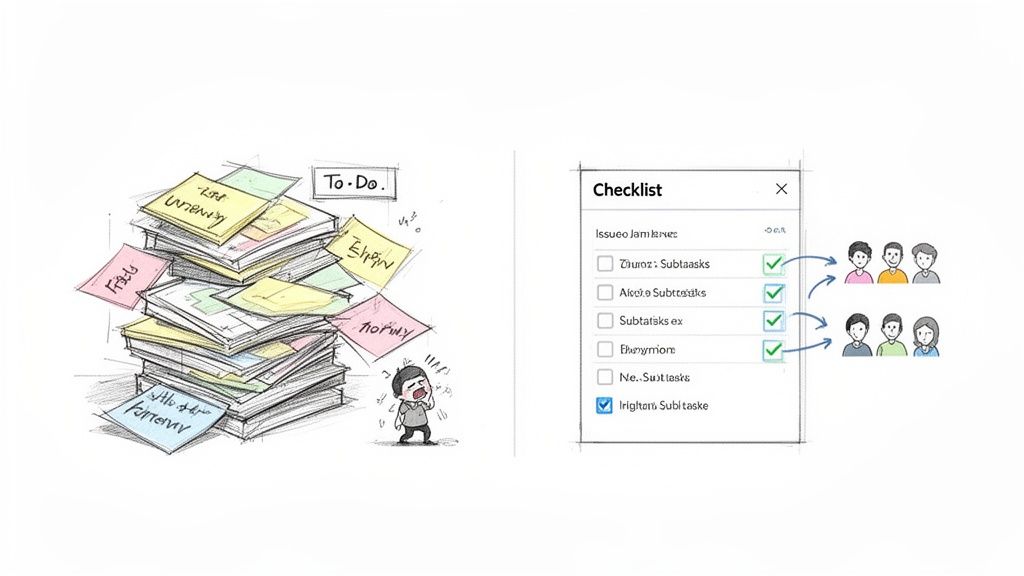
    Visualizing the stark contrast between overwhelming paper to-do lists and an organized digital checklist with assigned team tasks.

    Consider a standard developer-to-QA handoff. A developer resolves the ticket, but did they run all unit tests? Update documentation? Merge the final code? Without a structured process embedded in the ticket, these crucial steps are easily forgotten, leading to a frustrating back-and-forth that wastes time and hurts quality.

    From Passive Tracking to Active Management

    The core problem is that basic lists are passive reminders, not requirements. An effective process must be active—it must guide users, enforce standards, and automate the next step. This is where modern checklists in Jira fundamentally change how you work. Instead of just listing what needs to be done, they become an interactive part of the workflow itself.

    Your goal is to transform a static Jira issue into a dynamic, self-guiding workflow. Build your process directly into the task to enforce quality and keep everyone aligned.

    This shift is critical for scaling operations. As your teams grow and projects become more complex, relying on memory or manual checks is unsustainable. Embed structured, repeatable processes directly into your Jira issues to build a system that actively prevents errors before they happen.

    The Real-World Impact of Poor Processes

    Unstructured workflows create real problems that extend beyond simple frustration. Addressing these common pain points demonstrates the immediate need for a better system.

    • Inconsistent Onboarding: New hire onboarding can be a chaotic mix of random emails and shoulder taps. Implement a structured checklist to ensure every step—from IT setup to HR paperwork—is completed in the correct order, every time.
    • Chaotic Deployments: A release process involves multiple teams and critical steps. Forgetting a single action, like a final security scan, can cause a major production incident. Use a checklist as a mandatory quality gate.
    • Ambiguous "Done": Without a clear, enforceable Definition of Done, teams argue over whether a task is truly complete, leading directly to rework and scope creep.

    By standardizing these internal workflows, you not only improve efficiency but also build a more resilient and predictable delivery pipeline.

    What Can You Do with Jira's Built-in Checklists?

    Before exploring the Atlassian Marketplace, understand what Jira offers natively. Out of the box, Jira provides a basic way to create to-do lists using Markdown in an issue’s description or comment fields. This can be a sufficient starting point for teams with very straightforward needs.

    To create one, simply use brackets. For example, typing [ ] Task one and [x] Task two renders as a clickable to-do list. Anyone with edit permissions can check the boxes, providing a quick visual on progress for minor tasks. Use this approach for ad-hoc, non-critical items that are not part of a repeatable process. Think of it as a digital sticky note for an issue.

    How to Create a Markdown Checklist

    To add a basic checklist, edit the issue description or add a comment using the following syntax:

    • For an unchecked item: [ ] Action item to complete.
    • For a checked item: [x] This action item is done.

    For instance, a developer can add a personal reminder list to a bug fix ticket to ensure small cleanup tasks—like removing debug code or updating a comment—are completed before resolving the issue. This keeps the main ticket clean while still allowing for task breakdown.

    However, this simplicity is its greatest weakness. These native checklists in Jira are purely informational and are completely disconnected from the Jira workflow engine. This is a major limitation for any team trying to build a reliable, enforceable process.

    Native Jira checklists are like suggestions on a whiteboard—useful for quick notes, but they can't stop someone from bypassing the process. They lack enforcement power.

    This fundamental gap is where teams encounter problems. As processes become more complex and involve more people, relying on a system with no built-in controls becomes a significant risk. You are simply hoping everyone remembers to follow a static block of text.

    Where Native Jira Checklists Fall Short

    When your process is critical to quality, the limitations of native functionality become clear. These are not minor inconveniences; they directly impact your team's efficiency, consistency, and ability to scale.

    Here are the primary problems you will face:

    • No Automation: You cannot trigger any action based on checklist completion. Finishing a list cannot automatically assign the ticket to QA, send a Slack notification, or update a field. Every subsequent step must be manual.
    • No Reusable Templates: For standard processes like deployments or new hire onboarding, you must manually copy and paste the checklist into every new ticket. This is tedious, error-prone, and makes updating the process a nightmare.
    • Can't Block Transitions: This is the most critical failure. A native checklist cannot stop a user from moving an issue to the next status. A developer can push an issue to "In QA" even if the entire "Pre-flight Check" list is unchecked, completely undermining the concept of a quality gate.
    • No Reporting: There is no way to see how many checklist items are complete across multiple issues. You cannot track process adherence or identify bottlenecks hidden within your checklists.

    These limitations mean that while native tools are adequate for personal reminders, they are not designed for creating dependable, scalable workflows. They cannot enforce your Definition of Done or Definition of Ready, leaving your entire process vulnerable to human error.

    How to Supercharge Your Workflows with Checklist Apps

    Jira’s built-in checklists are a starting point, but they cannot enforce critical, repeatable processes. To truly transform your workflows and integrate quality from the start, you must leverage dedicated checklist apps from the Atlassian Marketplace. These apps are designed to solve the problems that native functionality cannot address.
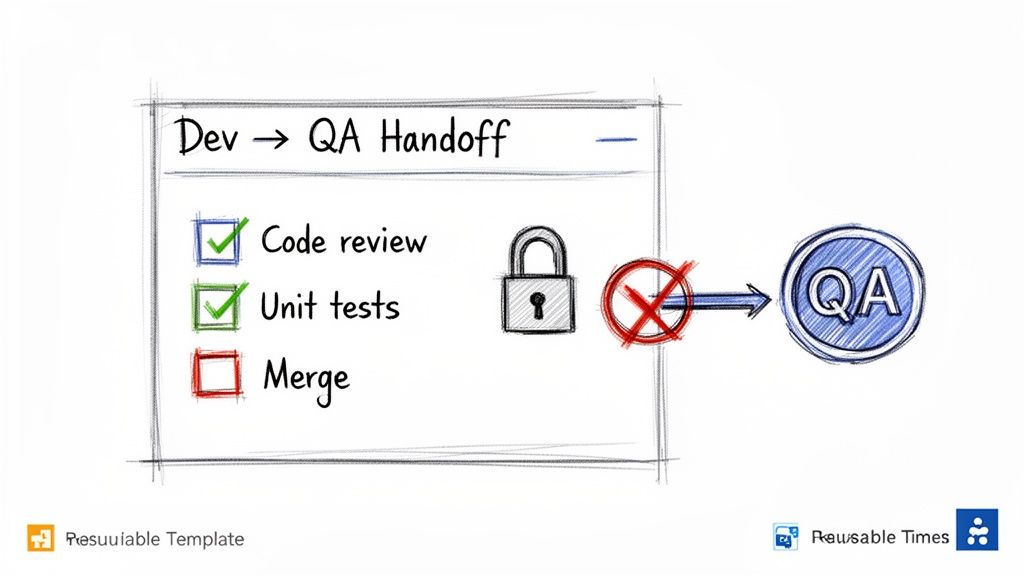
    A hand-drawn checklist for Dev to QA handoff, showing merge incomplete and blocking progress to QA.

    The difference is significant. You move from a static text list to an interactive, intelligent tool embedded directly within your Jira issue. The adoption of checklists in Jira has surged by over 150% among enterprise teams since 2020 because they prevent critical steps from being missed.

    A 2023 study revealed that teams using these add-ons cut task completion errors by 40%. Project managers could finally stop creating hundreds of subtasks and instead rely on integrated, step-by-step guidance. You can read more about these findings on the App Central forums. This approach allows you to build your process directly into the ticket, turning a simple task into a self-managing workflow that catches errors before they happen.

    Unlocking Advanced Checklist Features

    By implementing a powerful app like Nesty by Harmonize Pro, you gain access to features designed to eliminate ambiguity and enforce your team's standards. These capabilities are the foundation for building scalable, high-quality processes.

    Here are the features that provide immediate value:

    • Reusable Templates: Create a "New Feature DoD" checklist once and configure it to automatically apply to every new "Story" issue type. With templates, you standardize your process across the entire team, ensuring everyone follows the exact same steps, every time.
    • Mandatory Completion Gates: This is the most impactful feature. These apps can physically block a Jira issue from transitioning to the next status until specific checklist items are completed. A developer cannot move a ticket to "In QA" if the "Peer Review" item is still unchecked.
    • Unlimited Nesting: Real-world processes are rarely a flat list. Use nesting to break down large, complex items into smaller, more manageable sub-tasks. For example, a "Deploy to Staging" item can be expanded to reveal all necessary sub-steps, adding clarity without cluttering the main view.

    These features combine to create an environment where the right way to do things is also the easiest way. It removes guesswork and reliance on memory, which is essential for maintaining quality as you scale.

    By turning your procedural standards into automated requirements within Jira, you're not just tracking work—you're actively guiding it. The checklist becomes a quality gatekeeper, not just a suggestion.

    Understanding how Jira's app ecosystem extends its core capabilities is crucial when looking at different platform philosophies. For those weighing how Jira stacks up against other project management tools, a Weekblast vs. Jira comparison offers some great insights into these differing approaches.

    Real-World Scenario: The Dev-to-QA Handoff

    Let's walk through a common and often painful workflow: a developer handing off a feature to the QA team. Without a solid process, this is a constant source of friction.

    We've all seen it: a developer marks a ticket "Done" and moves it to "Ready for QA." The QA engineer begins testing, only to discover the code wasn't merged, unit tests are failing, or documentation is outdated. The ticket is bounced back, and the cycle of frustration and wasted time begins.

    Here’s how to use a Nesty checklist to transform that broken process into a smooth, error-proof handoff. First, create a "Dev Complete Checklist" template. Next, configure it as a mandatory gate for any ticket moving into the "Ready for QA" status.

    Now, when a developer finishes their work, they see a clear, actionable list in the Jira issue:

    • Code & Testing
      • All unit tests passing (12/12)
      • Code peer-reviewed and approved
      • Feature branch merged to develop
    • Documentation & Assets
      • Technical documentation updated
      • UI/UX assets attached to ticket
    • Final Confirmation
      • Deployed to staging environment successfully

    The developer methodically works through the list, and the progress is transparent to everyone. The real power is revealed when the developer tries to transition the issue. If even one box is unchecked, Nesty blocks the transition and displays a clear message: "Please complete all mandatory checklist items before moving to QA."

    This simple gate eliminates the painful back-and-forth. The QA team receives the ticket with full confidence that all prerequisites are met, allowing them to focus on testing instead of administrative cleanup. This is how you use checklists in Jira to build quality directly into your workflow, saving hours and preventing costly mistakes.

    Automating Handoffs and Key Process Triggers

    Once you master advanced checklists in Jira, the next step is to eliminate the manual work between process steps. Manual handoffs are a primary cause of process failure—someone forgets to reassign a ticket, notify the next person, or moves an issue forward prematurely. Automation makes these handoffs a reliable, invisible part of your workflow.

    With an app like Nesty, use smart triggers to orchestrate these transitions automatically. This is about more than saving a few clicks; it's about building a system that enforces your process, provides a perfect audit trail, and frees your team from tedious administrative tasks.

    Creating Intelligent Workflow Triggers

    The principle is straightforward: when a specific checklist or item is completed, Jira performs an action on your behalf. This turns a static to-do list into an active component of your workflow, ensuring the right person gets the right information at the right time.

    Set up these flexible triggers to react to different events:

    • Checklist Completion: Trigger an action when an entire checklist, like a "Developer DoD," is finished.
    • Item Completion: Fire an automation when a single critical item, such as "Deploy to Staging," is checked off.
    • Status Change: Automatically load a new checklist when an issue transitions to a new status.

    Use these to build powerful "if-this-then-that" rules directly inside your Jira issues, effectively programming your process without writing any code.

    Here’s how to design a typical automated handoff, moving from a developer's deployment tasks to assigning QA and notifying the team.
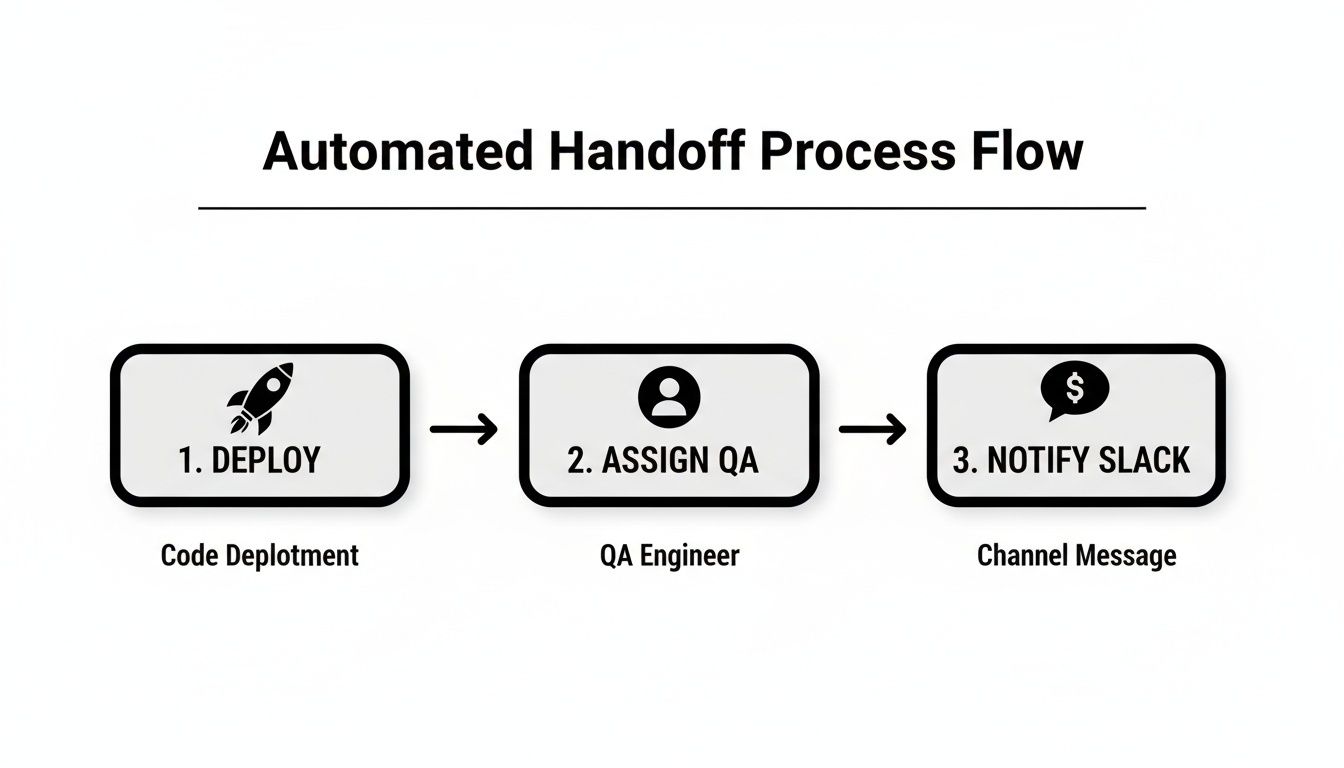
    Automated handoff process flow showing steps for code deployment, assigning QA, and Slack notification.

    What was once a series of manual actions becomes a single, smooth sequence, dramatically reducing the opportunity for human error.

    Comparing Native Jira Checklists vs Nesty for Harmonize Pro

    When deciding how to implement checklists, it's helpful to see what you get out-of-the-box versus with a dedicated app. Here's a quick breakdown:

    Feature Native Jira Checklists Nesty Checklists
    Basic To-Do Items Yes Yes
    Nested Checklists (sub-items) No Yes, with multiple levels
    Automated Triggers No Yes (on item/checklist completion)
    Saved Templates No Yes
    Conditional Logic No Yes
    Due Dates per Item No Yes
    Progress Tracking Basic Advanced (visual progress bars)
    Cross-Project Templates No Yes

    While Jira's built-in checklists are fine for simple, personal to-do lists, Nesty is designed for team processes where consistency and automation are crucial.

    Practical Automation Scenarios

    Let's apply this to real-world examples that technical teams face daily. These scenarios show how to use automation to fix common communication bottlenecks and process gaps.

    Scenario 1: The Dev → QA Handoff

    A developer just finished their "Deployment to Staging" checklist. The final item is "Confirm successful deployment."

    • Trigger: The "Confirm successful deployment" item is checked.
    • Action 1: The Jira issue is instantly reassigned from the developer to the lead QA engineer.
    • Action 2: A message is posted to the #qa-team Slack channel: "Ticket [KEY-123] is ready for testing in staging."

    This simple automation eliminates the risk of the ticket languishing in a queue. The QA lead is notified immediately, and the developer can move on to their next task.

    Automation transforms your process from a set of guidelines your team should follow into a self-managing system that ensures they do. It removes ambiguity and enforces consistency.

    Scenario 2: New Employee Onboarding

    An IT manager is setting up a new hire using an onboarding ticket. They have just completed the "IT Setup" checklist.

    • Trigger: The "IT Setup" checklist is fully completed.
    • Action 1: A new, linked Jira issue is automatically created from a template named "HR Training Session."
    • Action 2: This new ticket is assigned to the HR department with a due date set for three days from today.

    Here, automation orchestrates a handoff between two different departments. HR is engaged at the precise moment they are needed, and the IT manager doesn't have to remember to create and assign a separate ticket. This creates a smoother experience for the new employee. For a wider view on how checklists fit into the bigger picture, this business process automation checklist is a great resource.

    The Impact of Automated Quality Gates

    When you implement automated triggers, the impact on team performance and output quality is tangible. Data from Atlassian's 2023 DevOps trends report showed that 72% of software teams using Jira checklists saw a 30% drop in deployment failures, which they credited to structured quality gates and automated workflow triggers.

    For teams using Nesty, these benefits are even more pronounced. Our internal data shows teams achieve 40% less manual coordination and hit their deadlines more often, with a 22% higher on-time delivery rate, by centralizing their multi-step processes in one ticket.

    Automating handoffs and process triggers isn't a luxury; it's how you build a resilient, predictable system that scales with your team and ensures quality is integrated from start to finish.

    How to Actually Enforce Your Definition of Ready and Done

    Every Agile team discusses its Definition of Ready (DoR) and Definition of Done (DoD). These agreements are the foundation of a healthy workflow, establishing a shared understanding of what it means to start and finish work.

    Too often, however, these definitions live on a forgotten Confluence page, treated as suggestions rather than standards.

    Checklists in Jira change this dynamic. By embedding your DoR and DoD directly into every issue, you convert abstract concepts into tangible, required actions. You are building quality gates directly into your workflow, which reduces ambiguity and rework.
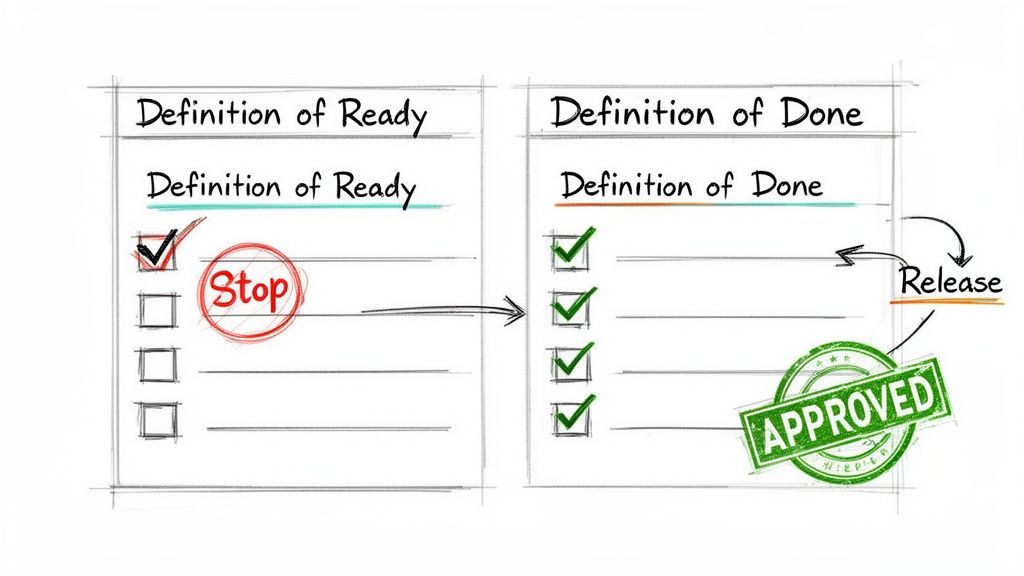
    Two checklists, 'Definition of Ready' and 'Definition of Done', illustrating a project workflow with approval and release.

    The goal is to move from a culture of "I think it's ready" to one of "I can prove it's ready."

    Building Your Definition of Ready Checklist

    Your DoR protects your development team from poorly defined requirements and scope creep. It is the gatekeeper that ensures every user story is fully fleshed out before any code is written.

    Using a checklist app, you can automatically add a DoR checklist to every new user story. Here is a practical template to start with:

    • Story & Scope
      • User story is clearly written from the user's perspective.
      • Acceptance criteria are defined and testable.
      • The Product Owner has reviewed and approved the story.
    • Technical & Design
      • UI/UX mockups are attached and finalized.
      • Dependencies on other teams have been identified.

    This is not just for show. With a tool like Nesty, you can enforce a hard rule: an issue cannot be moved into "To Do" or "In Progress" until every one of those boxes is ticked. This simple automation forces the right conversations to happen at the right time. For teams dealing with complex testing, this becomes even more essential. You can learn more about how this connects to the bigger picture by exploring best practices for managing test cases in Jira.

    Creating an Ironclad Definition of Done

    Once a story is in progress, the DoD checklist becomes your final quality checkpoint, ensuring every feature meets your team's standards before release. This is how you prevent the "it's done, but…" scenario that leads to weekend bug hunts.

    A DoD isn't a formality; it's a commitment to quality. By embedding it as a mandatory checklist in Jira, you transform that commitment into an automated, repeatable action that protects your entire delivery pipeline.

    A standard DoD checklist for a development team might include:

    • Code Quality & Review
      • Code has been peer-reviewed and approved.
      • All unit and integration tests are passing.
      • Feature branch has been successfully merged.
    • Testing & Documentation
      • QA has completed testing and approved the feature.
      • All relevant technical documentation has been updated.
    • Release Confirmation
      • Deployment to production is confirmed.

    Like the DoR, configure this checklist to block the issue from being moved to the "Done" status until it’s complete. This is an incredibly powerful way to turn your team’s agreements into an unskippable part of the process.

    This strategy is effective for projects of all sizes. Over 80% of Jira Cloud migrations in 2023 used checklists to standardize workflows and onboarding. Atlassian’s own guide indicated a 35% faster ramp-up time for users when checklists were used to cover basic tasks, demonstrating how structure accelerates adoption. You can dig into these findings on Atlassian's adoption guide.

    Have Questions About Jira Checklists? We've Got Answers.

    When teams begin implementing checklists in Jira, several common questions arise. Answering them upfront will help you avoid headaches and make the transition smoother. Let's address the most frequent practical concerns and demonstrate why a dedicated app is often the key to unlocking true process management.

    Can I Create Standard Templates for Different Issue Types?

    Yes, and you absolutely should. This is a primary benefit of a dedicated checklist app like Nesty. Instead of manually retyping your "Definition of Done" for every bug, build a template once. Then, configure it to apply automatically based on the issue type.

    Set up your Jira project to:

    • Automatically add the "Bug Triage & DoD" checklist to every new Bug.
    • Create every Story with the "Definition of Ready" checklist already in place.
    • Pre-load every IT Task with the "New Hardware Setup" checklist.

    This saves a massive amount of time and, more importantly, enforces consistency. It guarantees your standard processes are followed on every ticket, eliminating "I forgot that step" errors.

    Building and automatically applying templates is the first step toward a scalable, standardized workflow. It ensures everyone on the team operates from the same playbook.

    How Are Nested Checklists Different from Subtasks?

    It is crucial to understand the difference between these two features. Both nested checklists and subtasks break down work, but they solve different problems.

    A subtask is a separate Jira issue. It has its own assignee, status, and can move through a workflow independently of its parent ticket. Use subtasks to break a large piece of work into smaller chunks that different people will handle at different times.

    A nested checklist, in contrast, adds detail to a single step within the parent issue. It does not have a separate assignee or status. It is a simple way to outline the sequence of smaller actions required to complete a main checklist item.

    Use this rule of thumb:

    • Use subtasks when a piece of work requires its own lifecycle, assignee, and detailed tracking.
    • Use nested checklists when you need to clarify the "how-to" for a single task within the parent issue. It is for adding process clarity, not creating more tickets to manage.

    What's the Best Way to Report on Checklist Progress?

    Native Jira checklists offer no meaningful reporting capabilities. This is a major reason to adopt an advanced app.

    The only effective way to report on progress is to use the JQL (Jira Query Language) functions provided by a capable checklist app. These custom functions allow you to build powerful filters and dashboard gadgets for a clear view of your operations. For example, with Nesty, you can run queries to find:

    • All issues where the "Deployment" checklist is more than 50% complete.
    • Any "High Priority" bugs where the "Security Review" checklist item is still unchecked.
    • A list of all onboarding tickets currently stalled on the "HR Paperwork" step.

    Pull these JQL queries into a Jira dashboard to give project managers and team leads a real-time, at-a-glance view of process status. This allows you to highlight gaps and potential bottlenecks before they become major problems.


    Ready to stop chasing down updates and start building intelligent, automated processes? Harmonize Pro's Nesty app turns your Jira issues into self-guiding workflows. Create reusable templates, enforce quality gates, and automate handoffs to eliminate errors and keep your teams perfectly aligned. Discover what Nesty can do for your team.
  • 7 Actionable Sample Jira Workflows and Templates to Use in 2026

    7 Actionable Sample Jira Workflows and Templates to Use in 2026

    Jira's default workflows are a solid starting point, but they rarely capture the complex, real-world processes that drive modern software development, QA, and operations. Generic setups lead to bottlenecks, missed handoffs, and a lack of clarity, forcing teams to use manual tracking and out-of-band communication. To unlock genuine productivity, you must adapt Jira to your team's precise needs. This means moving beyond basic "To Do -> In Progress -> Done" models and implementing structured, automated, and battle-tested processes.

    This guide provides a curated collection of actionable sample Jira workflows designed for specific, high-impact use cases. We'll move past theory and dive straight into practical examples, including developer-to-QA handoffs, multi-environment deployment pipelines, release gating with integrated checklists, and customer onboarding funnels. To truly transform your processes, a solid understanding of the core Jira platform is essential, and these examples build upon that foundation.

    Each workflow breakdown includes:

    • A clear use case and the problem it solves.
    • Required statuses, transitions, and screen configurations.
    • Examples of checklist items and quality gates.
    • Actionable ideas for smart triggers and automation rules.
    • Specific tips for implementation, including code snippets and app recommendations.

    Forget sifting through dense documentation. This list is your blueprint for building more efficient, transparent, and powerful Jira workflows. Each entry is a self-contained guide you can adapt and deploy to solve critical process challenges, helping you find the best templates and platforms for your specific needs. You'll find direct links and screenshots to accelerate your implementation.

    1. Harmonize Pro

    Harmonize Pro offers Nesty, a powerful Jira-native application designed to transform static Jira tickets into dynamic, self-managing workflows. It excels by embedding complex, multi-step processes directly within a single Jira issue, eliminating the manual coordination and confusion that plagues cross-functional teams. For organizations needing to build auditable, automated, and enforceable sample Jira workflows, Nesty provides a robust framework.

    The platform’s core strength is automating handoffs and enforcing quality gates. Instead of relying on team members to manually reassign tickets or remember to notify the next person, Nesty’s smart triggers handle it automatically. This ensures that processes like developer-to-QA handoffs or multi-environment deployments are not just mapped out but are actively managed by the system itself, preserving sequence and visibility.

    Harmonize Pro's Nesty app showing nested checklists and automation inside a Jira issue

    Strategic Analysis: Building Intelligent Workflows

    Nesty's standout features—unlimited nested checklists and smart triggers—are the building blocks for creating highly structured and intelligent workflows. This approach allows teams to model reality more accurately than a flat Jira workflow ever could.

    • Unlimited Nested Checklists: Break down large processes (like customer onboarding) into manageable, hierarchical tasks. Each parent task can contain sub-tasks with their own checklists, creating a clear, auditable structure inside one Jira issue.
    • Smart Triggers & Automation: Configure rules that automatically reassign the ticket, notify a Slack channel, or require an artifact (like a test plan PDF) to be attached before a checklist item can be completed. This moves process enforcement from manual policing to system-driven compliance.
    • Enforceable Quality Gates: Use blockers to ensure a ticket cannot progress until specific criteria are met. Build a "Definition of Done" for a development task as a checklist where every item must be completed before the ticket can be automatically handed off to the QA team. This prevents premature transitions and ensures quality at each stage.

    Actionable Takeaways & Practical Applications

    Harmonize Pro's website provides pre-built workflow examples that serve as excellent starting points. You can install Nesty directly from the Atlassian Marketplace and begin modeling your unique processes immediately.

    Workflow Example Key Nesty Features Used Actionable Insight
    Dev → QA Handoff Blockers, Automatic Reassignment, Slack Notifications Build a "Ready for QA" checklist. Use a trigger to auto-reassign the ticket to the QA lead and post a message in the #qa-team Slack channel only after all dev checklist items are complete.
    Multi-Env Deployments Nested Checklists, Artifact Requirements, Role-Based Triggers Create a parent checklist for the release with nested checklists for "Deploy to Staging" and "Deploy to Production." Require a "QA Sign-off" PDF to be attached before the production checklist can be started.
    Customer Onboarding Hierarchical Checklists, Automatic Notifications Model the entire onboarding journey in one ticket. Use smart triggers to notify the customer success manager when the technical setup is complete, ensuring a seamless handoff from the implementation team.

    Strategic Insight: The true power of Nesty is its ability to centralize context. Instead of scattering a process across multiple linked tickets or external documents, the entire history, sequence, and audit trail are contained within a single, self-orchestrating Jira issue.

    While Harmonize Pro provides extensive documentation, plan for an initial setup period to map your processes and configure automation rules. This investment pays off by encoding best practices directly into your Jira instance. The company's blog also offers valuable guidance on implementation; you can learn more about improving Jira workflows on Harmonizepro.com.

    Key Details:

    • Access: Nesty can be installed directly from the Atlassian Marketplace.
    • Pricing: Pricing information is not publicly listed; teams must contact Harmonize Pro for licensing details.
    • Pros: Deep automation, enforces quality gates, centralizes complex processes in one ticket.
    • Cons: Requires a dedicated setup effort, only available for Jira.

    2. Atlassian Marketplace

    Website: https://marketplace.atlassian.com

    The Atlassian Marketplace is the official app store for expanding Jira's capabilities. For teams searching for sample Jira workflows, it's the most direct route to finding, testing, and implementing pre-built processes directly within Jira Cloud. Instead of building from scratch, you can leverage workflows created by trusted vendors.

    The key feature for workflow discovery is the “Import from Marketplace” function within Jira’s workflow editor. This allows you to pull a vendor-provided workflow template directly into your Jira instance, creating a fully functional draft that can be used as-is or customized. This significantly lowers the barrier to entry for complex processes like multi-stage DevOps deployments or intricate QA testing cycles.

    Atlassian Marketplace

    Strategic Breakdown and Actionable Insights

    The Marketplace is a strategic tool for rapid process iteration. Many of the listed workflows are bundled with apps that provide enhanced conditions, validators, and post-functions far beyond Jira's native toolkit. These apps are often where the real power lies, enabling sophisticated automation and validation gates. Beyond the native options, the Atlassian Marketplace offers a wealth of solutions, including some of the best Jira integrations to optimize your web development workflow.

    Actionable Takeaway: Before building a complex workflow, search the Marketplace for apps that solve your core problem (e.g., "release management" or "QA test cycles"). Often, these apps come with a sample workflow that is already optimized for their specific features, saving you dozens of hours in configuration and testing.

    Key Features and Practical Tips

    Feature Description Practical Tip
    Direct Workflow Import Install workflow templates directly from the Marketplace into your Jira Cloud instance. Always install and test a new workflow in a sandbox or development Jira project first. Never import directly into a live production project without thorough vetting.
    App-Bundled Workflows Many apps for automation, checklists, or approvals include their own sample workflows. Look for apps with a "Cloud Fortified" badge. This indicates a higher level of security, reliability, and support vetting from Atlassian.
    Free Trials Nearly all paid apps offer a free trial period (typically 30 days). Use the trial period to fully evaluate not just the app, but also its accompanying workflow. Does it fit your team's process? Can it be easily modified?
    Vendor Documentation Listings include links to vendor documentation, support portals, and version history. Check the "Versions" tab to ensure the app is actively maintained and compatible with your Jira version (Cloud, Data Center, or Server).

    Pros and Cons

    • Pros:
      • The easiest and most integrated way to install and test sample workflows.
      • Centralized location for comparing apps, pricing, and vendor reputation.
      • Security and reliability signals (like partner levels) help in vendor selection.
    • Cons:
      • Workflow quality varies significantly between vendors.
      • Listings can be confusing; you must filter carefully for Jira Cloud compatibility.
      • The best workflows are often tied to paid apps, not available standalone.

    3. Jira Templates Library (Atlassian)

    Website: https://www.atlassian.com/software/jira/templates

    Atlassian’s own Jira Templates Library is the most accessible starting point for finding sample Jira workflows. Integrated directly into the Jira Cloud project creation process, these templates offer turnkey solutions that include pre-configured boards, issue types, and fundamental workflows for various teams. This resource is designed to eliminate initial setup friction, allowing you to launch a structured project in minutes.

    The library's main advantage is its native integration. When you create a new project in Jira, you are prompted to select a template like "Scrum," "Kanban," or "Bug Tracking." Each choice automatically generates a project with an opinionated workflow, providing a ready-made foundation of statuses and transitions that can be immediately used or customized to fit your team's specific needs.

    Jira Templates Library (Atlassian)

    Strategic Breakdown and Actionable Insights

    The Jira Templates Library serves as both an educational tool and a baseline for process standardization. While the workflows are intentionally simple, they are perfect for new teams or for introducing non-technical departments to structured agile processes. Use these templates as a "version 1.0" of your process, then iterate by adding automation rules, custom fields, and more granular transitions as the team matures. Adhering to fundamental principles is key; you can explore some of the Jira workflow best practices to ensure your customizations are effective.

    Actionable Takeaway: When starting a new project, always begin with the closest matching template from the library. Instead of creating a workflow from a blank slate, use the template to handle 80% of the standard setup. Then, focus your administrative efforts on customizing the last 20% to address your team's unique needs, like adding a specific "Peer Review" status or an automated transition for "QA Approved."

    Key Features and Practical Tips

    Feature Description Practical Tip
    Native Project Templates Pre-packaged project configurations with workflows, issue types, and board settings. For a software team, start with the "Scrum" or "Kanban" template and immediately review the workflow diagram. Identify which statuses are unnecessary and which are missing before inviting the full team.
    Team-Specific Blueprints Templates are categorized by team type, such as Software, Business, and Service Management. Don't be limited by the category name. The "Onboarding" template under Business, for example, can be adapted for a technical customer implementation process.
    Integrated Tutorials Many templates come with in-product guidance and links to documentation on best practices. Use the template's default setup for a full sprint. This hands-on experience will reveal its limitations and inform your customization priorities much faster than theory-crafting.
    Simple Workflow Editor The default workflows can be easily edited using Jira's visual workflow editor. Clone the default workflow before making changes. This creates a backup and allows you to switch back to the original if your customizations cause issues.

    Pros and Cons

    • Pros:
      • Completely free and natively integrated into Jira Cloud.
      • Extremely low friction for exploring and deploying baseline workflows.
      • Excellent for aligning non-technical teams on common patterns like Scrum or Kanban.
    • Cons:
      • Workflows are basic and lack the complex validators or conditions of Marketplace apps.
      • Advanced automation and gating require building separate Jira Automation rules.
      • Less suitable for highly regulated or complex, multi-stage processes out of the box.

    4. Jira Automation Template Library (Atlassian)

    Website: https://www.atlassian.com/software/jira/automation-template-library

    While a workflow defines the path an issue can take, automation rules define the actions that happen along that path. The Jira Automation Template Library is Atlassian’s official gallery of pre-built automation rules that enhance your workflows. For teams seeking effective sample Jira workflows, this library is a critical resource for adding the logic, gates, and smarts that make a process work, without needing to write any code.

    These templates offer functional components you can copy directly into your Jira instance. For example, you can find rules to automatically transition an issue when a pull request is merged, assign a sub-task when a parent issue moves to "In Progress," or notify a Slack channel when a high-priority bug is created. This turns a simple workflow into an intelligent, automated system.

    Jira Automation Template Library (Atlassian)

    Strategic Breakdown and Actionable Insights

    The Automation Template Library is the key to moving from a passive workflow (where users manually update everything) to an active one (where the system enforces rules and handles routine tasks). These templates are not just time-savers; they are process-enforcers. They ensure that quality gates are met, handoffs are seamless, and required information is captured at the right stage.

    The real power comes from combining multiple templates. You can use one rule to auto-create QA sub-tasks when a story enters the "Ready for QA" status, another to transition it back to "In Progress" if a QA sub-task is marked as "Failed," and a third to close the parent story when all QA sub-tasks are "Done." This creates a robust, self-managing testing cycle.

    Actionable Takeaway: Browse the library by integration (e.g., "GitHub" or "Slack"). Many of the most powerful workflow automations are triggered by external events. Implementing a rule like "When pull request merged -> Transition to Done" can eliminate one of the most common manual update steps for development teams.

    Key Features and Practical Tips

    Feature Description Practical Tip
    One-Click Rule Import Copy any template from the library directly into your project's automation rules with a single click. Start with simple, high-impact rules like auto-assigning issues or adding comments. This helps your team get comfortable with automation before you implement more complex, transition-based rules.
    Automation Playground A safe, sandboxed environment to test and experiment with automation rules without affecting your live projects. Use the Playground to understand how triggers, conditions, and actions interact. It's perfect for de-risking a complex rule before deploying it to a critical workflow.
    First-Party Integration Patterns Official, battle-tested templates for connecting Jira with tools like Slack, Microsoft Teams, GitHub, and Bitbucket. Prioritize these official integration templates. They are maintained by Atlassian and are less likely to break during platform updates compared to custom-built solutions.
    Category-Based Filtering Templates are organized by function, such as DevOps, ITSM, approvals, and issue management. When designing a new workflow, first sketch the statuses and transitions. Then, use the library's categories to find automation rules that can manage each step of that workflow.

    Pros and Cons

    • Pros:
      • Free to use for all Jira Cloud customers (with plan-based execution limits).
      • Dramatically speeds up the process of adding logic and enforcement to any workflow.
      • No coding required, making it accessible to project managers and team leads.
      • Helps maintain process consistency and reduces manual errors.
    • Cons:
      • Automation execution limits are tied to your Jira pricing plan (e.g., Free, Standard, Premium).
      • Some complex conditional logic or multi-project rules may still require a higher plan or a third-party app.
      • It's a library of rules, not complete workflows, so you still need to design the core workflow structure yourself.

    5. JSU Automation Suite for Jira Workflows (Appfire)

    Website: https://appfire.com/products/jsu

    JSU Automation Suite by Appfire is one of the original and most powerful no-code workflow engines for Jira. While not a direct repository of downloadable workflows, it acts as a critical accelerator, providing the building blocks to transform a basic sample Jira workflow into a powerful, automated, and production-ready process. It bridges the gap between Jira's native capabilities and the complex validation and post-function logic that sophisticated workflows demand.

    The suite operates directly within Jira's workflow editor, adding a vast library of new conditions, validators, and post-functions. This allows you to implement advanced rules without writing code. For example, you can enforce that a "QA Approved" status can only be set if all linked sub-tasks are resolved, or automatically create a follow-up "Documentation" task when an issue moves to "Done".

    JSU Automation Suite for Jira Workflows (Appfire)

    Strategic Breakdown and Actionable Insights

    JSU's strategic value lies in its ability to enforce process integrity and automate manual steps, turning a simple workflow diagram into a self-regulating system. Instead of relying on team members to remember complex procedural rules, you embed those rules directly into the workflow itself. For a deep dive into how such tools transform processes, you can learn more about Jira workflow automation. The app's power is in combining multiple functions to create robust gates and triggers that guide users to follow the correct procedure every time.

    Actionable Takeaway: Identify the biggest bottleneck or point of human error in your current workflow. Search the JSU documentation for a post-function or validator that directly addresses it. For instance, if developers forget to update a field when closing an issue, use JSU's "Update Any Issue Field" post-function on the "Done" transition to automate it.

    Key Features and Practical Tips

    Feature Description Practical Tip
    No-Code Workflow Functions A large library of conditions, validators, and post-functions accessible via a point-and-click interface. Start by enhancing a simple workflow. Add a validator to check if a specific field (like 'Story Points') is filled before an issue can be moved to "In Progress".
    Linked Issue Synchronization Automate actions on linked issues, such as transitioning a parent story when all its sub-tasks are completed. Use this for epic management. Create a post-function to automatically close an epic when its last child story moves to the "Done" status column.
    Advanced Field Control Functions to make fields required, read-only, or hidden based on the issue's status or user's role. During a "Code Review" status, use a JSU function to make the 'Assignee' and 'Story Points' fields read-only to prevent scope creep during the review phase.
    Vendor Documentation & Support Comprehensive documentation with examples for common use cases like approval chains and escalations. Bookmark the JSU "Use Cases" section on the Appfire website. It provides excellent starter patterns and ideas for replicating common business processes.

    Pros and Cons

    • Pros:
      • Empowers non-developers to build highly sophisticated and automated workflows.
      • Vastly extends Jira's native workflow capabilities with minimal effort.
      • Excellent documentation and vendor support from a trusted "Cloud Fortified" partner.
    • Cons:
      • It is a paid app, adding a recurring license cost to your Jira instance.
      • Requires careful planning to avoid creating overly complex or conflicting workflow rules.
      • Long-term use requires budgeting and dependency on the app's license.

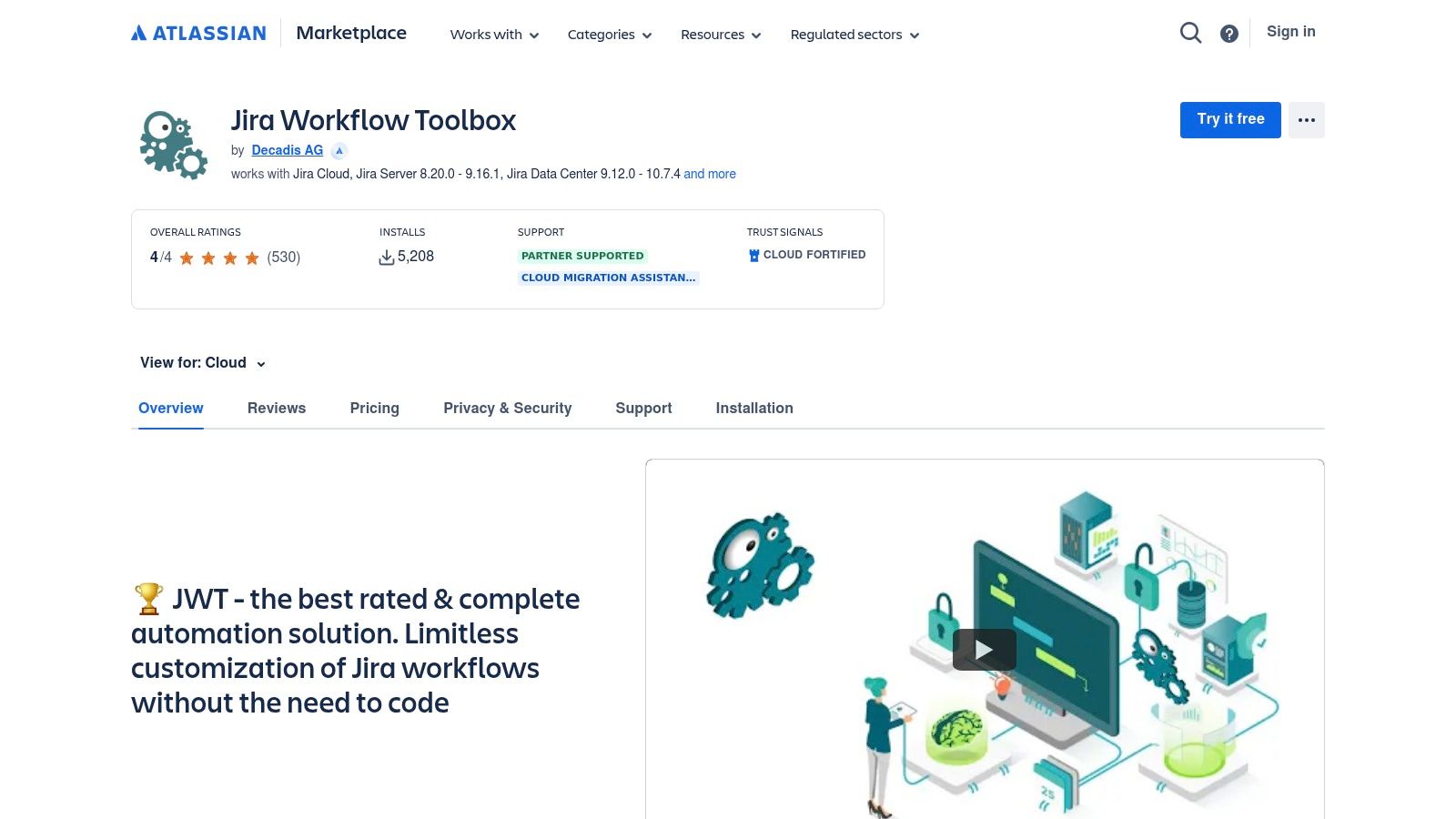
    6. Jira Workflow Toolbox (Decadis)

    Website: https://marketplace.atlassian.com/apps/29496/jira-workflow-toolbox

    Jira Workflow Toolbox is not a repository of full workflows but a powerful Jira app that supercharges the workflow editor. It provides a suite of advanced post-functions, conditions, and validators that enable highly sophisticated, rule-based automations. For teams needing sample jira workflows that go beyond simple status changes, the app's documentation provides practical "workflow helpers" and configuration examples that act as mini-templates for complex logic.

    The app stands out by allowing administrators to build dynamic and compliant workflows that would otherwise require custom scripts. For example, you can implement transitions that are only available if a sub-task is in a specific state, or post-functions that calculate and set field values based on complex Jira Expressions. This makes it an essential tool for regulated industries or teams requiring strict process enforcement.

    Jira Workflow Toolbox (Decadis)

    Strategic Breakdown and Actionable Insights

    Jira Workflow Toolbox transforms the workflow editor from a state-management tool into a business process engine. Its value lies in creating workflows that self-enforce rules, reducing manual oversight and human error. Instead of just tracking work, the workflow actively manages it by controlling field values, enforcing parent-child relationships, and orchestrating transitions based on precise conditions.

    The app's support for Jira Expressions is a game-changer for customization. It allows for dynamic logic based on almost any data point within an issue, from user properties to linked issue statuses. This enables the creation of highly tailored sample jira workflows for use cases like GxP compliance, where every step must be validated, or for complex release gating where multiple criteria must be met before an issue can proceed.

    Actionable Takeaway: Use the "Parse fields from text" post-function to automate data entry. For example, configure a workflow transition to scan the description or comments for a specific pattern (like "Version: 2.1.3") and automatically populate the "Fix Version/s" field. This saves time and ensures data consistency.

    Key Features and Practical Tips

    Feature Description Practical Tip
    Advanced Post-Functions A vast library of functions to manipulate fields, link issues, and trigger actions after a transition. Combine the "Copy a parsed text to a field" and "Create/clone issue(s)" post-functions to automatically generate sub-tasks with pre-filled details extracted from the parent issue description.
    Jira Expression Support Use Jira Expressions in conditions and validators to create highly dynamic and specific rules. Use a Jira Expression validator to prevent an issue from transitioning if its linked pull request on Bitbucket has not yet been merged. This creates a hard gate for QA readiness.
    Workflow Helpers The app's documentation includes detailed examples for common but complex workflow scenarios. Before building from scratch, review the official documentation for a helper that matches your goal. The examples provide the exact configuration needed for scenarios like "User is a member of a group."
    Admin Utilities Tools to speed up workflow administration, like copying and pasting post-functions between transitions. When building a complex workflow with repeated logic (e.g., checks on every transition), configure the post-functions once, then use the copy utility to apply them to all relevant transitions quickly.

    Pros and Cons

    • Pros:
      • Enables extremely powerful and granular control over workflow logic.
      • Excellent for building audit-friendly and compliant processes.
      • Strong documentation with practical, copy-paste examples for complex scenarios.
    • Cons:
      • Has a notable learning curve, especially for mastering Jira Expressions.
      • The power and flexibility can be overwhelming for simple use cases.
      • This is a paid app, requiring a subscription through the Atlassian Marketplace.

    7. ScriptRunner Example Scripts (Adaptavist / ScriptRunner)

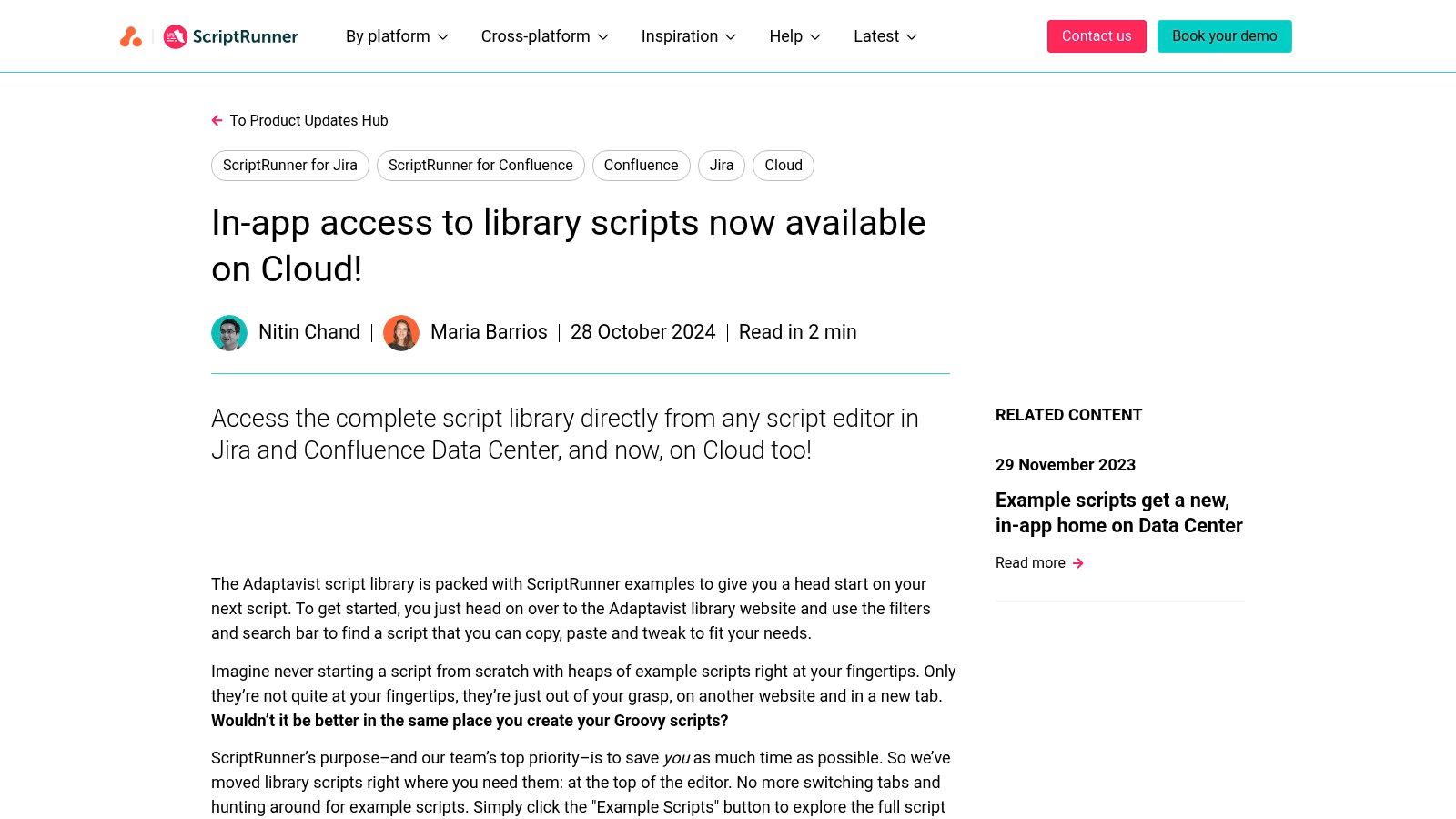
    Website: https://www.scriptrunnerhq.com/latest/product-updates/sr-for-jira-and-confluence-cloud-example-scripts

    ScriptRunner by Adaptavist is the gold standard for extending Jira’s automation beyond its native limits, and its library of example scripts is an invaluable resource. For teams needing highly customized sample Jira workflows, this platform offers the building blocks to solve complex problems that no-code automation tools cannot handle. It provides hundreds of vetted Groovy scripts for workflow validators, conditions, and post-functions.

    The platform's strength is bridging the gap between simple automation and custom development. Instead of searching forums for code snippets, you can access a curated, searchable library of examples directly on the ScriptRunner website or within Jira itself via the app's "Example Scripts" modal. This allows you to find, copy, and adapt working code for your specific use case, dramatically accelerating the development of sophisticated workflow logic.

    ScriptRunner Example Scripts (Adaptavist / ScriptRunner)

    Strategic Breakdown and Actionable Insights

    ScriptRunner's examples are templates for strategic process enforcement. These scripts enable you to build workflows with validation gates that are impossible with native Jira, such as checking fields in linked issues or ensuring a sub-task meets specific criteria before a parent issue can be transitioned. This unlocks a level of process control essential for regulated industries or teams with strict compliance requirements.

    Actionable Takeaway: Identify the biggest manual bottleneck in your current workflow. Search the ScriptRunner examples library for keywords related to that problem (e.g., "linked issues," "sub-task," "attachment required"). You will likely find a pre-built script that solves 80% of your problem, requiring only minor tweaks to fit your exact field names and project keys.

    Key Features and Practical Tips

    Feature Description Practical Tip
    Example Scripts Library Hundreds of searchable, ready-to-use Groovy scripts for validators, post-functions, and listeners. Use the website's search and filter functions to narrow down by Jira platform (Cloud/Data Center) and script type. The comments within the scripts are excellent learning tools.
    In-App Script Modal Browse, filter, and copy example scripts directly within the ScriptRunner interface inside Jira. When using the in-app modal, pay close attention to the context. The modal often filters examples relevant to the specific workflow function you are editing, saving you time.
    Detailed Documentation Each example is accompanied by explanations and links to relevant product documentation. Before adapting a script, read the associated documentation to understand the APIs it uses. This will help you modify it correctly and avoid common errors.
    Low-Code Approach Scripts provide a robust starting point that often requires only minor modifications. Start by copying a script and using it in a test project's workflow. Change only one thing at a time (like a custom field ID or project key) to ensure you understand its impact.

    Pros and Cons

    • Pros:
      • Provides vetted, working code that accelerates custom workflow development.
      • Enables extremely powerful and flexible automation for edge cases.
      • Speeds up the learning curve for using ScriptRunner and Groovy.
    • Cons:
      • Requires a paid ScriptRunner for Jira license to implement the scripts.
      • A basic understanding of Groovy or scripting logic is necessary for customization.
      • Poorly adapted scripts can impact Jira performance if not tested properly.

    Top 7 Sample Jira Workflow Tools Comparison

    Solution / Item Implementation Complexity 🔄 Resource Requirements ⚡ Expected Outcomes 📊 Ideal Use Cases 💡 Key Advantages ⭐
    Harmonize Pro (Nesty) Moderate–High; requires rule design and change management 🔄 Jira-only; vendor docs/support; admin time; pricing via contact ⚡ Centralized, auditable self‑managing workflows; fewer missed handoffs 📊 ⭐⭐⭐ Cross‑functional handoffs, multi‑env deployments, structured onboarding 💡 Unlimited nested checklists, smart triggers, Slack/Teams integration, audit trails ⭐
    Atlassian Marketplace Low; install/import per app, quality varies 🔄 Jira Cloud account; evaluate vendors; sandbox testing recommended ⚡ Fast access to many workflow apps/templates; variable reliability 📊 ⭐⭐ Finding and testing third‑party workflow tools and importable packs 💡 Centralized catalog, trials, security/vetting signals (Cloud Fortified) ⭐
    Jira Templates Library (Atlassian) Very low; turnkey templates and boards 🔄 Native to Jira Cloud; minimal admin effort ⚡ Ready starter projects and standard workflows; quick alignment 📊 ⭐ Small or non‑technical teams, quick project bootstraps 💡 Free, native templates with integrated tutorials ⭐
    Jira Automation Template Library (Atlassian) Low–Moderate; copy and tweak automation rules 🔄 Jira Cloud; automation execution quotas depend on plan ⚡ Enforces gates/notifications without code; faster logic adoption 📊 ⭐⭐ Adding workflow logic, auto‑transitions, notifications, simple gates 💡 Hundreds of templates, sandbox playground, first‑party integration patterns ⭐
    JSU Automation Suite (Appfire) Moderate; no‑code flows but requires admin setup 🔄 Paid add‑on license; admin configuration time ⚡ Production‑ready post‑functions and validators without coding 📊 ⭐⭐ Admins building approvals, escalations, linked transitions 💡 Drag‑and‑drop no‑code setup, rich post‑functions, vendor support ⭐
    Jira Workflow Toolbox (Decadis) Moderate–High; expression logic has learning curve 🔄 Paid app; admin familiarity with expressions recommended ⚡ Sophisticated branching and compliance checks; audit‑friendly flows 📊 ⭐⭐ Regulated environments, complex field logic and orchestration 💡 Extensive post‑functions, validators, Jira Expressions support ⭐
    ScriptRunner Example Scripts (Adaptavist) High if customizing; examples reduce development time 🔄 ScriptRunner license required; Groovy/low‑code skills helpful ⚡ Maximum flexibility for edge cases and complex automations 📊 ⭐⭐⭐ Advanced custom logic, integrations, bespoke workflow behaviors 💡 Large searchable library of vetted scripts, in‑app examples, deep customization ⭐

    From Sample to System: Making These Workflows Your Own

    We've explored a powerful collection of resources for finding, adapting, and enhancing your Jira processes. From the ready-made templates in the Atlassian Marketplace and Jira's native libraries to the sophisticated customization offered by tools like JSU, Jira Workflow Toolbox, and ScriptRunner, the path to a high-performing workflow is clear. The goal isn't just to copy these examples; it's to use them as blueprints to build a system that perfectly mirrors your team's operational reality.

    Each sample workflow, whether for a complex multi-environment deployment or a streamlined customer onboarding process, shows how to bake in quality gates, automate handoffs, and provide stakeholders with the visibility they need. Your objective is to deconstruct these blueprints and apply the underlying principles to your own process challenges.

    Key Takeaways: Your Workflow Implementation Checklist

    As you move from inspiration to implementation, remember that the most effective sample jira workflows are not rigid prescriptions but flexible frameworks designed for evolution.

    • Start with the "Why": Before adding a single status, clearly define the problem you're solving. Are you reducing QA bottlenecks? Improving deployment safety? Your objective will guide every decision.
    • Simplicity is a Feature: It's tempting to build a workflow that accounts for every edge case. Resist this. A simpler workflow is easier to understand, adopt, and maintain. Start with the minimum viable process and iterate.
    • Automate the Toil: Identify every repetitive, manual task in your process. These are your prime candidates for automation. Use Jira's native automation or advanced tools to handle status updates, notifications, and sub-task creation so your team can focus on high-value work.
    • Clarity Over Complexity: Ensure that statuses are unambiguous and transitions are intuitive. A team member should be able to look at an issue and immediately understand its current state and what needs to happen next.

    Actionable Next Steps: Putting Theory into Practice

    Reading about sample jira workflows is the first step. Now, it's time to build. Here’s how to get started today.

    1. Conduct a Workflow Audit: Choose one of your existing, high-friction workflows. Map it out on a whiteboard and have the team identify its pain points. Where do tickets get stuck? Where are the communication breakdowns?
    2. Select a Relevant Template: Based on your audit, browse the resources we’ve discussed. Find a sample workflow that addresses a similar problem. Don't look for a perfect match; look for a solid foundation to build upon.
    3. Customize and Test in a Sandbox: Never roll out a new workflow directly into production. Use a Jira sandbox or a staging project to build and test your new process. Have team members run test issues through the entire workflow to catch any confusing steps or broken logic.
    4. Document and Train: Once you're confident in the new workflow, create simple, clear documentation. A one-page visual guide is often more effective than a lengthy document. Hold a brief training session to walk the team through the changes and explain the "why" behind them.

    Ultimately, your Jira instance should be a strategic asset, not just a task tracker. By thoughtfully selecting, adapting, and implementing the right workflow, you transform your processes from a series of disjointed tasks into a streamlined system that accelerates delivery, enhances quality, and empowers your team to do their best work.


    Ready to elevate your workflow with powerful, built-in checklists and gating? Harmonize Pro integrates directly into your Jira issues, allowing you to build the sophisticated quality gates and standardized processes we've discussed without complex configuration. See how you can enforce critical steps and streamline your Jira workflows by visiting Harmonize Pro.