Tag: jira workflow automation

  • How to Improve Team Collaboration Using Proven Jira Strategies

    How to Improve Team Collaboration Using Proven Jira Strategies

    Improving team collaboration isn't a theoretical exercise; it's a direct investment in your bottom line. To get there, you need to define clear processes, automate manual handoffs, and use a single source of truth like Jira to connect every stage of your workflow. This guide provides actionable steps to move your teams from chaotic communication to predictable, high-quality output.

    The Hidden Costs of Disconnected Teams

    Poor collaboration creates more than just missed deadlines—it silently drains budgets, kills productivity, and damages morale. When your development, QA, and release teams operate in silos, the financial impact is immediate. The biggest sources of friction in software development almost always come back to misaligned handoffs and fragmented communication.

    This friction inevitably leads to expensive rework, frustrating delays, and valuable team members leaving. In today's market, these disconnects are no longer just an inconvenience; they are a significant business risk.
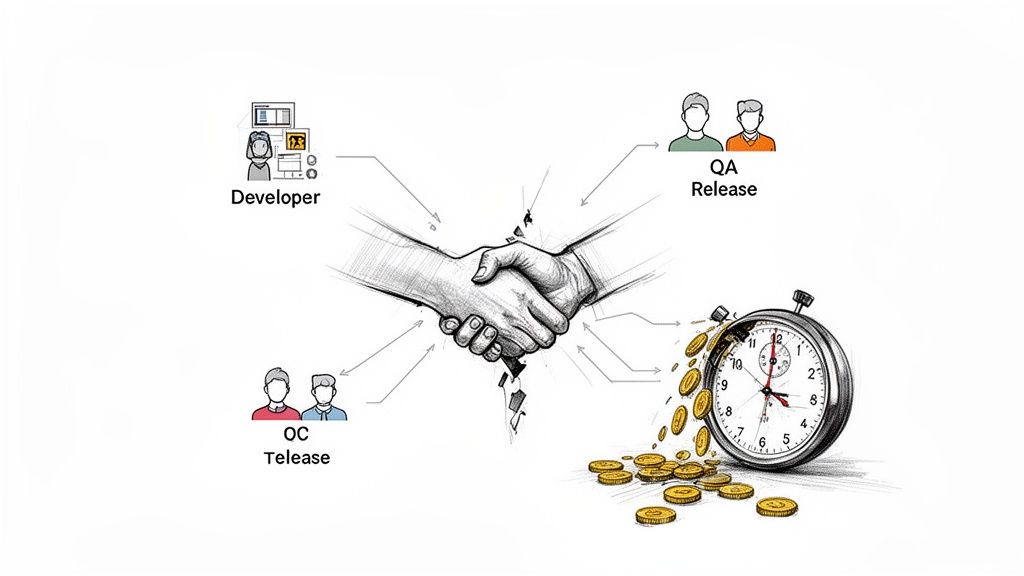
    Illustration depicting developer, QA, and OC release teams collaborating, resulting in saved time and money.

    The Real Price of Miscommunication

    Here’s a common, costly scenario: a developer pushes code to QA without clear testing instructions or confirmation that unit tests passed. The QA team then wastes hours deciphering the feature's purpose or struggling with a broken build. This isn't just a minor delay; it's a domino effect that can push back an entire release.

    Every manual, unstructured handoff is a potential point of failure. A forgotten attachment, a vague Slack message, or a ticket dragged to the wrong status can completely derail progress. These small issues accumulate, fostering a culture of confusion and blame.

    When teams lack a standardized process, they spend more time coordinating work than actually doing it. This overhead acts as a hidden tax on every project, eating into profitability and slowing innovation.

    Connecting Collaboration to Business Outcomes

    The link between effective teamwork and financial success is clear. With 84% of U.S. employees now working on multiple teams, structured collaboration is essential. A Gallup study of over 183,000 teams found that those with high employee engagement—driven by great collaboration—achieved 23% higher profitability and 18% greater sales productivity than their peers. You can review the full study and its findings to see the full data.

    These metrics provide a solid business case for investing in better processes. A structured, automated approach in Jira delivers tangible gains by:

    • Reducing Rework: Implement clear "Definitions of Done" and automated quality gates to ensure work is completed correctly the first time.
    • Accelerating Timelines: Eliminate manual handoffs and communication bottlenecks to shorten the entire development lifecycle.
    • Improving Morale: Provide teams with clear, efficient processes to reduce frustration and increase job satisfaction.

    Ultimately, learning how to improve team collaboration is a core strategy for growth. It enables your teams to ship high-quality products faster and more predictably. This guide will show you exactly how to build that framework.

    Creating Your Single Source of Truth in Jira

    Stop digging through spreadsheets, emails, and Slack channels to find project status updates. When information is scattered, you lose time and risk critical steps falling through the cracks. The first actionable step to improve team collaboration is to establish Jira as your undisputed single source of truth.

    By centralizing all conversations, updates, and handoffs in Jira, you create a transparent, auditable record of the entire development lifecycle and eliminate ambiguity.

    Map Your Core Processes First

    Before configuring Jira, create a blueprint of how your teams actually work. Gather your developers, QA engineers, and release managers to map out every critical process, from the dev-to-QA handoff to multi-environment deployments.

    To get an accurate picture, ask specific, direct questions:

    • What exact steps must a developer complete before passing a ticket to QA?
    • How does QA signal that a feature is fully tested and ready for the next stage?
    • What is the step-by-step process for deploying to the staging environment?
    • Who needs to be notified at each stage, and how does that notification happen now?

    This exercise will uncover hidden bottlenecks and incorrect assumptions that are slowing your team down. Documenting these real-world workflows is the essential foundation for effective automation.

    Define Your Rules of Engagement

    With your processes mapped, establish clear ground rules. The two most critical guardrails are the Definition of Ready and the Definition of Done.

    The Definition of Ready (DoR) acts as a gatekeeper, listing the non-negotiable criteria a task must meet before work begins. This prevents half-baked ideas from derailing a sprint.

    A practical DoR should require that:

    • The user story is written and approved by the Product Owner.
    • Acceptance criteria are clear and testable.
    • All design mockups are attached directly to the Jira ticket.

    The Definition of Done (DoD) is the final checklist confirming a task is 100% complete. It goes beyond "code complete" to ensure you deliver a tested, documented, and shippable piece of work. For more details on this, see our guide on changing a workflow in Jira.

    A strong Definition of Done is your team's ultimate quality gate. It’s a shared agreement that eliminates the "it works on my machine" excuse and ensures the final product meets expectations.

    Here’s an example of how to build these rules directly into a Jira issue using a tool like Nesty, turning abstract concepts into actionable checklists.

    This makes your rules tangible and impossible to ignore by embedding them directly within the ticket where the work happens.

    Structure Workflows for Ultimate Clarity

    Now, build your mapped processes and rules into a Jira workflow. The goal is a visual path that mirrors your team's real-life handoffs. Replace the generic "To Do → In Progress → Done" with statuses that reflect your unique stages.

    Create a workflow with specific statuses like:

    • Ready for Dev
    • In Development
    • Code Review
    • Ready for QA
    • In QA Testing
    • Ready for Staging Deploy

    Each transition between statuses represents a meaningful handoff. By building your process directly into Jira, you ensure no one skips a critical step and everyone knows their exact responsibilities at any given time. This is the foundation for predictable delivery.

    Automating Handoffs to Erase Manual Work

    With a solid workflow in place, you can reclaim your team's most valuable resource: time. Move beyond simply tracking work and start making it move faster. Automating common handoffs eliminates the clumsy, manual steps that create friction and slow everyone down.

    Consider the dev-to-QA handoff. Instead of a developer manually reassigning the ticket, @-mentioning the right person, and posting a link in Slack, imagine that entire sequence happening automatically. This is a practical way to turn Jira from a passive logbook into an active project engine.

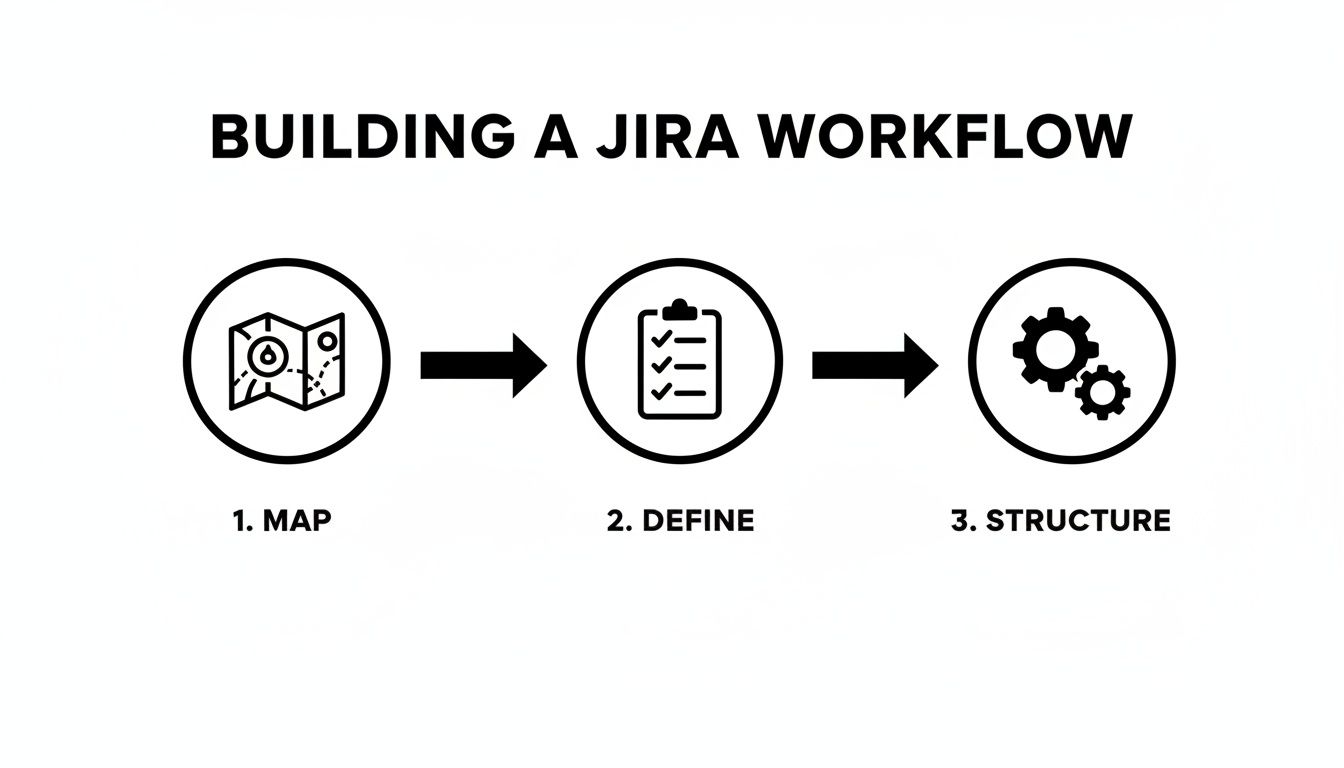
    This diagram shows the three-step approach to building a workflow ready for automation.
    A diagram illustrates three steps to build a Jira workflow: map, define, and structure.

    Effective automation requires a clear blueprint: first map the real-world process, then define the rules, and finally build that structure in Jira before layering on automation.

    The Dev-to-QA Handoff, Perfected

    Let's focus on one of the most frequent and error-prone handoffs: moving code from a developer to the QA team. Manual handoffs here often lead to missed notifications, incomplete information, and finger-pointing.

    Automating this process ensures nothing falls through the cracks. You can create a rule that triggers the moment a developer completes their "Definition of Done" checklist.

    For example, when a developer checks off "Unit Tests Passed," set up an automation rule that instantly:

    • Changes the ticket status from In Development to Ready for QA.
    • Reassigns the ticket from the developer to the QA team lead.
    • Sends a notification to your team's #qa-alerts Slack channel with a direct link to the Jira ticket.

    This single rule eliminates three manual steps, making the handoff instant, consistent, and transparent. It's a small change that significantly improves team velocity. To put this into practice, read our article on Jira workflow automation for more detailed examples.

    The difference is stark when viewed side-by-side.

    Manual vs Automated Handoffs: A Comparison

    Compare the old, manual handoff from Dev to QA with a modern, automated approach using a tool like Harmonize Pro / Nesty. The gains in speed and reliability are clear.

    Process Step Manual Handoff (The Old Way) Automated Handoff (The Nesty Way)
    Status Change Developer manually drags the ticket to a new column. Automatic: Status changes to Ready for QA once the "Definition of Done" is complete.
    Reassignment Developer searches for the QA lead's name and reassigns. Automatic: Ticket is instantly assigned to the designated QA team or individual.
    Notification Developer pings QA in Slack or a Jira comment. If they remember. Automatic: A targeted notification is sent to a specific Slack channel with all context.
    Information Check QA has to manually check for build links, test notes, etc. Automatic: Handoff is blocked if required fields (like build URL) are empty.
    Outcome Delays, forgotten tickets, and wasted time chasing info. A seamless, error-proof handoff that happens in seconds.

    As the table shows, automation makes the process faster and smarter by building in checks that humans often forget. This is how you begin to scale quality.

    Using Triggers to Enforce Quality Gates

    Effective automation goes beyond notifications. With a powerful tool like Nesty for Jira, you can set up intelligent triggers that function as automated quality gates, ensuring standards are met without manual oversight.

    Imagine a developer attempts to move a ticket to Ready for QA. An intelligent trigger can intervene and check if the prerequisites are met. It can verify:

    1. Is the "Code Review Checklist" fully completed?
    2. Is a link to the build artifact attached?
    3. Are the test environment details filled out?

    If any answer is "no," the automation can block the status change and post an automated comment explaining what’s missing. This stops incomplete work from reaching the QA team, saving everyone from frustrating back-and-forth communication.

    By automating validation, you turn your process from a suggestion into a self-enforcing standard. The right way becomes the only way.

    Eliminating Communication Bottlenecks

    Poor communication is a major productivity killer. Data shows 45% of employees say it damages trust, and 90% attribute workplace failures to poor collaboration. Conversely, 76% of teams using project management tools for communication report significant efficiency gains. You can dive into more workplace collaboration statistics for more data.

    Automating communication isn't about replacing human interaction; it's about making it more meaningful. Let automation handle repetitive status updates so your team can focus on solving complex problems. It's about delivering the right information to the right person at the right time, transforming chaotic chatter into a predictable flow of information.

    Building Quality Gates into Your Workflow

    Automating handoffs is a good start, but what if the work being passed along isn't ready? Speeding up a broken process only means you deliver low-quality work to the next stage faster. To truly improve collaboration, you must build quality directly into your workflow.

    Quality assurance should be a continuous process, not a last-minute inspection. Quality gates are automated checkpoints that prevent a task from moving forward until specific standards are met, catching problems at the source before they escalate.
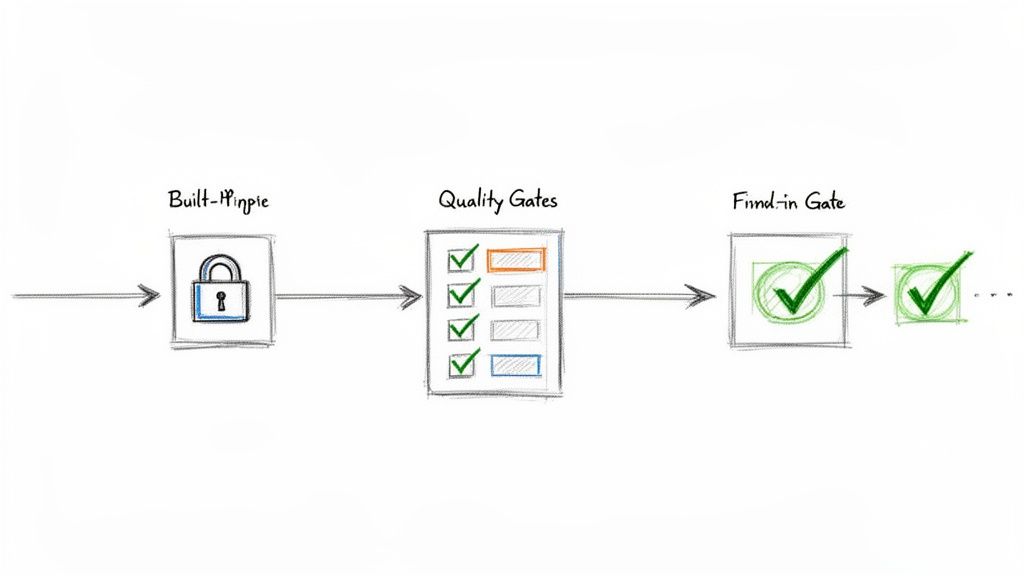
    A visual diagram illustrating a process flow: Built-in Gate (padlock), Quality Gates (checklist), and a successful Final-in Gate (checkmark).

    From Suggestion to Standard with Checklists

    Many teams have a "Definition of Done" (DoD), but it often resides in a forgotten document. To make it effective, embed that DoD as a dynamic checklist directly within your Jira tickets.

    With an app like Nesty, you can create nested checklists to break down large quality checks into manageable stages.

    For example, a developer's checklist might include:

    • Code Implementation Complete
    • Unit Tests Written and Passed
    • Code Submitted for Peer Review
      • Sub-task: Peer Reviewer A Approved
      • Sub-task: Peer Reviewer B Approved
    • Build Deployed to Dev Environment

    This structure provides a real-time view of progress and creates a clear, auditable trail, ensuring every quality step is completed and verified.

    Implementing Smart Blockers That Enforce Rules

    Smart blockers give your quality gates authority. A smart blocker is an automated rule that physically prevents an issue from changing status until all criteria are met. The system enforces the process, so no individual has to act as the "process police."

    For instance, if a developer tries to move a ticket from In Development to Ready for QA, a smart blocker can check:

    1. Is the "Developer DoD" checklist 100% complete?
    2. Is a link to the code repository branch included?
    3. Has the ticket been estimated with story points?

    If any of these criteria are not met, the transition fails, and the developer receives an immediate notification explaining what is missing. This contextual feedback ensures no one has to chase down incomplete work.

    Smart blockers transform your workflow from a passive record into an active guardian of your team's quality standards. The correct way to do things becomes the only way to do things.

    A Real-World Release Management Scenario

    Apply this concept to a high-stakes process like a software release. A release ticket involves multiple teams and complex dependencies, making quality gates critical for a smooth deployment.

    Consider a release ticket with statuses like Ready for Staging, In Staging, Ready for Production, and Done.

    • Gate 1 (Moving to In Staging): Block the transition until a "Pre-Staging Checks" checklist is complete. This could include items like "Final build artifacts are attached" and "Release notes are drafted."
    • Gate 2 (Moving to Ready for Production): Block the transition until the "Staging QA & Sign-off" checklist is fully verified. This list would include crucial steps like "All regression tests passed," "Performance tests successful," and "Product Owner sign-off received."

    This proactive approach ensures your release process is followed precisely every time, dramatically reducing human error and preventing bugs from reaching production. Mastering these gates is a key component of Jira workflow best practices.

    How to Measure If Better Collaboration Is Actually Working

    Implementing new workflows and automation is only half the battle. To prove these changes are effective, you need to track the right metrics. Stop relying on gut feelings and start using hard data to measure your team's performance.

    Focus on Key Performance Indicators (KPIs) that directly reflect the health of your collaborative processes. These metrics provide clear evidence that your new systems are reducing friction, increasing speed, and improving work quality.

    Metrics That Actually Tell You Something

    Move past superficial stats like the total number of tickets closed. To gain real insight, track KPIs that measure the efficiency of your entire development lifecycle.

    Here are three essential metrics you can track directly within Jira:

    • Cycle Time: This measures the total time from when work begins on a ticket ("In Progress") to when it is complete ("Done"). A consistently decreasing cycle time is a strong indicator that your automated handoffs are successfully eliminating bottlenecks.
    • Rework Rate: Track how often a ticket moves backward in the workflow (e.g., from In QA back to In Development). A high rework rate signals poor communication or unclear requirements. A declining rate shows your "Definition of Done" and quality gates are working.
    • On-Time Delivery Percentage: Measure the percentage of work your team completes within the planned sprint or release timeline. As collaboration improves, predictability increases, which should be reflected in a higher on-time delivery rate.

    These metrics provide a tangible pulse on your team's collaborative health.

    Build a Collaboration Dashboard in Jira

    Data is only useful if it's visible. Use Jira's native dashboards to create a single source of truth for tracking the performance of your process improvements.

    Keep your dashboard focused on key metrics. Use the "Control Chart" gadget to visualize cycle time and the "Created vs. Resolved Chart" to monitor throughput. Seeing these trends daily helps you spot progress and address issues before they become major problems.

    Use your Jira dashboard as a conversation starter in retrospectives. Celebrate wins and have honest, data-driven discussions about what needs improvement.

    Connecting the Dots to Business Value

    Ultimately, you must demonstrate the return on investment (ROI) of your efforts. It's more powerful to present a dashboard showing a 20% reduction in Cycle Time and a 15% drop in Rework Rate than to simply say you "made things smoother."

    These metrics translate directly to business value. A lower rework rate means fewer developer hours are wasted fixing preventable bugs, freeing up time for new feature development. A shorter cycle time allows your company to respond faster to market changes and customer feedback, providing a significant competitive advantage.

    This is how you prove that investing in a tool like Harmonize Pro / Nesty is not just an expense—it's a strategic move that drives efficiency, quality, and growth.

    Got Questions? We’ve Got Answers.

    Adopting workflow automation can seem daunting, but it is one of the most impactful changes you can make to improve team collaboration. Here are answers to common questions that arise when teams get started.

    "How Can We Start Automating Jira Workflows Without Blowing Up Our Current Sprint?"

    The key is to start small and secure a quick win. Do not try to overhaul your entire company's process at once. Instead, identify a single, specific pain point that everyone agrees is a bottleneck.

    The classic handoff from Development to QA is an ideal starting point, as it is a frequent source of miscommunication and delays.

    Follow this low-risk, four-step approach:

    1. Isolate the experiment. Choose one team or a single project to pilot the new process. This contains the impact and allows you to gather feedback without disrupting other teams.
    2. Use a sandbox. Always build and test new automation in a separate test project. This provides a safe environment to refine the workflow before deploying it to live projects.
    3. Map the real steps. Document the existing process in detail. Identify what the developer does, what information the QA engineer needs, and the exact trigger point for the handoff.
    4. Define a clear trigger. For example, configure the automation to fire when a "Code Review Checklist" is marked complete. This action can then automatically reassign the ticket to the QA lead and notify them via Slack.

    This approach demonstrates value on a small scale, minimizing disruption and building momentum for broader adoption.

    "What’s the Real Difference Between Jira’s Built-in Automation and an App Like Nesty?"

    Jira’s native automation is effective for simple, linear rules, such as "When status changes, add a comment." It is best suited for basic housekeeping and simple alerts.

    However, for complex processes with multiple dependencies, conditional logic, and cross-team coordination, you will quickly reach its limits. This is where a dedicated app like Nesty by Harmonize Pro provides a more robust solution designed for intricate, real-world workflows.

    A simple analogy: Jira's native automation is like setting a single alarm clock. Nesty is like conducting an orchestra, ensuring every instrument plays its part at the right moment.

    Nesty offers advanced capabilities that native functions lack:

    • Deeply Nested Checklists: Create multi-level checklists to serve as comprehensive, enforceable quality gates.
    • Dynamic Blockers: Physically prevent a ticket from transitioning until specific criteria are met, turning process suggestions into enforced standards.
    • Intelligent Multi-Step Triggers: A single action, like completing a checklist, can initiate a cascade of automated actions, such as creating and assigning multiple sub-task checklists to different people across different teams.

    For complex processes like customer onboarding or multi-environment releases, this level of control is essential for building a self-managing Jira ticket that guides the entire workflow.

    "How Do We Actually Get Our Team to Adopt These New Standardized Processes?"

    Adoption hinges on one principle: make the right way the easiest way. If your new, automated process requires less effort than the old, manual one, your team will embrace it.

    First, involve the team in the design process. When people help build the workflow, they gain a sense of ownership and ensure it solves their actual problems, not just perceived ones.

    Next, highlight the personal benefits. Show a developer how completing one checklist eliminates three manual tasks they dislike, such as updating the ticket status, reassigning it, and notifying the QA team. They will see the new process as a time-saving tool, not just another layer of bureaucracy.

    Finally, use features like Nesty's blockers to guide behavior. When an issue cannot be moved forward until the "Definition of Done" is met, the process enforces itself. This creates consistency and ensures quality is built-in from the start, which ultimately makes everyone's job easier.


    Ready to stop talking about process and start building self-managing workflows? With Harmonize Pro, you can create the intelligent, automated handoffs and quality gates that keep your teams in sync and shipping better work, faster.
    Learn more and start building at HarmonizePro.com.

  • A Practical Guide to Jira Workflow Automation

    A Practical Guide to Jira Workflow Automation

    Jira workflow automation is a method for building simple, rule-based logic into your projects to handle repetitive tasks. Use it to create a series of if-this-then-that instructions that automatically transition tickets, notify the right people, and update fields without manual intervention. This guide will show you how to apply this strategy to make your operations run smoothly as you scale.

    Why Jira Workflow Automation Is a Game Changer

    Two people observe a hand-drawn workflow board with several process columns and text.

    Manual Jira updates are a significant time sink. Projects often get bogged down by tedious updates, slow handoffs between teams, and simple human error. For example, a developer might push their code but forget to move the ticket into the "Ready for QA" column. As a result, the testing team remains unaware that a task is waiting, bringing the entire process to a halt.

    This is the exact problem Jira workflow automation solves. It transforms your static Jira board into a dynamic, self-managing system. Instead of relying on individuals to remember every step in a complex process, you build rules that execute these tasks automatically.

    Moving Beyond Manual Drudgery

    The primary value of automation is reclaiming your team's most valuable resource: time. By automating routine administrative tasks, you enable your engineers, QA analysts, and project managers to concentrate on high-impact work.

    Here are common problems that you can eliminate with automation:

    • Slow Handoffs: Tickets no longer sit idle waiting for a manual status or assignee change. Automate these transitions to ensure work flows continuously.
    • Inconsistent Data: Enforce required fields upon ticket creation or transition. This eliminates the need to chase down information and ensures your reports are built from complete data.
    • Constant Context Switching: Allow developers to stay focused on coding instead of frequently switching to Jira for ticket updates. Integrate your Git repository to update tickets automatically based on developer actions.
    • Missed Notifications: Set up rules to automatically notify key stakeholders at critical workflow stages, ensuring everyone stays informed.

    The goal is not just to accelerate tasks, but to build a reliable and predictable system that reduces the mental load on your team. When the process works seamlessly, your team can focus on solving problems and innovating.

    The Tangible Impact on Your Team

    Implementing Jira workflow automation provides immediate, measurable benefits. It is a core reason why Jira is a market leader, controlling over 42% of the project-tracking market. Its automation engine is the foundation for workflows used by millions daily, demonstrating its value as an essential feature.

    The results are clear: tickets are resolved faster, and project data becomes more accurate and reliable. For teams looking to implement more structured processes, our guide on getting started with Nesty provides actionable steps for creating nested checklists and advanced triggers.

    Understanding The Building Blocks Of An Automation Rule

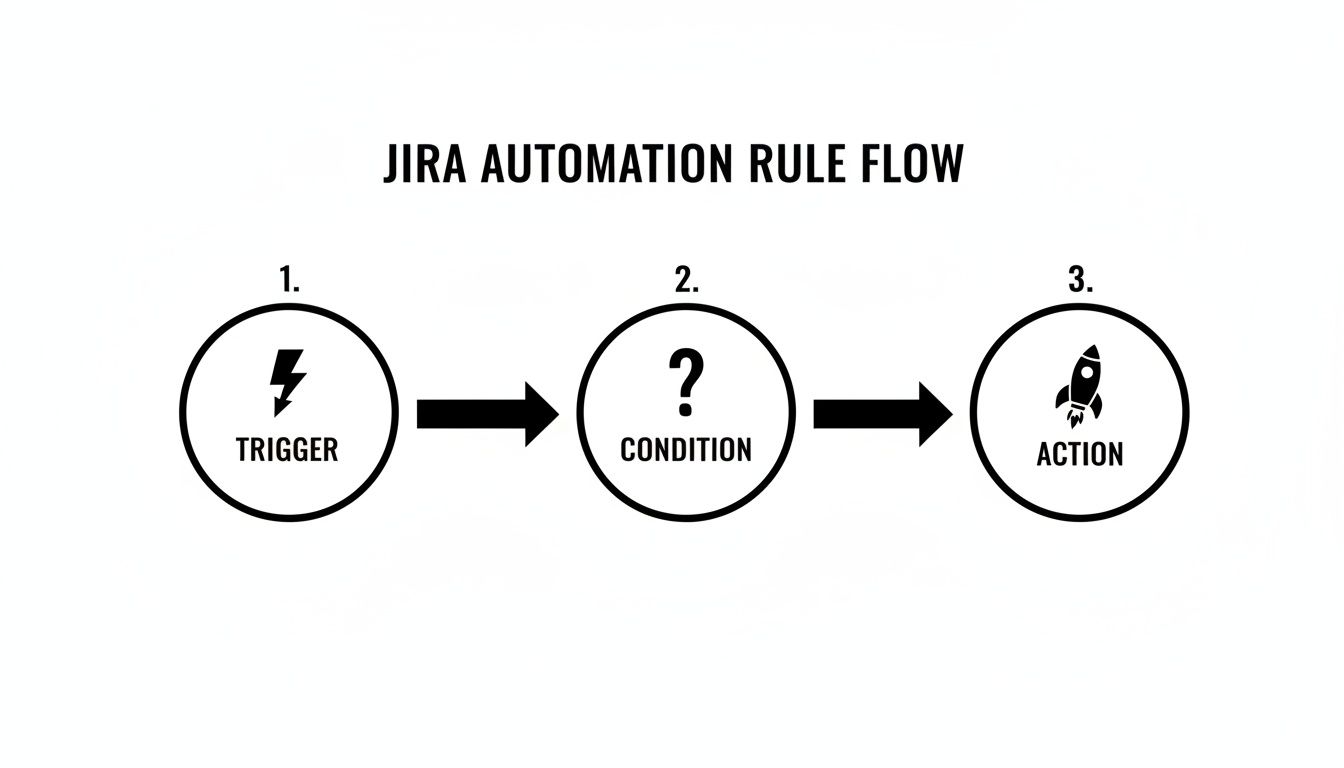
    To effectively use Jira workflow automation, you need to understand its fundamental logic. Every automation, regardless of its complexity, is composed of three core components: Triggers, Conditions, and Actions.

    This structure operates like a simple command: a catalyst (Trigger) initiates the process, a set of qualifiers (Conditions) confirms it should proceed, and a task (Action) is executed. Mastering this sequence is key to building automations that genuinely assist your team.

    Here is a breakdown of these components:

    Component Purpose Actionable Examples
    Trigger The "If this happens…" event that starts the rule. Issue Created, Field Value Changed (e.g., Priority is updated), Issue Transitioned (e.g., moves from "To Do" to "In Progress"), Comment Added.
    Condition The "…only if this is true…" checkpoint. The rule stops if conditions are not met. Issue Type = Bug, Status = In Review, Assignee is empty, or a JQL query like priority = Highest AND "Story Points" > 8.
    Action The "…then do that" task performed by the rule. Transition Issue, Edit Issue (e.g., add a label), Send Slack/Teams notification, Create sub-tasks, Add a Nesty checklist.

    This Trigger → Condition → Action framework is the foundation for everything from sending a simple notification to orchestrating a complex, multi-step deployment process.

    Triggers: The Starting Gun

    A Trigger is the event that initiates an automation rule. Your rule remains dormant until its specified trigger event occurs.

    These events can range from a specific user action to a scheduled time, giving you precise control over when your automations execute.

    Here are common triggers to implement:

    • Issue Created: Use this for setup tasks. When a new issue is logged, automatically assign a default component or add a standard "Definition of Done" checklist.
    • Field Value Changed: This is highly practical. For instance, trigger a rule the moment the Priority field is changed to Highest to escalate visibility.
    • Issue Transitioned: Fire the rule when an issue moves between statuses, such as from ‘In Progress’ to ‘In Review’, to notify the next person in the chain.
    • Version Released: Use this trigger for cleanup. Build a rule to automatically find and close all tickets associated with a version upon its release.

    Selecting the correct trigger is the critical first step. An incorrect choice can cause your rule to execute too frequently, not at all, or at inconvenient times.

    Conditions: The Brains Of The Operation

    If the trigger starts the process, the Condition decides whether it should continue. It acts as an "…only if this is true" checkpoint. After a trigger fires, Jira evaluates the conditions you've set. The rule proceeds to the action only if all conditions pass. If any condition fails, the rule halts.

    This is how you add precision to your Jira workflow automation. Conditions prevent your rules from running on every issue, allowing you to target very specific scenarios.

    A common mistake is building rules with only a trigger and an action. Conditions provide the necessary control, preventing a rule designed for bug reports from incorrectly running on new feature stories.

    Base your conditions on any data point within an issue. For example, use a JQL (Jira Query Language) condition to check if issueType = Bug AND priority = High. Alternatively, use a simpler field condition to check if the ‘Assignee’ field is empty. For advanced use cases, you can even check for a specific change in assignee to initiate a series of other checks.

    Actions: The Workhorse

    The final component is the Action—the "then do that" part of the rule. Once the trigger fires and all conditions are met, the action is the task the rule performs. This is the workhorse of your automation, executing repetitive tasks so your team doesn't have to.

    The range of available actions is extensive, covering everything from modifying the issue itself to communicating with external tools.

    Here are a few practical actions you can configure:

    • Transition Issue: Automatically move an issue to the next status in your workflow.
    • Edit Issue: Modify a field's value, such as setting a due date or adding a label.
    • Send a Notification: Ping a user, group, or channel in Slack or Microsoft Teams.
    • Create Sub-tasks: Instantly break down a larger story into predefined sub-tasks and assign them to the appropriate team members.

    By combining Triggers, Conditions, and Actions, you can construct powerful automations tailored to your team's specific workflow.

    Practical Automation Recipes You Can Use Today

    Understanding the theory of Jira workflow automation is useful, but applying it delivers tangible results. This section provides battle-tested automation recipes you can implement immediately to eliminate common bottlenecks and manual work.

    Flowchart illustrating the three steps of a Jira automation rule: trigger, condition, and action.

    Every automation rule follows a Trigger → Condition → Action sequence. Once you internalize this logic, you can analyze any manual process and break it down into an automatable workflow.

    Automatically Assign Bugs to the Right QA Lead

    A common bottleneck is bug triage, where new bugs sit in the backlog awaiting assignment. This recipe routes new bugs directly to the appropriate QA lead, preventing delays.

    Implement it with this configuration:

    • Trigger: Issue Created
    • Condition: Issue Type = Bug AND Component is not empty
    • Action: Use an If/else block to route the issue based on its component.
      • If: Component = "API"Action: Assign issue to Jane Doe
      • If: Component = "UI/UX"Action: Assign issue to John Smith
      • If: Component = "Database"Action: Assign issue to Emily Rogers

    With this rule active, bugs are immediately assigned upon creation, eliminating manual handoffs and ensuring they enter the QA queue without delay.

    Move a Task to “In Review” When a Pull Request is Opened

    Developers often face context switching when they finish coding, open a pull request, and then must remember to update the corresponding Jira ticket. This automation eliminates that manual step, keeping Jira synchronized with your development work.

    To set this up, ensure Jira is connected to your Git provider (e.g., GitHub or Bitbucket).

    • Trigger: Pull Request Created
    • Condition: (Optional but recommended) Status = "In Progress". This prevents the rule from moving a ticket backward in the workflow.
    • Action: Transition issue to "In Review"

    This rule provides immediate visibility to the entire team. Product managers can see what is ready for review, and QA can prepare test cases without waiting for a developer's status update.

    The key benefit is that Jira begins to reflect the actual state of work, rather than being an additional task for developers. The workflow follows the work, not the other way around.

    Auto-Close Stale Tickets and Keep Your Backlog Clean

    Backlogs often become cluttered with old, irrelevant tickets. This recipe functions as a digital janitor, automatically closing issues that have been inactive for an extended period.

    • Trigger: Scheduled (configure it to run daily or weekly).
    • Condition: Use a JQL query like Status = "Awaiting Customer Feedback" AND Updated < -90d to target issues untouched for 90 days.
    • Action: First, Add a comment such as, "Closing this due to inactivity. Please feel free to reopen it if the problem persists." Then, Transition issue to "Closed".

    This practice keeps your team focused on active work and improves the accuracy of your reporting by removing obsolete items from the backlog. Automating such tasks is a key driver behind the global workflow automation market's projected growth to over $45 billion. Industry reports indicate that smart automation can cut triage time by 30-60%, freeing up significant team capacity.

    Sync Parent Task Status with Its Sub-Tasks

    A parent story should not remain "In Progress" when all its sub-tasks are complete. This automation ensures the parent issue's status accurately reflects the state of its underlying work.

    • Trigger: Issue Transitioned (fires when any sub-task changes status).
    • Condition: First, verify that the triggering issue is a sub-task.
    • Action: Use the Branch rule / related issues option.
      • Branch for: Parent
      • Condition (on the parent): Add a condition to verify that all other sub-tasks of the parent are also in the "Done" status.
      • Action (on the parent): Transition issue to "Done"

    This creates a self-managing work hierarchy, which is particularly useful for complex features with numerous sub-tasks. For teams requiring even more structure, our pre-built Nesty templates offer advanced capabilities. Learn how to add nested checklists and quality gates to enforce your Definition of Done in our guide to Nesty developer workflows.

    These recipes are a starting point. By creatively combining Triggers, Conditions, and Actions, you can configure Jira to match your team's real-world processes, saving time and building a more reliable system.

    Advanced Techniques for Complex Workflows

    Once you master the basics, you can begin automating more complex processes in Jira. Moving beyond simple trigger-action recipes allows you to tackle your team's most nuanced workflows. These advanced techniques transform your rules from simple helpers into the operational core of your project.

    Use these methods to build automations that reflect your team's unique processes, making the system adapt to your workflow rather than forcing your workflow to fit the tool.

    Handling Multiple Scenarios with Branching Logic

    A standard automation rule follows a linear path. However, real-world workflows often have a single trigger that can lead to multiple outcomes. Use branch rules to manage these scenarios effectively.

    Branching allows you to create multiple "if-this-then-that" paths within a single rule. Instead of building five separate automations for the same trigger, you can create one master rule that intelligently routes the work.

    For example, when a developer merges a pull request, the next step can vary:

    • A bug fix might need to go to "Ready for Regression Testing."
    • A new feature should move to "Ready for UAT."
    • A small tech debt story can go straight to "Done."

    A branch rule handles this by using the Pull Request Merged trigger and then branching based on the issueType to transition the issue to the correct status. This approach keeps your automation logic clean, organized, and easier to manage than multiple overlapping rules.

    The primary advantage of branching is consolidation. You create a single source of truth for a key workflow step, which simplifies debugging and future updates.

    Making Your Automations Dynamic with Smart Values

    Static actions have limitations; you cannot hard-code every possible assignee or comment for every scenario. Smart Values solve this by letting you pull dynamic information from your issues and inject it directly into your automation actions.

    Smart Values are placeholders, like {{issue.summary}} or {{reporter.displayName}}, that Jira replaces with real-time data when the rule executes. They add context and personalization to your automations.

    Here are ways to use them immediately:

    • Personalized Notifications: Instead of a generic message, send a Slack notification like: "Hey {{assignee.displayName}}, the priority on '{{issue.summary}}' was just raised to Highest by {{initiator.displayName}}."
    • Dynamic Comments: When escalating an issue, automatically add a comment that tags relevant stakeholders and provides context: @"squad.lead", the due date for this issue was just changed to {{issue.duedate}}. Please review.
    • Copying Field Data: Sync information between related issues. When creating sub-tasks, use Smart Values to automatically copy the parent issue's Fix Version and Component fields to the new sub-tasks.

    Using Smart Values makes your automations more informative and feel less robotic, acting more like a helpful team member who provides the right information at the right time.

    Running Automations on a Schedule

    Not all automations should be triggered by a user action. Some of the most effective rules run in the background, maintaining project hygiene and data accuracy. For these time-based processes, use scheduled rules.

    Set these rules to run at a specific interval—such as daily or weekly. The rule then executes a JQL query to find a batch of issues meeting your criteria and performs an action on them.

    This is ideal for housekeeping tasks:

    • Find Stale Issues: Create a daily rule to find all issues that have not been updated in 30 days and add a comment requesting a status update.
    • Identify Blocked Work: Set up a rule to run each morning that identifies high-priority issues with the "Blocked" flag and sends a summary to a project manager's Slack channel.
    • Enforce SLAs: For support teams, a scheduled rule can run hourly to find tickets approaching their SLA breach time and automatically escalate their priority.

    Scheduled rules help you proactively manage your workflow instead of constantly reacting to problems after they have already caused delays.

    Integrating with External Tools Using Webhooks

    Your workflow often extends beyond Jira, connecting to code repositories, CI/CD pipelines, and communication platforms. Webhooks enable your Jira automation to interact with these external systems.

    A webhook is an automated message sent from Jira to another application when a specific event occurs. Configure an action in your automation rule to "Send web request." When the rule runs, Jira sends an HTTP POST request with relevant issue data (in JSON format) to a URL you provide.

    This enables deep, cross-tool integration. For instance, a development team can link Jira to their CI/CD pipeline:

    1. Trigger: An issue is transitioned to "Ready for Deployment."
    2. Action: A webhook is sent to a tool like Jenkins or GitHub Actions.
    3. Result: The external tool receives the webhook, reads the issue key from the JSON payload, and automatically initiates the correct deployment script.

    This creates a seamless flow from development to production, orchestrated entirely by your Jira workflow. By combining these advanced techniques—branching, Smart Values, scheduled rules, and webhooks—you can build an intelligent system that automates even your most intricate processes.

    How to Manage Automation Rules Without Creating Chaos

    Hand-drawn diagrams illustrating the contrast between chaotic naming and structured governance and audit workflows.

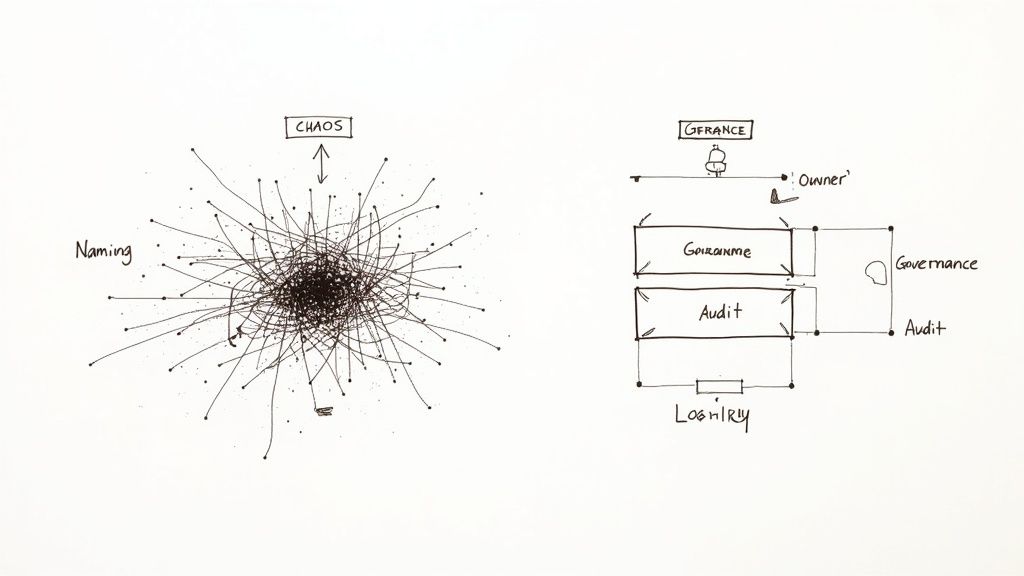
    As your team adopts automation, it's easy for rules to become a tangled, undocumented mess, leading to conflicts, silent failures, and maintenance challenges. This "rule sprawl" is a common problem that arises without a clear governance plan.

    To prevent this, establish a simple governance framework. These guidelines will help keep your Jira workflow automation scalable, transparent, and manageable as your team grows.

    Establish Clear Naming Conventions

    The first step is to enforce a consistent naming convention for every rule. A vague name like "Update Ticket" creates future confusion. In contrast, a name like [DEV] → [QA] | Transition to In Review on PR Creation clearly communicates the rule's purpose, scope, and trigger.

    A robust naming structure should include:

    • Scope or Team: Identify the relevant team, such as [Marketing], [DevOps], or [Support].
    • Trigger Event: Use clear terms like On PR Merge or On Bug Creation.
    • Primary Action: Describe the main task, such as Assign to QA Lead or Close Stale Ticket.

    This discipline makes your automation library easy to scan and is invaluable for debugging or locating a specific rule.

    Use Labels to Organize and Filter Rules

    Jira allows you to add labels to your automation rules. Use this feature to group related automations, effectively creating folders that let you filter your list and find what you need quickly.

    Think of labels as an organizational toolkit. Create labels like notifications, ci-cd, triage, or housekeeping. This enables you to instantly view all rules related to a specific function, regardless of their project.

    This is highly effective for auditing. If you suspect an issue with your notification system, filter by the notifications label to review all relevant rules at once, instead of searching through a long, unsorted list.

    Define Ownership and Monitor Usage

    Not all rules are equal. Enterprise governance often requires a tiered approach. Allow team leads to manage project-specific rules, but assign a designated owner or a small governance team to any global rules that affect multiple projects.

    This is crucial because automation is a finite resource. Atlassian plans have execution limits, and exceeding them can throttle your instance or incur extra costs. Central ownership for global rules helps prevent redundant or inefficient automations from consuming your monthly quota. For further reading, there are excellent governance models for Jira on dev.to available.

    Make it a practice to regularly review the audit log for failures and monitor your usage statistics. If a single rule is responsible for 40% of your monthly executions, investigate whether it can be optimized. Proactive monitoring ensures your system remains healthy and performant, supporting your organization's growth.

    Frequently Asked Questions About Jira Automation

    As you implement Jira workflow automation, you will likely encounter specific challenges. Here are answers to some of the most common questions from teams getting started.

    Can Automation Rules Run in a Specific Order?

    A frequent question is whether you can force an execution order when multiple rules share the same trigger.

    The short answer is no. Jira processes rules triggered by the same event asynchronously, so you cannot guarantee their execution order.

    The best practice is to consolidate the logic into a single, smarter rule. Instead of creating three separate rules, build one master rule that uses branching logic (e.g., if/else blocks) to handle the different conditions. This approach makes the execution path predictable and simplifies debugging.

    How Do I Test an Automation Rule Without Affecting Live Data?

    To avoid accidentally impacting your production project, test your automation rules in a safe environment.

    The recommended method is to create a dedicated "sandbox" project. Clone your main project’s workflow and settings to create a safe space where you can build and refine rules using test issues.

    Another practical tip is to add a temporary condition to your rule, such as creator = currentUser(). This ensures the rule will only run on issues you create. Once you have confirmed it works correctly, remove the condition to deploy it.

    Pro-Tip: Use a "manual trigger" for testing. Configure the rule to fire only when you click a specific button on an issue. This gives you complete control over when and where the automation runs during the testing phase.

    What’s the Difference Between Project and Global Rules?

    Understanding this distinction is key to keeping your Jira instance organized.

    • Project Rules: These are created within a specific project and can only affect issues in that project. They are ideal for team-specific processes and can be managed by project administrators.

    • Global Rules: These are configured by a Jira administrator and can run across multiple projects or your entire Jira site. Use them to standardize processes everywhere, such as ensuring every "Bug" issue created in any project receives a specific label.

    Knowing when to use each type helps prevent "rule sprawl" and keeps your automations manageable as your organization scales.


    Ready to go beyond basic automation and build truly intelligent, structured workflows? Harmonize Pro's flagship app, Nesty, transforms your Jira issues with unlimited nested checklists, quality gates, and smart triggers to automate complex handoffs for Dev→QA, deployments, and onboarding.

    Learn how Nesty can enforce your Definition of Done and finally put an end to all that manual busywork.

    Article created using Outrank