Tag: workflow automation

  • Boost Jira Automation Rules: A Practical Guide to Streamlining Workflows

    Boost Jira Automation Rules: A Practical Guide to Streamlining Workflows

    Repetitive Jira updates are a massive time-sink. Your team's most valuable asset is their focus, and manual ticket-nudging drains it dry. The solution is Jira automation rules. Think of them as simple if-this-then-that recipes that handle the grunt work for you. They’re designed to eliminate manual chores, prevent errors, and give your team their creative energy back. This guide provides actionable steps to get you started immediately.

    Stop Wasting Time on Repetitive Jira Tasks
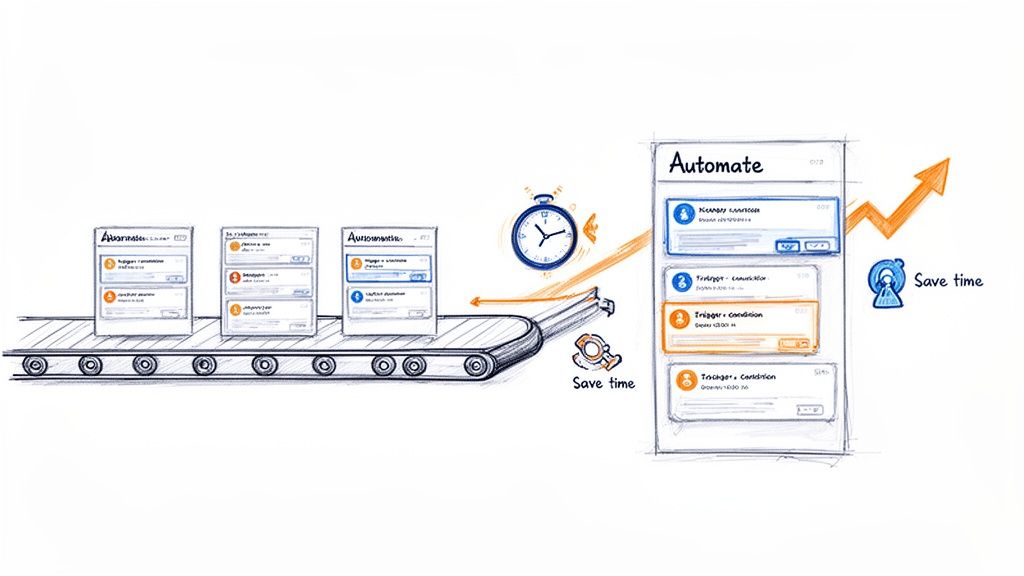
    A visual metaphor of automation streamlining tasks on a conveyor belt, saving time and improving efficiency.

    This image nails the core idea: automation turns a chaotic, hands-on process into a smoothly flowing system. It's the difference between focusing on innovation and drowning in administration.

    Manual ticket management isn't just boring; it’s a major source of project friction. Every minute spent changing a status, reassigning an issue, or pinging someone for an update is a minute not spent on coding, testing, or planning. This "work about work" causes delays, invites human error, and leads to inconsistent workflows.

    The core problem is that manual updates don't scale. As your team grows and projects get more complex, the administrative overhead explodes, creating a bottleneck that slows everything down.

    This is exactly where Jira automation rules come into play. They act as a tireless assistant, executing tasks based on triggers you define. Once set up, your processes are followed perfectly every time, without anyone having to think about it.

    Why Automation Is No Longer Optional

    Jira automation became a game-changer after Atlassian acquired Code Barrel's "Automation for Jira" app in 2019. By 2022, this powerful no-code tool was built directly into Jira Cloud and modern Data Center versions.

    This native integration means you can start building impactful rules right now. Here’s what you stand to gain:

    • Enforce Process Consistency: Ensure every ticket moves through your workflow the same way, from "Ready for Dev" to "Done." This brings a new level of predictability.
    • Eliminate Handoff Errors: Automatically assign tickets to the next team, attach the right documents, and send a notification. Nothing gets lost in the shuffle.
    • Reclaim Valuable Time: Some teams save over 150 hours per month by automating administrative tasks. That’s time freed up for work that actually matters.
    • Improve Cross-Team Collaboration: Keep everyone in the loop with automated updates and notifications, cutting down on status meetings. To understand the broader concepts, read our guide on what workflow automation is all about.

    For any software team, a high-impact action is linking Jira to GitHub. This unlocks powerful automation, allowing you to trigger rules based on commits, pull requests, and merges, directly connecting your code to your project board.

    Building Your First High-Impact Automation Rules

    Theory is great, but the real "aha!" moment comes when you solve actual problems. It's time to put that knowledge into practice. We're going to walk through building three incredibly practical rules that any software team can use right away to reduce manual work and make their processes more reliable.

    These aren't just simple examples. They're proven automations that fix common headaches in development, project management, and client onboarding. Let's dig in.

    Rule 1: The Seamless Dev-to-QA Handoff

    One of the most frustrating bottlenecks is the handoff from development to QA. A developer finishes their work, but the ticket sits there, waiting for someone to reassign it and move it to the "In QA" column. This gap creates delays and risks that tickets get lost.

    This automation closes that gap. When an issue is moved to "Ready for QA," the rule instantly assigns it to your QA lead and drops a comment to notify the team.

    Here’s the step-by-step setup:

    • Trigger: Issue Transitioned. Be specific. Configure it to fire only when the status moves from any other status to "Ready for QA." This prevents the rule from running unexpectedly.
    • Action 1: Assign Issue. Set this to automatically assign the ticket to your QA lead or the main point of contact. This immediately establishes ownership.
    • Action 2: Add Comment. Notify the wider team. Use a simple, clear comment like: Ready for testing. @qa-team, please take a look. This pings the group so someone can pick it up even if the main assignee is busy.

    This simple rule enforces your workflow, creates a perfect audit trail, and ensures you never lose momentum between coding and testing. It's a cornerstone of a healthy CI/CD pipeline.

    Rule 2: The Polite Stale Issue Nudge

    We've all seen tickets that haven't been updated in a week, collecting digital dust. Is it blocked? Forgotten? Chasing down these updates is a massive time-sink for project managers.

    This rule acts as an automated assistant. It scans for inactive issues and sends a gentle reminder to the assignee in Slack, asking for an update without any manual intervention.

    Here's how to build this "nudge" rule:

    • Trigger: Scheduled. Run this daily or every other day. You'll need a JQL query to define what "stale" means. A great starting point is status not in (Done, "Won't Do") AND updated < -7d.
    • Action: Send Slack Notification. Connect Jira to Slack and craft a helpful message: "Hey {{issue.assignee.displayName}}! Just a friendly nudge on {{issue.key}}. It hasn't seen any updates in over a week. Is everything okay?"

    Using smart values like {{issue.assignee.displayName}} makes it personal, and including a direct link with [{{issue.key}}]({{issue.url}}) makes it easy for them to jump in and provide an update.

    Rule 3: The Client Onboarding Sub-Task Creator

    A consistent onboarding process is critical for new clients. But it usually involves the same checklist every time: "Schedule Kickoff," "Set Up Accounts," "Send Training Docs." Creating these sub-tasks manually for every new client is tedious and error-prone.

    This rule standardizes the entire process. When a new "Client Onboarding" epic is created, it automatically generates your entire predefined checklist of sub-tasks.

    Here’s the configuration:

    • Trigger: Issue Created. The rule fires the moment the new issue appears.
    • Condition: Issue Fields Condition. This is crucial. Ensure the rule only runs on the right issue type. Set the condition to Issue Type = Epic and add another condition to check the summary, like Summary ~ "Onboarding for".
    • Action: Create Sub-tasks. Add a "Create sub-task" action for every step of your process.

    For instance, your list of sub-tasks might look like this:

    • Schedule Kickoff Meeting
    • Grant System Access
    • Deliver Welcome Packet
    • Conduct Initial Training Session
    • Schedule First Check-in Call

    By turning your onboarding into a Jira automation rule, you build a repeatable, scalable system that delivers a consistent experience to every new client.

    To tackle more complex processes, our guide on Jira workflow automation dives into more advanced strategies. Mastering these foundational rules will give you a solid base to build from.

    Advanced Automation for Complex Workflows

    Once you've nailed the basics, you can use Jira automation to tackle your organization's most complex, multi-step processes. Advanced features—smart values, rule branching, and rule chaining—allow you to build sophisticated systems that handle complex handoffs without manual intervention.

    This is about transforming a convoluted manual process into a self-managing system. It frees up your team to focus on high-value work instead of playing project traffic controller.

    Let’s walk through a common and often messy DevOps workflow to see these concepts in action.

    Building a Multi-Environment Deployment Rule

    Coordinating deployments across development, staging, and production is a massive headache. The process is often a chaotic mix of manual ticket updates, Slack pings, and the risk of someone dropping the ball. A well-designed Jira automation rule can orchestrate this entire sequence.

    The goal is to create a system where a single trigger—like merging a pull request—kicks off a cascade of updates, assignments, and notifications across several related tickets representing each environment.

    This visualization shows the core flow for many automations, from handling handoffs to nudging people and creating new tasks.
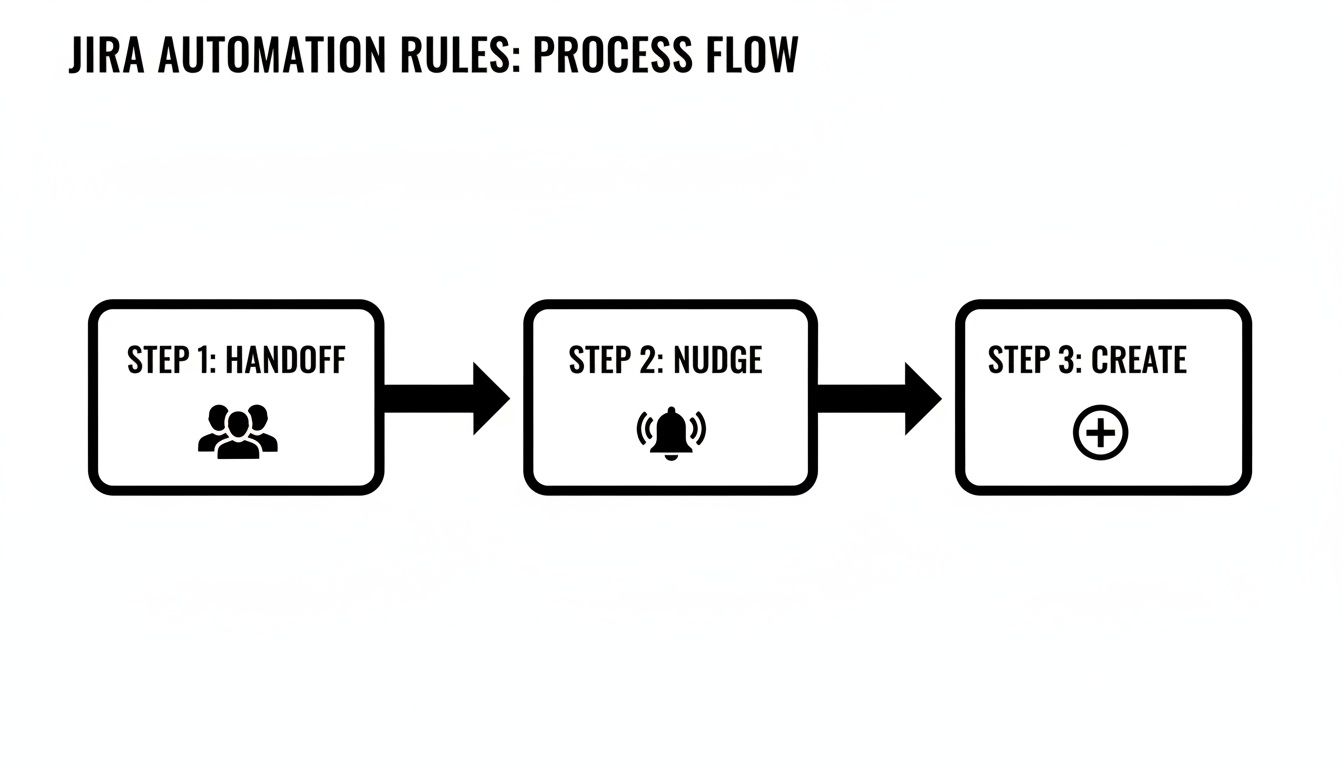
    A visual representation of a three-step Jira automation process flow: Handoff, Nudge, and Create.

    A single event can set off a chain reaction that keeps work moving forward without manual intervention.

    To build our deployment rule, we’ll use a few advanced components:

    • Smart Values: Dynamic variables that pull data from your Jira issues. We’ll use them to copy info from a parent ticket to its sub-tasks. For instance, {{triggerIssue.fields.summary}} grabs the summary from the issue that kicked off the rule.
    • Lookup Issues Action: A powerful action that lets your rule search for other issues using JQL. It's the key to connecting our main development ticket to its staging and production counterparts.
    • Rule Branching: This lets the rule perform actions on multiple related issues, like those found with "Lookup Issues." It’s like running a mini-rule for each issue in a list.

    Orchestrating the Deployment Flow

    Let's say our setup is a main feature story with sub-tasks like "Deploy to Staging" and "Deploy to Production." Our automation will kick in the moment the development work is finished.

    The trigger is a Pull Request Merged event from your connected code repository. When a developer merges their code, the magic begins.

    First, the rule uses the Lookup Issues action with a JQL query like this: parent = {{triggerIssue.key}} AND summary ~ "Deploy to". This finds all sub-tasks under the story whose summaries are about deployment.

    Next, we use a Branch rule / related issues action. Inside this branch, the rule will execute a set of actions for each sub-task it found.

    Within the branch, we can add an If/else block to check the summary of each sub-task.

    • If {{issue.summary}} contains "Staging," the rule can transition that sub-task to "In Progress" and assign it to the DevOps team.
    • If {{issue.summary}} contains "Production," it can add a comment like: Ready for production deployment pending successful staging validation.

    By using branching and conditions, a single trigger intelligently updates multiple tickets according to their specific purpose. This creates a clear, automated audit trail and ensures the right team is notified at exactly the right moment.

    Leveraging Scheduled Triggers and Smart Values

    Advanced Jira automation rules are also perfect for proactive cleanup and reporting. For these routine jobs, use scheduled triggers.

    Imagine you need a weekly report of all production bugs that have been sitting idle. A scheduled rule can run every Friday, find those issues, and send a summary to a Slack channel.

    Here’s a quick recipe for that rule:

    1. Trigger: Scheduled (e.g., weekly on Friday at 9 AM).
    2. JQL Condition: project = "PROD" AND type = Bug AND status != Done AND updated < -7d.
    3. Action: Send Slack message. Use smart values to build a formatted list: *Weekly Stale Bug Report:* {{#lookupIssues}} - {{key}} - {{summary}} {{/lookupIssues}}.

    The {{#lookupIssues}} block loops through all the issues found by the JQL, creating a neat, clickable list in Slack. This proactive reporting keeps critical issues from falling through the cracks, with zero manual effort.

    Mastering these workflows is a core part of effective process orchestration. To go deeper on connecting separate tasks into a cohesive system, you might be interested in learning more about process orchestration and its applications.

    By combining smart values, branching, and scheduled triggers, you can build robust systems that manage your team's most challenging workflows.

    Keeping Your Automation Rules From Breaking Jira

    As your team builds more Jira automation rules, you'll see a massive leap in productivity. But here's the catch: inefficient rules can slow your entire Jira instance to a crawl and chew through your monthly execution limits.
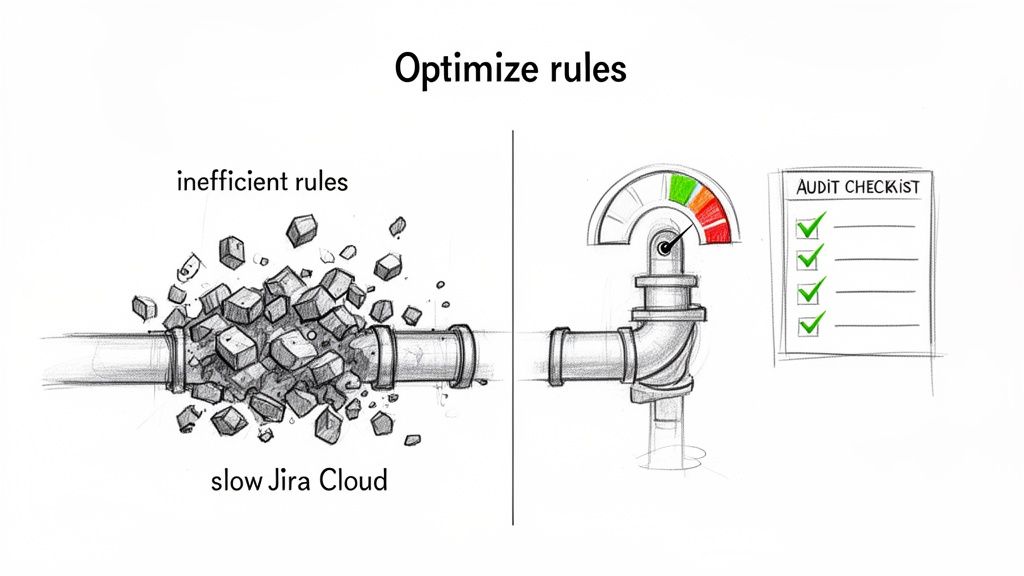
    Visual comparison: Inefficient Jira rules clog a pipe, while optimized rules ensure smooth Jira Cloud performance.

    Good governance and smart optimization are non-negotiable. The goal is to build rules that are not just effective but also incredibly efficient.

    Understanding Jira Automation Limits

    Your ability to run automations isn't unlimited. Atlassian sets monthly execution limits based on your Jira Cloud plan.

    In late 2023, a big change occurred: Atlassian moved away from a shared pool of executions. Now, each product has its own quota. Only successful actions count toward this limit now, but a few high-volume rules can still drain your allowance fast. Get the full rundown on these Atlassian automation changes and what they mean for your team.

    The key takeaway is that every execution counts. A single poorly configured rule triggering hundreds of times a day can exhaust a month's worth of executions in a week.

    Regularly auditing your rules is essential maintenance. The first place to check is your automation settings under the "Usage" tab. This dashboard shows you exactly which rules are using the most executions. Look for rules with sky-high counts; those are your prime candidates for optimization.

    A Practical Guide to Optimizing Your Rules

    Once you’ve identified your most resource-hungry rules, it’s time to optimize them. The core strategy is to make them more specific so they only fire when absolutely necessary. Think of it as using a scalpel instead of a sledgehammer.

    Here are some quick wins for rule optimization.

    Rule Optimization Quick Wins

    Inefficient Method (High Usage) Optimized Method (Low Usage) Why It Works
    Trigger: Issue Updated Trigger: Issue Transitioned Fires only on status changes, not every minor edit, comment, or field update.
    One rule with no conditions A rule with a JQL condition or If/else block Adds a gatekeeper. The rule stops if the issue doesn't match specific criteria, saving an execution.
    A rule that fires on every individual event A Scheduled trigger processing issues in bulk Instead of 100 executions for 100 events, you get one execution that handles all 100 issues at once.

    This table shows how easy it is to slash your execution count by being more precise.

    Here are the techniques in action:

    • Swap Broad Triggers for Specific Ones: The Issue Updated trigger is the number one offender. If you only care about status changes, swap it for the much leaner Issue Transitioned trigger.
    • Add More Conditions: Use an If/else block or a sharp JQL condition to double-check that the issue is exactly what you're looking for. For example, check if the Assignee field is empty before trying to assign the ticket.
    • Process Issues in Batches: Instead of a rule that reacts to every event, switch to a Scheduled trigger. A daily rule that runs a JQL query to find all "stale" tickets is far more efficient than an "Issue Updated" rule checking every modification across your instance.

    Establishing Team-Wide Best Practices

    To prevent performance problems, establish clear ground rules for creating Jira automation rules.

    Implement these guidelines for your team:

    1. Enforce a Naming Convention: A standard like [Project Key] - [Trigger] - [Action] makes it instantly clear what a rule does.
    2. Require Descriptions: Every rule needs a simple description covering its purpose and who to contact if it breaks.
    3. Perform Peer Reviews: Before a new global or multi-project rule goes live, have another person review it. This quality check is great for catching potential performance hogs.

    By proactively managing and optimizing your automations, you ensure they remain a powerful asset instead of becoming a performance liability.

    Getting Your Automation Rules to Work Flawlessly

    An automation rule is only useful if you can trust it to work every single time. This is why treating your rules like any other piece of code is essential. They need solid testing before deployment and ongoing monitoring once they're live.
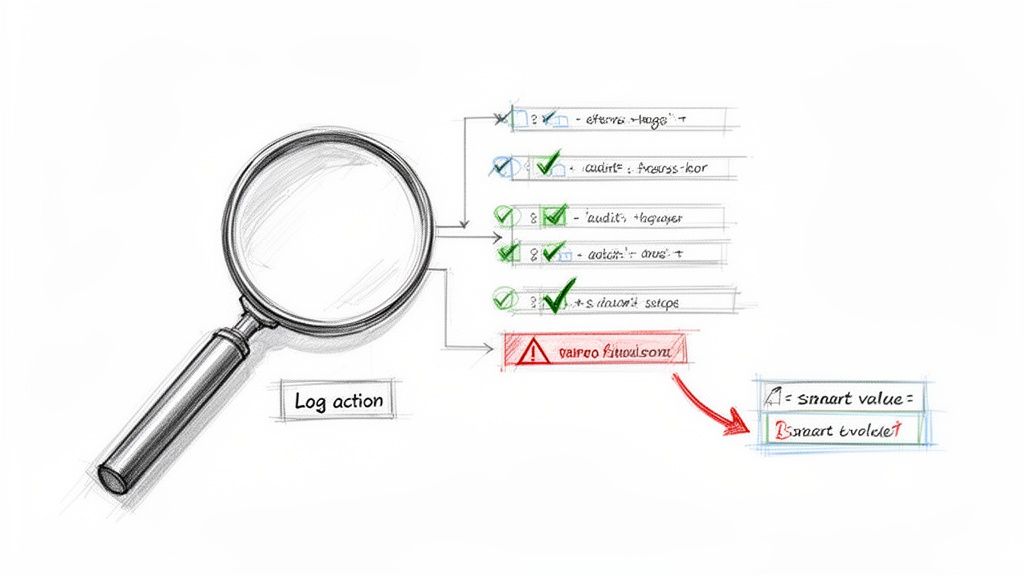
    A sketch illustrates a magnifying glass, log actions, and a flowchart of checks, warnings, and smart values.

    Thankfully, Jira gives you a powerful tool for this: the audit log. It's your command center for figuring out what’s really going on.

    The Audit Log Is Your Best Friend

    The audit log is the black box recorder for your Jira automation rules. Found in each rule's settings, it keeps a detailed history of every time that rule has tried to run. It tells you what happened, when, and why.

    When a rule misbehaves, the audit log should be your first stop. It gives you a play-by-play of the trigger, each condition, and every action, flagging the exact point of failure with an "ERRORED" status. This is a lifesaver for troubleshooting.

    Using the Log Action for Smarter Debugging

    What about when a rule runs successfully but produces the wrong outcome? This often happens when a smart value isn't behaving as expected. The best trick here is to temporarily add a Log action to the rule.

    This action prints the value of any smart value directly into the audit log. It’s the Jira equivalent of a print statement in code. It’s perfect for seeing what values are actually being used at runtime for things like {{issue.fields.summary}} or {{now.plusDays(5)}}.

    By adding a temporary Log action, you can see precisely what your smart values contain before the rule commits to its final action. It's a clean, non-disruptive way to confirm your logic is sound.

    Monitoring usage is also critical for managing your execution limits. Since the 2023 limit changes, some teams have discovered that a single inefficient rule was eating up 50-80% of their monthly quota. A runaway rule can burn through a free or standard plan's limits in days. Learn more about how to manage your Jira automation usage from Atlassian.

    Keep Your Automation Library Clean

    A healthy automation setup needs regular housekeeping. Don't let your rule list become a junkyard of old, disabled, or redundant automations.

    Set a quarterly reminder to review all your global and project-specific rules. As you review each one, ask:

    • Is this still relevant? Workflows evolve. A rule that was a lifesaver last year might be obsolete today.
    • Can this be more efficient? Could a broad trigger be narrowed down to save executions?
    • Does this have an owner? Every rule should have someone responsible for it.

    By disabling or deleting rules that are no longer serving a purpose, you'll declutter your instance and stop them from chipping away at your monthly execution limits.

    Got Questions About Jira Automation? We've Got Answers.

    As you build more sophisticated Jira automation rules, questions will pop up. That’s a good sign—it means you're pushing past the basics. Here are clear, straightforward answers to some of the most common questions.

    Think of this as your go-to reference to get you unstuck and help you build smarter, more reliable automations.

    Can Jira Automation Rules Work Across Different Projects?

    Yes, and this is one of Jira Automation's most powerful capabilities. You can create global rules that aren't tied to a single project. These are fantastic for standardizing processes across your entire organization, like a rule that automatically closes any stale ticket in any project after 30 days of inactivity.

    When creating a rule, select "Global" for its scope. A word of caution: a poorly configured global rule can cause widespread chaos, so they demand extra testing and a solid understanding of your execution limits.

    What Are the Most Common Reasons a Rule Fails to Run?

    When an automation rule doesn't fire, it's usually one of a few common culprits. Check these first:

    • Permissions Problems: The rule runs with the permissions of the user who triggered the action or a designated "rule actor." If that account can't edit a field or transition an issue, the rule will fail. This is the most common issue.
    • A Flawed JQL Condition: A typo or logical error in your JQL query will stop a rule in its tracks. Always test your JQL in Jira’s advanced issue search before plugging it into a rule.
    • Mismatched Statuses: The "Issue Transitioned" trigger is very literal. It will only fire if the issue moves directly from the exact "From" status to the "To" status you defined.

    How Many Automation Rules Can I Have?

    There's no hard limit on the number of rules you can create in Jira Cloud. You could have hundreds of rules in a single project.

    The real constraint isn't the number of rules, but the number of times they execute each month. Atlassian's limits are based on rule executions, which is why optimizing your rules to run only when necessary is so critical.

    A single, inefficient rule that runs constantly can chew through your monthly quota way faster than 50 well-designed, efficient ones. It’s all about efficiency, not volume.

    Is It Possible to Trigger a Rule from an External Tool?

    Yes, using an Incoming Webhook trigger. This gives you a unique URL that an external system can call to kick off a Jira automation.

    A great example is connecting your CI/CD pipeline. After a successful deployment, a tool like Jenkins or GitHub Actions could send a webhook to Jira. Your rule catches that signal, then automatically transitions the related tickets to "Done" and adds a comment with the release version. It's a powerful way to link your development work directly to your project tracking.


    Ready to move beyond basic rules and orchestrate complex, multi-step handoffs right inside your Jira issues? Harmonize Pro's Nesty app transforms your tickets into self-managing workflows with unlimited nested checklists, intelligent triggers, and automated quality gates. Eliminate missed steps and manual coordination for good.

    Discover how Nesty can extend your Jira automation capabilities today.

  • What Is Process Orchestration A Practical Guide

    What Is Process Orchestration A Practical Guide

    Think of process orchestration as the central brain that directs every moving part of a business operation—your apps, your teams, and your systems—making sure they all work together in perfect sync. It's the practical blueprint for turning siloed efforts into a coordinated, efficient performance, like onboarding a new customer without a single hiccup.

    Unlocking Efficiency: What Is Process Orchestration?

    Imagine your business is a world-class orchestra. Each department, software tool, and team member is a musician, an expert on their own instrument. Your sales team has their CRM, finance has its ERP, and developers live in their project management software. If you just let them do their own thing, they might play beautifully, but they won't create a symphony. They'll just make a lot of noise.

    This is where process orchestration steps in to act as the conductor. It provides the actionable plan for a complete business process, like "new employee onboarding" or "order fulfillment." Instead of relying on a flurry of manual emails or endless status meetings, orchestration gives each "musician" precise instructions on when to play their part, in what order, and with what information.

    The Conductor in Action

    So, how does this conductor deliver results? Its main job is to coordinate a sequence of tasks that jump across multiple, often disconnected, systems and even involve different people.

    For example, the moment a sales deal is marked "Closed-Won" in Salesforce, an orchestration engine can immediately execute a series of actions:

    • It creates a new invoice in your accounting software, pulling the correct amount and customer details.
    • It provisions a user account in your product's backend system, granting the right access levels.
    • It assigns a task to an onboarding specialist in Jira to schedule a kickoff call, with the customer's contact info already attached.
    • It triggers a personalized welcome email to the new customer from your marketing platform.

    Individually, each of these is a simple task that could be part of a basic workflow. The orchestration is what ties them all together into one seamless, end-to-end process. This approach is worlds apart from simple task automation. You can get a deeper look at the difference in our guide on what is workflow automation versus orchestration. The key takeaway is that orchestration manages the entire journey, not just one leg of the trip.

    An orchestrated process ensures that even the most complex series of steps are executed correctly across all endpoints. The actionable result is that customers, suppliers, partners, and employees have a smooth experience when they interact with or are affected by processes.

    This kind of central control is essential for any modern business. Without it, you end up with "islands of automation"—pockets of efficiency floating in a sea of messy, inefficient, and error-prone processes. Orchestration is what builds the bridges between those islands.

    Core Functions of Process Orchestration at a Glance

    To make this concept more concrete, let's look at a quick summary of what process orchestration actually does to streamline business operations and how it makes a real difference.

    Function What It Means in Practice Actionable Insight
    Centralized Control A single engine manages and monitors the entire end-to-end process flow. Gain full visibility into process status, spot bottlenecks before they cause delays, and clarify accountability.
    System Integration Connects different applications (e.g., CRM, ERP, HRIS) via APIs to pass data. Eliminate data silos, stop manual data entry errors, and ensure information is consistent everywhere.
    Task Sequencing Defines the precise order of operations, including dependencies and conditions. Prevent missed steps, enforce compliance automatically, and guarantee processes run exactly as designed, every time.
    Error Handling Automatically manages exceptions, retries failed tasks, or alerts a human to step in. Build more resilient processes that minimize downtime and keep the business running smoothly, even when things go wrong.

    Ultimately, these core functions work together to create a system that's not just automated, but truly intelligent and coordinated.

    Orchestration vs Choreography vs Automation

    To really get a handle on process orchestration, it’s helpful to put it side-by-side with two other terms that often get tossed around: choreography and automation. People frequently use them interchangeably, but they describe very different ways of getting work done. Picking the wrong approach for your specific business problem can lead to a lot of headaches down the road.

    Let's break it down with an analogy.

    • Orchestration is like a symphony orchestra led by a conductor. The conductor has the full musical score and directs each musician—when to play, how loudly, and what part. Everything is centrally controlled and coordinated.
    • Choreography is more like a flash mob. Each dancer knows the overall routine but takes their cues from the dancers around them. There's no single person in charge directing every move; the group self-organizes to create the performance. Control is completely decentralized.
    • Automation, on the other hand, is like a metronome. It performs one specific, repetitive task perfectly every time it's switched on. It's incredibly useful for its one job but has no awareness of the larger performance.

    A Deeper Look at the Differences

    The real difference comes down to control and communication. Process orchestration uses a central controller (the orchestration engine) to manage a workflow from start to finish. This "conductor" knows every step, juggles dependencies between different systems, and gracefully handles any errors that pop up.

    Choreography, in contrast, runs on an event-driven model. When one service finishes its job, it simply announces it by publishing an event. Other services are listening for these events and react when they hear one that's relevant to them. It’s a distributed system that offers a ton of flexibility, but it can be a nightmare to monitor and troubleshoot when things go wrong because there's no single source of truth.

    Task automation is much simpler. It’s all about making a single, isolated task run on its own. Think of a rule that automatically creates a calendar invite from an email. It’s great for boosting individual productivity but isn’t designed to connect multiple, complex systems to run a larger business process.

    The market is clearly moving in this direction. The process orchestration market was valued at USD 8.4 billion and is expected to grow at an 18.1% CAGR through 2034. This isn’t just a buzzword; it reflects a major shift away from simple task automation toward more robust, centrally managed systems. You can find more on this trend in a market report from Global Market Insights.

    This diagram perfectly illustrates how process orchestration acts as a central hub.

    As you can see, the conductor sits right in the middle, directing the flow of work between different apps, teams, and systems—a clear visual of that centralized control.

    Orchestration vs Choreography vs Automation

    To make the distinctions crystal clear, here’s a quick side-by-side comparison to help you decide which tool fits your needs.

    Attribute Process Orchestration Process Choreography Task Automation
    Control Model Centralized (a "conductor" directs all services) Decentralized (services react to events independently) Localized (a trigger initiates a single, pre-defined task)
    Communication Point-to-point commands from the orchestrator Event-driven broadcast model Simple trigger-action mechanism
    Coupling Tightly coupled to the orchestrator Loosely coupled services Tightly coupled within its specific task
    Visibility High; easy to monitor the end-to-end process Low; harder to track the overall state and debug High for the single task, but no process-level view
    Best For Complex, stateful, multi-step business processes Scalable, independent microservices and systems Simple, repetitive, high-volume individual tasks
    Example Onboarding a new employee (HR, IT, and Finance systems) An e-commerce order (triggers inventory, shipping, email) Automatically forwarding an email with a specific subject line

    This table should help you quickly identify which approach best fits the challenge you're trying to solve.

    When to Use Each Approach

    So, which one is right for you? It all comes down to the job at hand. Using the wrong tool can create more problems than it solves.

    • Use Orchestration for: Long-running, complex processes where you need visibility, robust error handling, and strict compliance. A great example is client onboarding, which involves a precise sequence of steps across your CRM, finance software, and project management tools.
    • Use Choreography for: Scenarios that demand high scalability and loosely coupled systems, like a microservices architecture. An e-commerce site might use choreography so that an "Order Placed" event independently triggers separate services for shipping, inventory, and notifications.
    • Use Automation for: Simple, high-volume, and repetitive tasks that live within a single application or domain. Think automatically archiving emails, generating a weekly report from a spreadsheet, or syncing files between two cloud folders.

    Once you understand these key differences, you have a solid framework for making smarter technology decisions for your business.

    Okay, let's move past the theory. What does process orchestration actually do for a business? The real-world results show up directly on your bottom line and in your ability to adapt quickly. This isn't just about connecting a few apps; it's about fundamentally rewiring how work flows through your organization.

    The biggest win comes from getting rid of the friction. Think about how many processes rely on someone manually copying data from one system, pasting it into another, and then firing off an email to the next person. Every single one of those manual steps is a potential point of failure—a delay, a typo, a forgotten task.

    Orchestration completely wipes out these manual touchpoints. By automating the entire sequence from start to finish, you can shrink workflows that used to take days into processes that are over in minutes. This frees up your team from the mind-numbing administrative work of just keeping things moving, allowing them to focus on high-value work. The result? You get a whole lot more done with the same number of people.

    Finally, Get True Visibility and Control

    One of the most powerful things orchestration gives you is a single source of truth for your workflows. Stop digging through scattered emails, Slack threads, and half a dozen different software dashboards just to figure out where a project stands. Instead, get a centralized, end-to-end view of the entire process.

    This kind of visibility is a game-changer for any manager or team lead. You can see exactly where work is at any given moment and, more importantly, spot bottlenecks before they completely derail a project.

    When you can see the entire workflow laid out, you can start measuring performance against real KPIs, tracking dependencies, and making sure every step follows your business rules. Process management stops being a reactive, firefighting exercise and becomes a strategic, data-driven part of your business.

    Let's say your customer onboarding process keeps getting stuck at the "technical setup" stage. An orchestration platform makes that trend impossible to ignore. You can immediately dig in and find out why. Is the team understaffed? Are they missing key information from the sales team? Is there a recurring technical bug? Being able to diagnose and fix these problems on the fly is a massive competitive advantage.

    Build a Business That's Ready to Scale

    As a company grows, its processes get more complex. It's a natural growing pain. But without a solid system in place, that complexity can quickly lead to chaos. Operations become fragile and can easily collapse under the pressure of more customers, more orders, and more projects.

    Process orchestration creates a resilient and scalable backbone for your operations. Because a central engine defines and executes every workflow, you get consistency and repeatability baked right in. This is a practical step for maintaining quality and compliance, even as you scale up. Onboarding new team members becomes way easier, too, because the "right way" to do things is embedded directly into the system they use every day.

    This structured approach also makes your business far more adaptable. Need to change a process? You just update the orchestrated workflow in one central place, and that change instantly ripples out to all the connected systems and teams. That kind of agility is crucial for jumping on new market opportunities or keeping up with changing regulations.

    Ultimately, orchestration gives you the operational framework to handle growth without sacrificing speed, quality, or control. Your processes transform from a potential liability into a strategic asset that fuels your expansion.

    How to Implement Process Orchestration Step by Step

    Jumping into process orchestration can feel like a massive project, but you don't have to boil the ocean. The secret is to start small, prove the value with a quick win, and then build on that momentum. Think of it less like a giant leap and more like a series of deliberate, well-planned steps. This roadmap will get you from your first idea to a live, automated workflow.

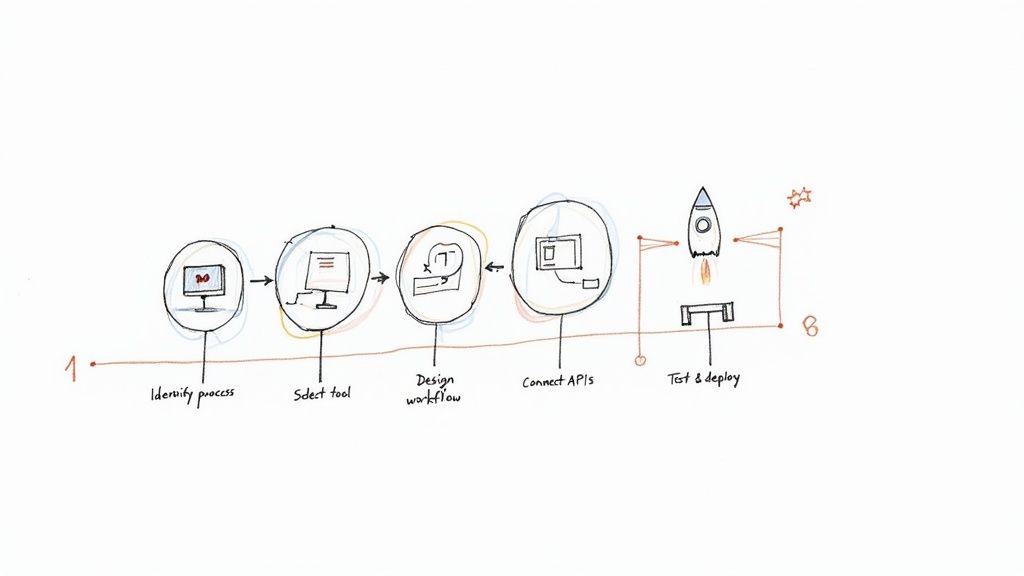
    A hand-drawn flowchart illustrates a five-step process for process orchestration, ending with a rocket launch.

    Step 1: Identify and Map Your First Process

    First things first, pick your starting point. The sweet spot is a process that's both high-impact and low-complexity. Look for workflows that cause constant headaches—the ones that frequently stall, are riddled with human error, or just burn up too much time with manual work. Those are your prime candidates.

    Once you have one in mind, map it out from beginning to end. Don't leave anything out. Take a simple customer return process, for example:

    • A customer fills out a return request on the website.
    • A support agent reviews and approves it.
    • The system automatically generates a shipping label and emails it out.
    • The warehouse team inspects the item when it arrives.
    • Finance gets a notification to process the refund.
    • The inventory count gets updated.

    Writing down every action, decision, and system involved creates the blueprint for your automation. Getting this clarity upfront is absolutely essential for a successful project.

    Step 2: Select the Right Orchestration Tool

    With your process map in hand, it's time to find the right tool for the job. Not all orchestration platforms are built the same, so the best choice really hinges on your team's needs and the software you already use.

    Here's what to look for:

    • Integration Support: Does it have ready-made connectors for your everyday apps like Jira, Salesforce, or Slack? If not, how easy is it to connect to other systems using APIs?
    • Ease of Use: Is the interface intuitive? A visual, low-code workflow designer is a game-changer because it lets both technical folks and business users build and tweak processes together.
    • Scalability: Will the tool grow with you? It needs to handle your simple workflow today but also be powerful enough for more complex, high-volume processes down the road without slowing down.

    For teams already living in Jira, a tool like Harmonize Pro's Nesty is a great fit because it’s built specifically to orchestrate work inside that ecosystem. You can see how these tools are set up by checking out the Nesty getting started documentation.

    Step 3: Design and Build the Workflow

    Now for the fun part: turning that map into a real, functioning workflow. In your chosen tool, you'll start dragging and dropping steps, arranging them in sequence, and defining the rules that govern how the process flows.

    This is where you connect all the dots. You’ll set up API calls to move data between systems—like grabbing customer details from your CRM to auto-populate a task in your project manager. You’ll also build in conditional logic, like "if the return is approved, then send the shipping label; otherwise, send the customer an email explaining why."

    This design phase is where the "conductor" truly gets its sheet music. Every instruction, dependency, and handoff is explicitly defined, ensuring the process runs exactly as intended every single time.

    Step 4: Test and Deploy Iteratively

    Never roll out a new orchestrated process without putting it through its paces first. Test every possible scenario you can think of, especially the ones where things go wrong. What happens if an API call fails or a critical piece of data is missing? A good workflow needs solid error handling to manage those exceptions without a complete meltdown.

    Kick things off with a small pilot program. Let a limited group of users or a small batch of cases run through the new workflow. This gives you a safe space to find bugs, gather feedback, and make adjustments. Once you're confident it's running smoothly, you can open it up to everyone else. This cycle—build, test, learn, repeat—is the fastest way to a successful rollout.

    Real-World Use Cases in Finance and E-commerce

    Theory is great, but the real magic of process orchestration happens when you see it untangling complex, real-world problems. Let’s look at how it delivers a serious impact in two industries that live and die by their speed, accuracy, and customer experience: finance and e-commerce. These examples show how orchestration turns a spaghetti-like mess of multi-system workflows into a smooth, automated operation.

    This isn't just some niche tech. It’s a core part of modern business, especially in data-heavy sectors. In the Banking, Financial Services, and Insurance (BFSI) world, process orchestration already commands over 25% of the global market share. With 65% of these companies wrestling with disconnected workflows, it's no wonder they're turning to orchestration to stitch their systems together. Managers are seeing real results, like 15% efficiency gains in just a few months. You can dig into more data on the process orchestration market at Market Research Future.

    Transforming Finance With Orchestrated Loan Processing

    If you've ever applied for a loan, you know the process can be painfully slow and manual. It bounces between departments—sales, underwriting, compliance—and involves a whole collection of separate systems for credit checks, ID verification, and fraud detection.

    The Challenge: A typical loan application can easily get stuck for weeks. An underwriter waits for a document, only to find it's the wrong one, and the whole thing grinds to a halt. Every single delay increases the odds of a frustrated customer walking away and going to a competitor.

    The Orchestrated Solution:
    An orchestration engine acts as the central conductor for the entire loan approval lifecycle.

    1. Initiation: The moment an application is submitted online, the orchestrator kicks off several workflows at once.
    2. Verification: It makes an API call to a credit bureau for a score while simultaneously hitting another service to verify the applicant's identity against government records.
    3. Decisioning: All that data gets packaged up and routed to an underwriter. If the loan is approved, the orchestrator automatically generates the final documents and sends them out for an e-signature.
    4. Funding: Once the documents are signed, it pings the finance system to release the funds and creates a new account in the core banking platform.

    This end-to-end automation does more than just make things faster. It creates a perfect, auditable trail for every single application, which is a massive win when the regulators come knocking.

    The chart below from Market Research Future gives you a sense of just how big the market for process orchestration is, highlighting its heavy use across industries like BFSI.

    This data shows the serious financial commitment companies are making, with the banking and finance sector leading the way in using orchestration to modernize their operations.

    Streamlining E-commerce Order Fulfillment

    For any e-commerce business, the moment a customer clicks "buy" is just the start of a pretty complex journey. Getting that order from a warehouse shelf to the customer's front door means coordinating inventory systems, payment gateways, shipping carriers, and customer emails.

    The Challenge: One tiny mistake—selling an item that just went out of stock or forgetting to send a shipping notification—can completely sour the customer experience and earn you a one-star review. Without orchestration, these steps are often a patchwork of manual spreadsheet checks and siloed software that don't talk to each other.

    The Orchestrated Solution:
    A process orchestrator can manage the entire fulfillment workflow from a single dashboard, ensuring nothing falls through the cracks.

    • It first confirms the payment went through successfully.
    • Then, it checks inventory levels in real-time to reserve the product.
    • It routes the order details to the correct warehouse management system.
    • As soon as a shipping label is created, it grabs the tracking number and fires off an email and SMS update to the customer.
    • Finally, it updates the order status in the customer's account portal so they can check on it themselves.

    This kind of tight coordination turns a potentially chaotic scramble into a reliable, efficient, and transparent operation that actually builds customer trust.

    The Anatomy of an Orchestration System

    To really get what process orchestration is all about, it helps to pop the hood and see what’s inside. These platforms can seem like magic, but they’re actually built on a few core components that work together to bring your workflows to life. Understanding this architecture helps everyone, from business leaders to developers, see how these systems are so resilient and scalable.

    A handwritten system architecture diagram showing an orchestration engine connecting to various components.

    At the very center of it all is the orchestration engine. Think of it as the brain or the central nervous system of the entire operation. This is the component that actually executes the workflows you design, keeps track of where every single process is at any given moment, and makes decisions based on the rules you’ve set.

    The engine takes your process model—the blueprint for your workflow—and turns it into a living, breathing sequence of actions. It knows exactly which task to run next, what data needs to be passed along, and how to handle any hiccups or errors that pop up. Without a solid engine, you’ve just got a static diagram. With one, you have a dynamic, automated process.

    The Orchestration Engine: The Brain of the Operation

    This engine does more than just run tasks. It juggles several critical functions that are absolutely essential for managing complex, long-running processes.

    • State Management: The engine keeps tabs on the current status of every workflow instance. If a process needs to pause for three days to wait for a customer response, the engine remembers exactly where it left off and what needs to happen when it resumes.
    • Task Execution: It’s responsible for kicking off tasks, whether that means calling an external API, assigning a ticket to a person, or running a piece of internal code.
    • Error Handling and Retries: When a task fails—maybe a service it relies on is temporarily offline—the engine can automatically retry the task. If that doesn't work, it can trigger a predefined compensation action to undo previous steps, keeping everything clean.

    This "brain" is what makes the whole system so reliable. It ensures that even if one small part of the process hits a snag, the entire workflow doesn't come crashing down. That’s the kind of stability modern business operations absolutely demand.

    Connectors and APIs: The Bridges to Everywhere

    An orchestration engine is pretty useless if it can’t talk to the outside world. That's where connectors and APIs come in. They act as the essential bridges that allow the engine to communicate with all your different applications, databases, and microservices.

    Connectors are often pre-built integrations that make it easy to link up with common platforms like Salesforce, Slack, or Jira. APIs (Application Programming Interfaces), on the other hand, provide a universal language for software to communicate, letting the orchestrator send and receive data from just about any modern tool. For example, a trigger can be set up to send a notification when a step is done; you can see a real-world example of this in the documentation on how to configure a trigger notification.

    These bridges are what turn a theoretical model into a practical tool. They let you coordinate real work across your entire tech stack, finally breaking down those frustrating silos between different systems.

    Design Patterns for Bulletproof Resilience

    Finally, modern orchestration systems don't just wing it. They rely on proven design patterns to handle tricky situations with grace. One of the most important patterns you'll hear about is the Saga pattern, which is a clever way to manage transactions that span multiple, separate services.

    The Saga pattern is all about maintaining data consistency across different systems without having to lock everything down. If one step in a multi-part process fails, the saga triggers a series of compensating actions that roll back the changes made by the previous steps, putting everything back into a consistent state.

    Picture this: you're booking a trip that involves a flight, a hotel, and a rental car. That’s three separate transactions. If the flight and hotel book successfully but the car rental fails, you don't want to be stuck with the first two. The Saga pattern automatically cancels the flight and hotel reservations, ensuring you aren't charged for an incomplete booking. This is the kind of rock-solid, fault-tolerant logic that lets you trust orchestration with your most critical business operations.

    A Few Lingering Questions About Process Orchestration

    Even after getting a handle on the basics, a few questions tend to pop up. Let's tackle them head-on to clear up any confusion and give you a complete picture of how orchestration works in the real world.

    One of the biggest points of confusion is the difference between Business Process Management (BPM) and process orchestration. Think of it like this: BPM is the master blueprint. It’s the strategic discipline of designing, analyzing, and improving how your business gets things done.

    Process orchestration, on the other hand, is the engine that brings that blueprint to life. It’s the technical "how" that coordinates all your different systems and services to execute the plan. BPM defines the what and why; orchestration is the tool that makes it happen.

    Isn't This Just for Big Companies?

    Not anymore. It used to be that only huge corporations with massive budgets could afford this kind of technology. But modern cloud-based and low-code platforms have completely changed the game, putting powerful orchestration tools within reach for small and medium-sized businesses.

    An SMB can see a huge impact by starting with just one critical workflow—like automating customer onboarding or invoice processing. This simple step can free up key people and slash costly manual errors, all without needing a giant IT team to run the show. The trick is to start small and let the wins fund your next move.

    A common myth is that orchestration has to be a massive, all-or-nothing project. The reality is you can take it one step at a time. Modern tools let you automate one process, prove its value, and use that success to justify the next one.

    How Do I Actually Measure the ROI?

    You can’t improve what you don’t measure. To prove the value of process orchestration, you need to track clear Key Performance Indicators (KPIs) that are tied directly to the goals you set from the beginning. Don't just automate for automation's sake.

    Here are a few metrics that really show the impact:

    • Reduced Process Cycle Time: How much faster does a task get done from start to finish? For example, did your loan approval time drop from 10 days to 2?
    • Lower Error Rates: This is a direct measure of improved quality and less time spent on rework. Are you seeing fewer data entry mistakes in customer records?
    • Direct Cost Savings: How many hours of manual work have you eliminated? Multiply those hours by a blended employee salary to put a dollar figure on it.
    • Increased Throughput: How many more processes can your team complete in the same amount of time? Can your onboarding team now handle 20 new clients a week instead of 10?

    The best orchestration platforms have built-in dashboards that track these KPIs for you. This makes it incredibly easy to show stakeholders the tangible ROI and prove how much more efficient your operations have become.


    Turn your complex Jira workflows into efficient, self-managing processes with Harmonize Pro. Our Nesty app transforms static tickets into dynamic, automated workflows that keep teams aligned and deliver results faster. Start streamlining your cross-team collaboration today.

  • What Is Workflow Automation Explained Simply

    What Is Workflow Automation Explained Simply

    Let's get right to it. Workflow automation is using technology to run a sequence of tasks automatically based on rules you set. Think of it as creating a digital assembly line for your business processes. Instead of your team manually passing tasks, sending update emails, and entering data, the software handles it for you.

    This simple shift frees your team from repetitive work, allowing them to apply their skills to strategic thinking, customer engagement, and creative problem-solving—activities that directly drive business growth.

    What Is Workflow Automation and Why It Matters

    At its core, workflow automation is the system that ensures data and tasks move smoothly between your people and your software. It’s the practical solution to stop chasing updates through endless email chains and messy spreadsheets. By setting up simple "if this, then that" rules, you build a reliable process that executes perfectly every time.

    For instance, you can create a workflow where a new customer signing a contract automatically triggers the creation of their account, sends a notification to the onboarding team, and schedules their kickoff call. This all happens instantly, without anyone needing to manually coordinate the steps.

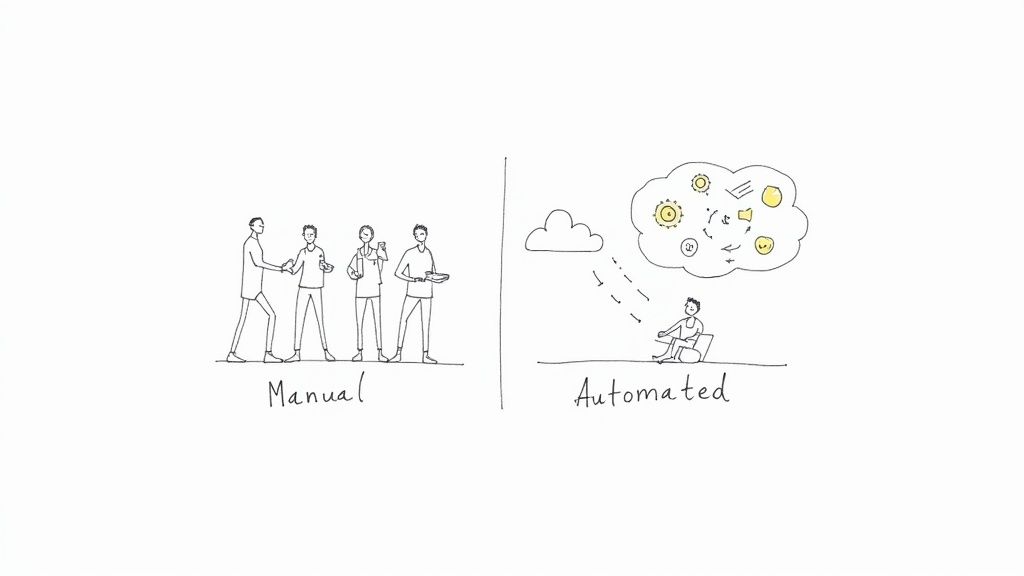
    Hand-drawn image illustrating the contrast between manual workflows with people and automated processes with a system.

    From Manual Effort to Automated Efficiency

    The transition from a manual process to an automated one is a game-changer for productivity. Manual workflows are inherently slow, inconsistent, and prone to human error. Critical steps get missed, causing delays, rework, and team-wide frustration. Automation introduces structure and predictability, ensuring your standard operating procedures are actually followed.

    To see just how significant this shift is, let's compare the two approaches.

    Manual vs Automated Workflows A Quick Comparison

    This table breaks down the core differences and their direct impact on your business operations.

    Aspect Manual Workflow Automated Workflow
    Execution Speed Slow, dependent on human availability. Fast, runs instantly 24/7.
    Consistency Varies by person and day; prone to error. Highly consistent; follows rules precisely.
    Scalability Difficult; requires hiring more people. Easy; handles increased volume without issue.
    Visibility Opaque; hard to track status without asking. Transparent; provides real-time tracking.
    Team Focus On repetitive, low-value administrative tasks. On strategic, high-value creative work.
    Cost High operational costs due to labor. Lower long-term costs; improves resource use.

    The differences are stark, and the business world is taking notice.

    The financial case for this shift is compelling. In 2023, the global workflow automation market was valued at around $20 billion and is projected to surge to nearly $37.5 billion by 2030. This growth is driven by the practical need for companies to reduce manual work, accelerate project timelines, and scale operations efficiently. You can find more detail on these workflow automation market trends in recent industry reports.

    By automating routine processes, teams can consistently execute their work with higher speed and accuracy. This doesn't just improve productivity; it builds a foundation for scalable operations and allows employees to focus on high-value activities that drive business growth.

    Ultimately, understanding what workflow automation is means recognizing its power to transform how your teams collaborate. It's about turning chaotic, manual processes into streamlined systems that run themselves, ensuring no detail is ever missed.

    The Three Building Blocks of Automation

    To effectively use workflow automation, you need to understand its core components. Every automated process, no matter how complex, is built from three simple parts. This logic is the engine of all automation. Once you grasp these three building blocks—Triggers, Conditions, and Actions—you can design workflows to handle nearly any repetitive task with precision.

    Let's break down how to use each one.

    Triggers: The Starting Gun

    A Trigger is the specific event that initiates an automated workflow. It’s the starting signal that tells the system, "Begin the process." A trigger can be a customer submitting a support ticket, a developer merging code, or a specific date arriving.

    Actionable examples of triggers include:

    • A new email arrives in a shared inbox like support@company.com.
    • A prospect submits a "Request a Demo" form on your website.
    • A new file is added to a specific Google Drive or Dropbox folder.
    • A Jira issue is moved from "In Progress" to "Ready for QA."

    Conditions: The Rulebook

    Once a workflow is triggered, it consults the Conditions—a set of rules that must be met for the process to proceed. Conditions act as a filter, ensuring the automation only runs when appropriate. They add logic, asking, "Should I execute this action now?"

    For example, your trigger might be "a new invoice is received." A practical condition would be, "Only if the invoice amount is over $1,000." This rule prevents your finance lead from being bothered with minor approvals, saving their time for more critical tasks.

    Conditions are the brain of your workflow. They turn a simple, reactive process into an intelligent one that can handle different situations, making sure the right things happen at the right time.

    Actions: The Work Itself

    Finally, if the trigger event occurs and all conditions are met, the workflow performs one or more Actions. An action is the specific task the system executes for you. This is where the work gets done automatically.

    Practical examples of actions include:

    • Sending a Slack notification to the #dev-team channel.
    • Creating a new task in your project management tool and assigning it to the project manager.
    • Updating a customer's status from "Lead" to "Active" in your CRM.
    • Adding a new row with customer data to a Google Sheet.

    By combining these three elements, you can build powerful automations. For instance, a Jira ticket transition (Trigger) for a high-priority bug (Condition) could automatically create a dedicated Slack channel and ping the on-call engineer (Actions). To get more ideas on how different triggers can fire off notifications, you can explore various notification trigger types in Nesty’s documentation.

    Seeing Workflow Automation in Action

    Theory is helpful, but seeing automation solve real-world problems makes its value clear. Let's examine three common business scenarios where a well-designed workflow can eliminate bottlenecks and improve efficiency. These examples show how triggers, conditions, and actions work together to streamline everyday processes.

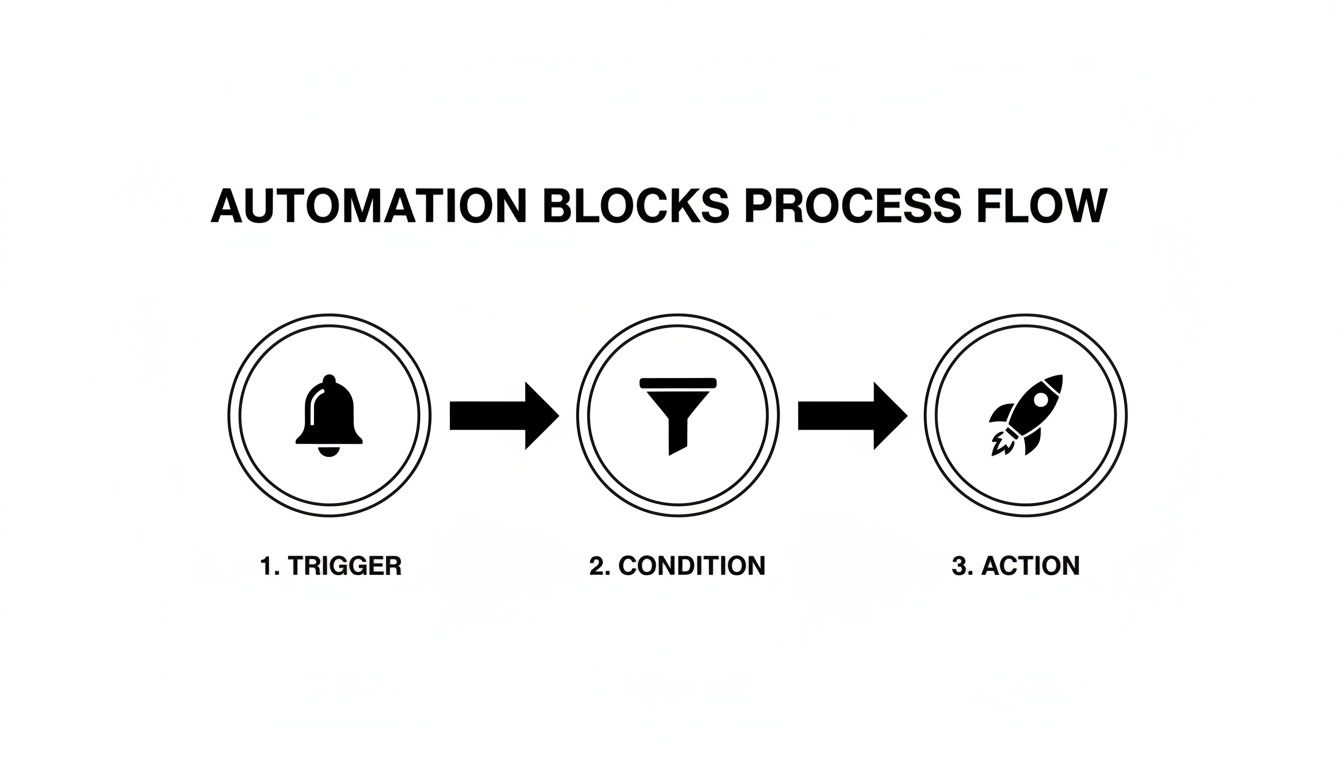
    This flow—event happens, rule is checked, action is taken—is the engine behind every automation.

    A diagram illustrating the automation process flow: Trigger (bell), Condition (filter), and Action (rocket).

    Think of it as a digital domino effect you control. A specific event tips the first domino, a rule decides if the next one falls, and a task is completed at the end of the line.

    Example 1: The Developer to QA Handoff

    In software development, the handoff from a developer to the quality assurance (QA) team is a frequent bottleneck. A developer merges their code but forgets to update the Jira ticket or notify the QA engineer. The feature sits idle, delaying the release cycle.

    An automated workflow eliminates this delay.

    • Trigger: A developer merges a pull request into the main branch in GitHub or Bitbucket.
    • Condition: The linked Jira ticket's current status is "In Progress."
    • Actions: The system automatically transitions the Jira ticket's status to "Ready for QA," assigns it to the QA team lead, and sends a notification to the team's Slack channel with a direct link to the ticket.

    With this automation, the QA process begins the moment code is ready, ensuring no time is lost and nothing is forgotten.

    Example 2: Streamlining New Hire Onboarding

    Onboarding a new employee involves numerous tasks across HR, IT, and management: creating accounts, setting up hardware, and scheduling orientation meetings. A manual process is often disorganized, leading to a frustrating first day for the new hire.

    Workflow automation transforms this chaos into a seamless, professional experience.

    Automating the onboarding process ensures every new hire gets the same great experience. It also frees up your HR and IT teams to focus on the more human side of welcoming someone to the company. A smooth, well-organized first day sets the tone for their entire time with you.

    Here’s how to structure the workflow:

    • Trigger: An HR manager updates a candidate's status to "Offer Signed" in the company’s HR platform.
    • Condition: The new hire’s start date is less than two weeks away.
    • Actions: The workflow initiates a series of tasks: it generates an IT ticket to provision a laptop, creates user accounts in necessary systems, and automatically schedules introductory meetings with key team members on their calendar.

    This ensures every new employee has everything they need on day one, without anyone relying on a manual checklist. For a more detailed look, you can learn about setting up automated onboarding workflows and see the steps involved.

    Example 3: Managing Marketing Content Approvals

    Getting a blog post approved via email is often chaotic. The draft is sent, feedback arrives from multiple people, and no one is sure which version is the latest. This back-and-forth slows down content production significantly.

    An automated approval workflow brings order to this process.

    • Trigger: A writer moves a draft card to the "Ready for Review" column in a tool like Trello or Asana.
    • Condition: The content card is tagged as "High Priority."
    • Actions: The system automatically @-mentions all required reviewers, setting a clear due date for feedback. As each person marks an "Approved" checklist item, the system tracks progress. Once all approvals are received, the card automatically moves to the "Scheduled for Publishing" column.

    The True Business Impact of Automation

    Understanding the components is one thing, but what tangible results can you expect? The impact of automation extends beyond speed. It delivers measurable improvements to your bottom line, team morale, and capacity for growth. By removing manual, repetitive work, you change how your team operates, allowing them to achieve more without increasing headcount.

    Drive Greater Operational Efficiency

    The most immediate benefit is a significant boost in operational efficiency. Automated workflows run 24/7 without breaks. Tasks that previously took hours of manual coordination—like the handoff between development and QA—are now completed in seconds.

    This increased speed leads to shorter project cycles and faster delivery of value to your customers. Your entire operation gains a predictable rhythm, allowing your team to manage a larger workload without feeling overwhelmed. This is how you build a process that scales with your business.

    Improve Accuracy and Reduce Costly Errors

    Human error is inevitable in manual processes. Mistakes in data entry, forgotten steps in a checklist, or miscommunication can lead to costly rework, compliance issues, and dissatisfied customers.

    Automation enforces consistency. It executes rules precisely, every single time. By eliminating the potential for human error in repetitive tasks, you dramatically improve data quality and process reliability. This precision not only saves the money and time spent fixing mistakes but also builds trust in your operations.

    The real power of workflow automation lies in its ability to create a clear, digital audit trail for every process. It enhances accountability and makes compliance straightforward, as every action, approval, and handoff is automatically logged and time-stamped.

    Boost Team Morale and Strategic Focus

    No one enjoys a day filled with mind-numbing administrative work. When you automate tedious tasks, you give your team their time and brainpower back. They can finally focus on the high-value, strategic work they were hired for. This isn't about replacing people; it's about elevating their roles.

    The impact on job satisfaction is significant. Burnout decreases and employee retention improves. Instead of ticking boxes, your team can dedicate their energy to innovation, customer interaction, and creative problem-solving—the activities that drive your business forward.

    It’s no surprise, then, that organizations are prioritizing this shift. Reports show that between 51% and 66% of companies have already automated at least one business process, with many seeing a first-year ROI between 30% and 200%. You can dig into more of these workflow automation statistics to see just how widespread its adoption and impact have become.

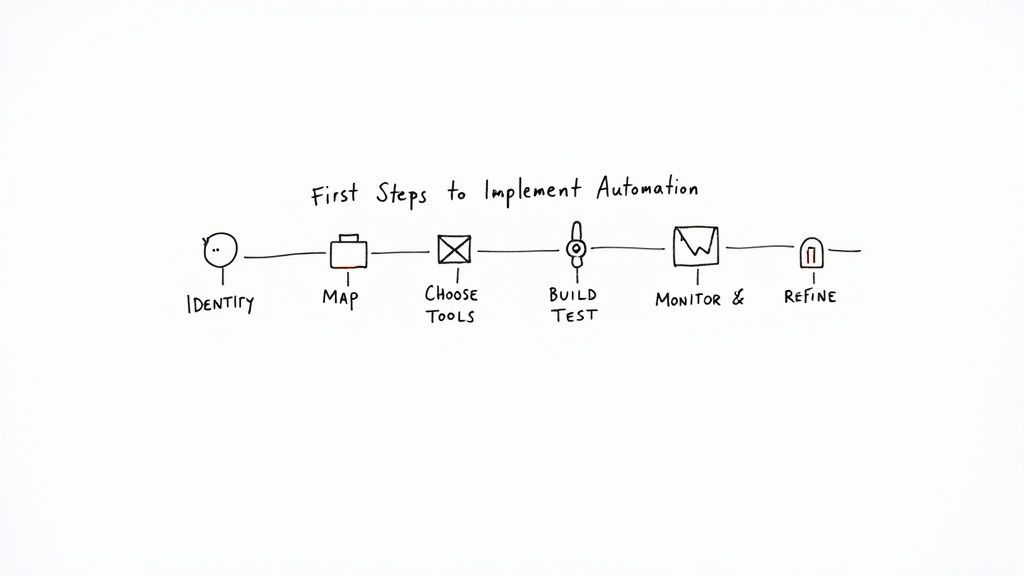
    Your First Steps to Implementing Automation

    Ready to get started? Launching your first automation project doesn't have to be a massive undertaking. The most effective approach is to start small, secure a quick win, and build momentum from there.

    By following a clear, step-by-step plan, you can confidently reclaim your team's time and build more reliable processes. Use this as your roadmap for getting your first successful automation implemented.

    A whiteboard flowchart outlining the six first steps to implement automation.

    This visual lays out the game plan, from finding the right tasks to making continuous improvements. Let’s walk through each of these steps so you can put them into practice yourself.

    Find the Right Tasks to Automate

    Start by targeting "low-hanging fruit." Identify tasks that are repetitive, rule-based, and consume a significant amount of your team's time. These low-complexity, high-volume processes are ideal candidates for your first automation.

    To find them, ask your team these questions:

    • What daily or weekly tasks are the most tedious and time-consuming?
    • Where do handoffs between people or teams consistently cause delays?
    • Which processes are most prone to simple human errors?

    Map Your Current Workflow

    Before you automate a process, you must understand it completely. Map out every step as it currently exists. Identify who is responsible for each task, what information they need, and where the bottlenecks occur.

    This critical step often uncovers hidden inefficiencies and ensures your automation solves the right problem. Do not skip this.

    Choose the Right Automation Tools

    The best tool depends on your specific needs and existing software stack. Many platforms you already use, like Jira, have powerful native automation features. For more complex, cross-platform workflows, you might need a dedicated automation tool.

    The right tool makes everything feel more intuitive. For teams already deep in Jira, this could mean starting with its native features or grabbing a specialized app from the Atlassian Marketplace to handle more intricate, multi-step processes without ever leaving the platform.

    For example, our Nesty app is built specifically for Jira to manage complex, nested checklists and multi-stage handoffs—perfect for structured processes like deployments or new hire onboarding. You can see how it works by getting started with Nesty's documentation.

    Build and Test Your First Workflow

    Now it's time to build. Begin with a simple, low-risk workflow. Using the process map you created, define your triggers, conditions, and actions in the tool you have selected.

    The most important part is to test thoroughly. Run the workflow in a controlled environment before deploying it to your team. This allows you to identify and fix any issues without disrupting active work. Your first automation doesn't need to be perfect, but it must be reliable.

    Monitor and Refine Your Process

    Effective automation is not a "set it and forget it" activity. Once your workflow is live, monitor its performance. Is it running as expected? Is it delivering the time savings you anticipated? Gather feedback from your team and look for opportunities for improvement.

    This cycle of refinement is what separates successful projects from the ones that fizzle out. And the stakes are high. While some studies project automation could create a net positive of nearly 80 million jobs by 2030, other industry analyses show that a staggering 60-70% of automation projects fail to meet their goals. Success isn't about the technology alone; it depends on smart implementation and continuous improvement.

    Common Questions About Workflow Automation

    As you explore workflow automation, some common questions are likely to arise. Getting clear answers is key to moving forward with confidence. Let's address the most frequent ones.

    A common point of confusion is the difference between workflow automation and Robotic Process Automation (RPA). While related, they solve different problems. RPA is best thought of as a bot that mimics human actions—like clicking and typing—within a single application's user interface. It's ideal for repetitive, on-screen tasks.

    Workflow automation, however, orchestrates entire business processes across multiple systems, teams, and tools. It ensures a complex project moves smoothly from start to finish. It’s not just about automating one task; it's about connecting the entire sequence.

    Does Automation Replace Jobs?

    This is the most common concern. The goal of automation is not to replace people but to free them from the most tedious and repetitive parts of their jobs so they can focus on higher-value work.

    Instead of spending hours manually transferring data from a form to a spreadsheet, an employee could be using that time to solve a complex customer problem or develop a new marketing campaign. Automation handles the grunt work, allowing your team to focus on critical thinking, creativity, and human interaction.

    Automation shifts the focus from mind-numbing task execution to high-value problem-solving. It doesn't take jobs; it makes them better by giving people back their time and brainpower.

    What Technical Skills Are Needed to Start?

    The belief that you need to be a developer to create automations is outdated. The emergence of no-code and low-code platforms has democratized workflow automation.

    These tools feature visual, drag-and-drop interfaces that allow you to build workflows without writing a single line of code. If you can map out a process on a whiteboard, you have the necessary skills to build an automation with modern tools.

    This empowers the people who know the processes best—your team—to become "citizen automators," building the solutions they need without creating a bottleneck for the IT department.


    Ready to turn your team's complex Jira processes into self-managing workflows? Harmonize Pro's Nesty app empowers you to build powerful, automated checklists and handoffs directly within Jira, ensuring nothing ever falls through the cracks. Learn more and start your free trial.

    Article created using Outrank