
When Jira workflows break down, the first instinct is to blame the tool. But the real issues—chaotic processes, dropped handoffs, and a lack of visibility—almost always trace back to how the tool is used, not the tool itself.
The good news is that these problems are solvable. This guide provides actionable strategies to fix the most common issues with Jira by embedding quality gates, automating manual work, and creating workflows that produce accurate data by default.
Why Your Jira Workflows Keep Breaking
Jira is a powerful platform, but its flexibility is a double-edged sword. Without a clear strategy, teams often create convoluted workflows that cause more friction than they solve. The frustration isn't with Jira's core features; it's with the broken processes built on top of it.
A workflow that looks perfect on a whiteboard can fall apart under real-world pressure. Manual steps get skipped, critical information is lost between teams, and status updates become an afterthought. These aren't tool failures; they are process gaps that need to be closed.
The Real Source of Jira Pain Points
Most common Jira frustrations stem from a few root causes. Here's how to identify them in your own processes:
- Manual Handoffs: Action Item: Review your "Time in Status" report. Do tickets linger in transitional statuses like "Ready for Review"? This indicates a handoff failure. The solution is to automate notifications and reassignments.
- Invisible Quality Gates: Action Item: Ask your team if your "Definition of Done" (DoD) is a document or an enforced step in Jira. If it's just a page in Confluence, it’s not a gate. The solution is to build checklists into your workflow transitions.
- Inconsistent Data Entry: Action Item: Look at five recently closed tickets. Are key fields like 'Story Points' or 'Component' filled out consistently? If not, you have a data entry problem. The solution is to make critical fields mandatory before a ticket can be closed.
Understanding these points is the first step. For a deeper dive on system-level issues, this guide on identifying performance bottlenecks offers valuable insights.
Actionable Insight: Shift your mindset from blaming the tool to auditing your process. The moment you start asking "Where does our process allow for human error?" is the moment you can start finding real, lasting solutions.
Take a look at a typical Jira board. It’s designed to visualize a workflow, showing how tasks move from one stage to the next.
Each column is a step in the process. When configured well, this board gives you at-a-glance visibility. But if the process it represents is broken, it's just a pretty picture of a traffic jam.
Diagnosing Your Workflow Issues
Before you can fix anything, you must identify what's broken. While many teams face similar issues, the symptoms vary. Knowing how to modify your setup is critical; our guide on changing a workflow in Jira provides a step-by-step approach.
Use this diagnostic table to connect common symptoms to their root causes and identify your first target for improvement.
Common Jira Problems and Their Root Causes
This table breaks down the frequent complaints we hear about Jira and points to the underlying process failure that's usually to blame.
| Jira Issue | Common Symptom | Underlying Cause |
|---|---|---|
| Stalled Tickets | Issues sit in one status for days without moving. | A failed manual handoff; no one was notified. |
| Endless Rework | QA constantly sends tickets back to development. | Missing quality gates; DoD criteria aren't enforced. |
| Inaccurate Reports | Metrics and dashboards don't reflect reality. | Inconsistent data entry and manual status updates. |
| Team Confusion | No one is sure who owns a ticket or what's next. | An ambiguous workflow design with unclear transitions. |
Once you identify the symptom your team is facing, you can start digging into the process behind it instead of just treating the surface-level issue.
Fixing Broken Handoffs Between Engineering Teams
A developer drags a ticket to "Ready for QA," but a crucial piece of information is missing. The notification gets lost in Slack, and the ticket sits idle for days. This isn't just an annoyance; it's a silent project killer that stalls releases and creates friction.
The good news is that these friction points are entirely fixable. Once you diagnose where the process is failing, you can implement targeted automation to turn painful handoffs into a seamless, reliable workflow.
This diagram shows the classic domino effect of a broken process—where manual steps lead directly to missed quality checks and, ultimately, bad data.
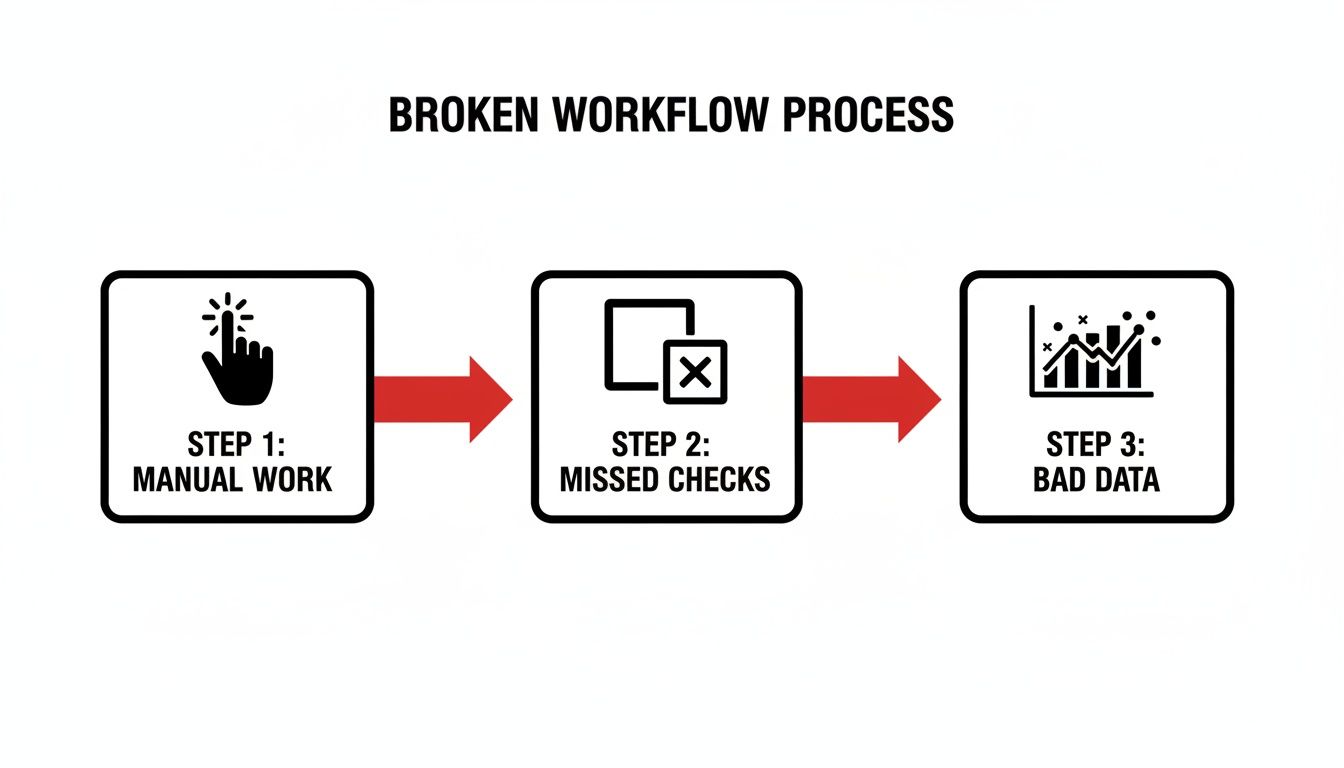
As you can see, every manual step introduces a risk of human error. That risk cascades through the workflow and makes accurate reporting nearly impossible.
Finding the Breakpoints in Your Handoffs
To fix the problem, you have to find exactly where things are going wrong. Use Jira's "Time in Status" report to pinpoint bottlenecks. If tickets consistently spend too much time in a transitional status like "Ready for Review," that’s your starting point. It means the ticket is sitting in a queue, invisible to the next person in the chain.
Actionable Steps to Find Handoff Failures:
- Audit Assignees: Look at the last 10 tickets that moved from "In Progress" to "Ready for QA." Was the assignee updated immediately? If not, you have an assignee ambiguity problem.
- Check Notification Channels: Ask your QA team if they rely on email or a general Slack channel for notifications. If so, these messages are likely getting lost in the noise.
- Review Reworked Tickets: Analyze tickets that were sent back from QA to Dev. What was the reason? Missing pull request links, test credentials, or environment details are clear signs of incomplete handoffs.
Actionable Insight: A successful handoff isn't just a status change. It's a complete transfer of ownership and context. Your goal should be to ensure the next person has everything they need to start working immediately, without needing to ask for clarification.
Implementing Concrete Automation Strategies
Once you’ve identified the breakpoints, you can build a more resilient process with automation. For simple fixes, Jira's built-in automation rules are a great starting point.
For instance, create this rule: WHEN a ticket is moved to "Ready for Test," THEN automatically assign it to the QA lead and add a comment pinging the QA team's Slack channel. This simple action eliminates the risk of a ticket becoming an orphan in the QA column.
But many handoff problems are more complex. What if the ticket isn’t actually ready for QA? That’s where you need a more robust solution.
Using Dynamic Checklists to Enforce Readiness
One of the most powerful ways to fix broken handoffs is to build your "Definition of Ready" (DoR) directly into the workflow. This isn't a checklist on a Confluence page; it's an interactive, enforceable quality gate.
Here’s how to implement it: Use a tool like Nesty from Harmonize Pro to trigger a dynamic checklist that blocks a status transition until every DoR criterion is met.
This checklist can enforce actions like:
- Unit test results are linked.
- Code has been peer-reviewed.
- Deployment notes are complete.
The ticket literally cannot move forward until each item is checked off. This transforms your DoR from a suggestion into a mandatory, unskippable step, guaranteeing that when a ticket lands in the QA column, it’s truly ready for testing. This level of structure strengthens working relationships between teams. To learn more, check out our guide on how to improve team collaboration.
Building Quality Gates Your Team Cannot Ignore
Your "Definition of Done" (DoD) on a Confluence page is often the first casualty of a looming deadline. When pressure mounts, guidelines get ignored, leading to inconsistent quality and rework. This is one of the most persistent issues with Jira—it allows process standards to live outside the actual workflow, making them easy to bypass.
To fix this, you must build your quality gates directly into the Jira ticket as unskippable checks that stop a ticket until your standards are met.
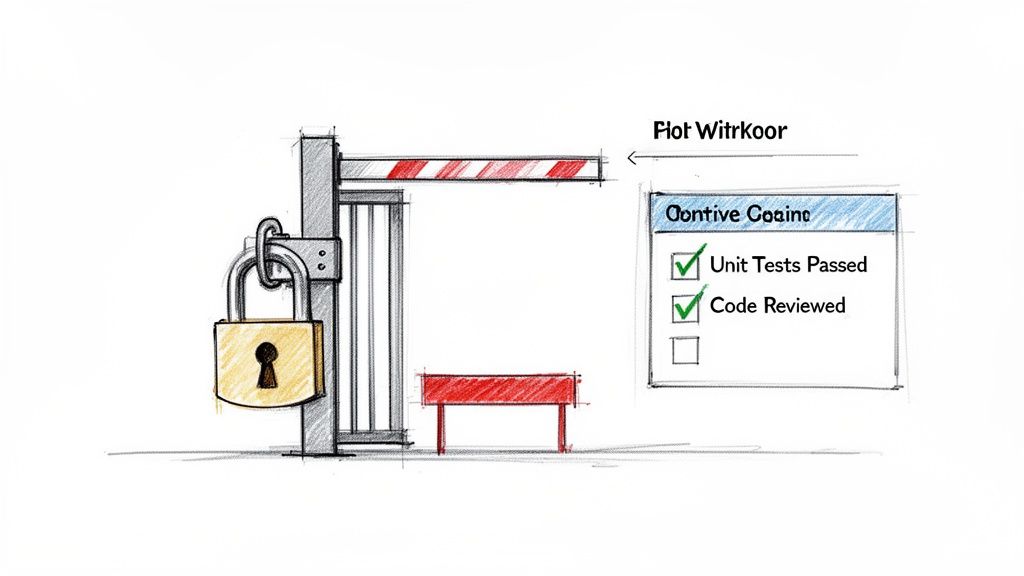
Think of it as turning your DoD from a passive document into an active, automated gatekeeper. This guarantees standards are upheld every time, not just when it’s convenient.
Moving Beyond Suggestion to Enforcement
A wiki page can't physically stop a developer from moving a ticket. To create a true quality gate, the workflow itself must enforce the rules. This means embedding your criteria as mandatory, interactive elements inside the Jira issue. Instead of just hoping a developer ran all required checks, design a workflow where the "Ready for QA" transition is blocked until a checklist is completed. This is how you transform a suggestion into a non-negotiable step.
A Practical Example of an Enforceable Quality Gate
Here's a step-by-step implementation plan:
- Identify the Gate: Choose a critical transition, like "In Progress" to "Ready for QA."
- Define Your Checklist: List the non-negotiable criteria for this gate. For a pre-QA check, this might include:
- Unit Tests Passed: Developer confirms all unit tests are green.
- Code Peer Reviewed: Verifies another developer has approved the code.
- Deployment Notes Updated: Confirms instructions for deployment are complete.
- Test Environment Specified: Designates the correct environment for QA testing.
- Implement the Block: Use a tool like Nesty to configure a "blocking checklist" on that transition. The ticket is now locked in its current status until every item is checked off. Only then does the transition to "Ready for QA" become available.
Actionable Insight: This mechanism changes the dynamic completely. Quality is no longer a manual audit; it's an automated, baked-in requirement for moving work forward. The process itself becomes the guardian of your standards.
The Challenge of Tracking Quality Metrics Natively
This embedded quality approach also solves another major Jira issue: tracking detailed quality metrics. Natively, Jira struggles to track metrics like test failure rates automatically. Teams using add-ons like Xray for Jira often have to wrestle with manual JQL queries to get this data.
With Nesty from Harmonize Pro, you can use nested checklists and intelligent triggers to centralize test sequencing and enforce your DoD in one ticket, creating a transparent and auditable trail of quality. You can see how other teams are tackling this challenge in the Atlassian community to understand the common pain points. By building these checks into the ticket, you generate a rich source of data that was previously invisible.
The Broader Impact on Team Dynamics
Implementing enforceable quality gates does more than improve code quality—it reduces friction between your teams. When QA receives a ticket, they can be 100% confident it has met all "Definition of Ready" criteria. This ends the frustrating back-and-forth where QA sends tickets back to development for missing information, fostering shared ownership over quality and letting each team focus on what they do best.
Getting Accurate DevOps Metrics from Jira
One of the biggest issues with Jira is its inability to produce accurate DevOps metrics without significant manual effort. For many engineering teams, tracking a critical metric like Change Failure Rate (CFR) requires a slow, error-prone process of manually linking incident or bug reports back to the specific deployment that caused them.
This manual approach doesn't scale. As deployments become more frequent, the odds of a failed deployment being correctly linked to its failure ticket drop dramatically. What you're left with is misleading data that paints a much rosier picture than reality.
Why Manual Metric Tracking Fails
Relying on manual ticket linking is like trying to balance your budget with a shoebox of crumpled receipts. It’s unreliable. The root of the problem is a disconnect between the work itself and the data about the work. When a deployment fails, the top priority is fixing the problem, not administrative follow-up in Jira. The crucial link between the deployment ticket and the subsequent bug report is often forgotten.
This turns your metrics into a reflection of administrative discipline rather than engineering quality. Your CFR isn't tracking how often your changes fail; it’s tracking how often your team remembers to link tickets.
Embedding the Signal for Better Data
To get metrics you can trust, you must make data collection a natural byproduct of your workflow, not an extra step. Embed process gates and data collection points directly into your Jira tickets.
Actionable Strategy: The Single Deployment Ticket
- Create a "Deployment" Issue Type: Use a single Jira ticket to manage a feature deployment across all environments.
- Build a Multi-Environment Checklist: Inside that ticket, use a tool like Nesty from Harmonize Pro to create a sequential checklist:
- Deploy to Development
- Run automated tests in Dev
- Deploy to Staging
- Get manual sign-off from QA
- Deploy to Production
- Track Failures as Checklist Items: If a failure occurs, add a checklist item like "Rollback Production Deployment." This action becomes a direct, unambiguous signal of a change failure. It’s logged in real-time, in the context of the original deployment.
Actionable Insight: When the process and the record-keeping are one and the same, your metrics become accurate by default. You eliminate human error by designing a workflow that cannot proceed without capturing the data you need.
The Impact of Inaccurate Metrics
This isn't just an academic problem. One of the biggest issues with Jira is its inability to properly measure Change Failure Rate (CFR). High-performing teams aim for a CFR between 0-15%, but Jira’s lack of out-of-the-box support forces manual linking that breaks at scale. Studies of over 2,000 teams found this process gap contributes to average cycle times of 6 days and 5 hours. You can learn more about how DevOps metrics are benchmarked on atlassian.com.
When your data is unreliable, you invest in the wrong areas and miss opportunities for improvement. Getting accurate data isn’t about pretty charts; it's about giving your team the real feedback it needs to get better.
Using Intelligent Automation to Eliminate Manual Work
A huge portion of the frustration with Jira comes from tedious, manual chores: updating assignees, nudging stakeholders, and transitioning statuses. This "ticket hygiene" is a breeding ground for errors and a direct cause of broken handoffs.
The solution is to let automation handle the grunt work. By transforming static Jira issues into dynamic, self-managing workflows, you can free your team to focus on value-driven work.
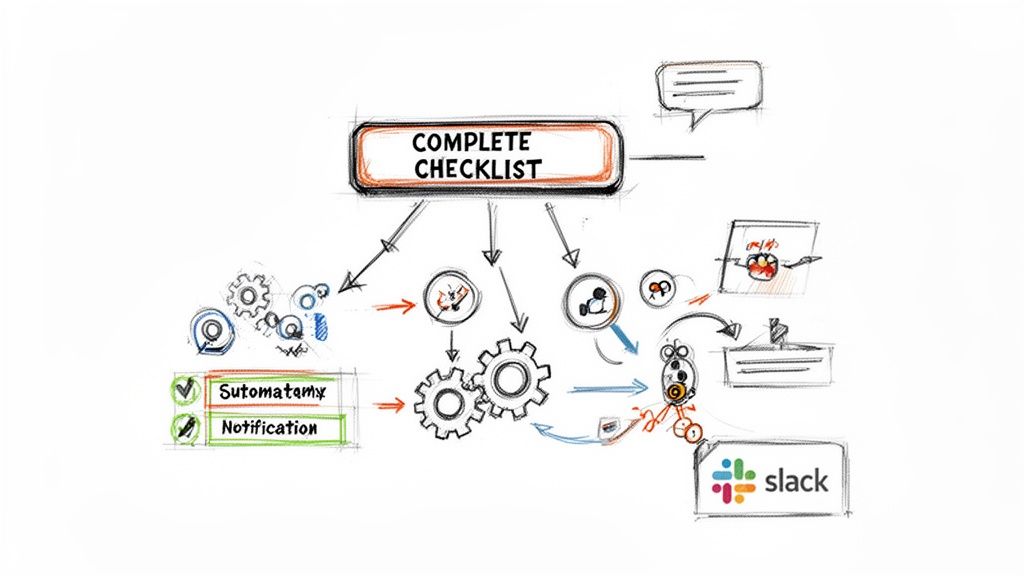
To make this happen, you need a solid grasp of what workflow automation can achieve.
Identifying High-Impact Automation Opportunities
To start, pinpoint where manual drag is coming from. Look for small, repetitive tasks that eat up time.
Quick Automation Wins:
- Automate Handoffs: When a ticket moves to "Ready for QA," automatically reassign it to the QA lead and post a notification in their team's Slack channel.
- Automate Status Updates: When a developer links a pull request, automatically transition the ticket from "To Do" to "In Progress."
- Automate Sub-task Creation: When a "New Feature" epic is created, automatically generate standard sub-tasks like "Design," "Development," "QA," and "Documentation."
Each of these is a potential point of failure that a simple rule can eliminate for good.
Building Multi-Step Automation Cascades
True automation power lies in building multi-step cascades that orchestrate an entire process from a single click. This is how you can solve complex issues with Jira by designing a workflow that manages itself.
Consider a "Customer Onboarding" process. With a tool like Nesty from Harmonize Pro, you can automate the entire sequence.
Example Onboarding Workflow:
A project manager completes the "Customer Onboarding Kickoff" checklist item in a Jira ticket. This single action triggers a chain of events:
- Create & Assign: Instantly creates three sub-tasks: "Technical Setup" (assigned to the implementation lead), "User Training" (assigned to the support lead), and "30-Day Follow-Up" (assigned to the account manager).
- Notify Stakeholders: A message is automatically sent to the account manager's Slack channel, letting them know the kickoff is complete.
Actionable Insight: By chaining actions together, you turn a simple checklist into a workflow engine. The ticket stops being a passive record and starts actively driving the work forward without manual intervention.
Slashing Manual Overhead at Scale
This approach directly attacks the manual overhead that plagues so many teams. The constant need for ticket hygiene and the failure to properly decompose metrics undermine the effectiveness of teams trying to track DORA metrics. Jira wasn't built for productivity measurement; its manual linking requirements crumble as teams grow.
This overhead is a major reason why cycle times balloon to 6+ days. Nesty solves this by using dynamic workflows with triggers to reassign tickets, notify via Slack/Teams, and attach files at quality gates. It automates handoffs and creates self-managing processes. By removing the human element from repetitive admin, you save time, improve data consistency, and make your entire process more resilient. For more advanced strategies, see our complete guide to Jira workflow automation.
Frequently Asked Questions About Fixing Jira
Even with a solid plan, jumping into workflow automation can feel daunting. Here are answers to common questions that teams have when trying to fix what’s broken in their Jira setup.
Can I Fix These Jira Issues Without Buying a Third-Party App?
You can make progress on simple problems using Jira’s native automation. For example, setting a rule to auto-assign a ticket to a QA lead or transition an issue when a pull request is merged is straightforward.
However, built-in tools have limitations. They cannot enforce multi-step, dependent checklists or create the conditional blockers needed for true quality gates. For stubborn issues—like botched handoffs and teams skipping "Definition of Done" criteria—you need a dedicated app designed to fill those gaps and provide dynamic controls that go beyond what Jira offers out of the box.
Our Biggest Issue With Jira Is Slow Performance. Will These Solutions Help?
Yes, process improvements can have a surprising impact on performance. A sluggish Jira is often a symptom of overly complex configurations and process bottlenecks, not just server issues. When your team has to manually click through a dozen fields or navigate confusing statuses, the tool itself feels slow.
By cleaning up your processes, automating handoffs, and simplifying workflows, you reduce the operational drag. The system feels faster and more responsive because your team spends less time waiting for updates or getting lost in the UI.
How Long Does It Take to Implement These Workflow Improvements?
You can get results surprisingly fast by starting small. Implementing a simple, automated handoff between Dev and QA can be done in an afternoon. Building a more robust quality gate with a detailed DoD checklist might take a day of focused planning and configuration.
The secret is to not try to fix everything at once.
Your 3-Step Action Plan:
- Identify your single biggest pain point. For most teams, it’s the Dev-to-QA handoff.
- Focus all your energy on solving that one problem first with an automated quality gate.
- Demonstrate the win to your team. Once everyone experiences how a foolproof process works, you'll build the momentum needed to tackle larger, more complex workflows.
Ready to turn your static Jira tickets into self-managing workflows? With Harmonize Pro, you can use Nesty to build enforceable quality gates, automate handoffs, and eliminate the manual work slowing your team down. Learn how Nesty can solve your most frustrating Jira issues today.
Leave a Reply