
In agile development, the Definition of Done (DoD) is your team's shared quality contract. It's an actionable checklist that confirms a task meets every standard before it's called "done." This isn't just about finishing code; it’s a formal agreement that moves work from 'in progress' to genuinely 'complete,' eliminating ambiguity and ensuring everyone is aligned.
What Is a Definition of Done and Why Does It Matter?
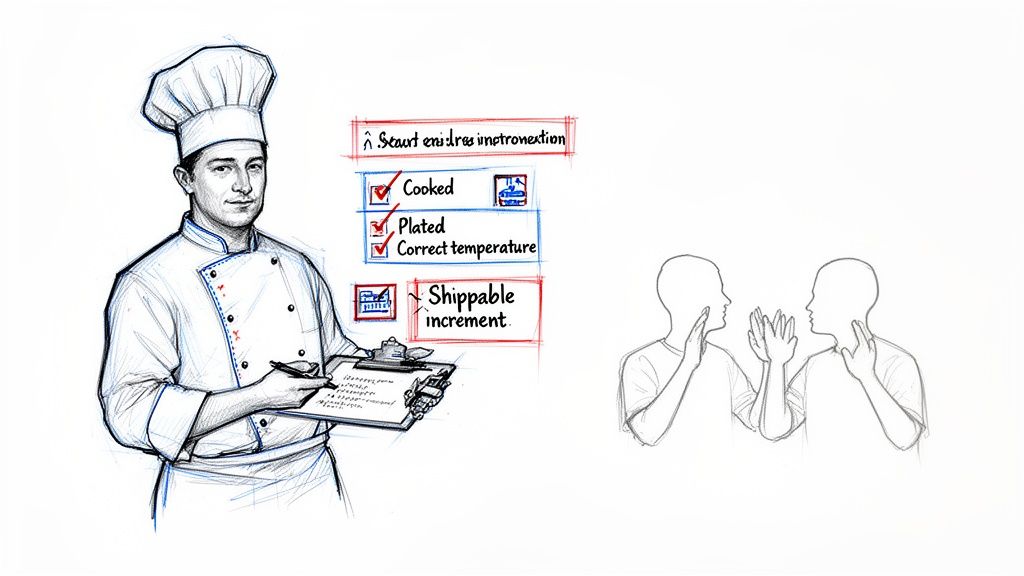
Imagine a busy restaurant kitchen. Before any dish goes out, the head chef ensures it's cooked perfectly, plated correctly, and garnished just right. This guarantees every customer receives the same high-quality meal. Your team's Definition of Done (DoD) provides that same quality guarantee for your product.
It’s the team’s collective agreement on what it means for a user story or task to be truly finished. This simple concept stops a developer from claiming, "I'm done," when the code hasn't been tested, documented, or merged. Instead, "done" becomes a tangible state: the code is written, peer-reviewed, has passed all tests, is documented, and successfully integrated.
The Real-World Impact of a Clear DoD
We’ve all experienced the "it's done, but…" scenario. This is the direct result of a missing or weak DoD. Work gets handed off, only to be rejected because it fails to meet unspoken expectations. This is a direct path to friction, rework, and missed deadlines.
A strong Definition of Done turns fuzzy goals into a concrete, verifiable checklist. It becomes the team's single source of truth, aligning developers, QA, and product owners so that what gets delivered is always what was expected.
This alignment has a measurable impact. Agile teams without a clear DoD often see 20-30% of their work return as rework. Conversely, teams that enforce a robust DoD report sprint completion rates jumping by as much as 47%, boosting overall output by 25%.
Why It's a Foundational Practice
At its core, a DoD builds a reliable engine for delivering value. It’s one of the most effective strategies to improve team productivity because it creates a foundation of trust and predictability.
Here are the actionable benefits a solid DoD provides:
- Builds Quality In: It prevents bugs and technical debt by ensuring every feature meets a non-negotiable quality bar from the start.
- Aligns Expectations: It eliminates assumptions and ensures everyone—from junior developers to senior stakeholders—shares the same definition of "complete."
- Improves Forecasting: When "done" means the same thing every time, sprint planning and release forecasting become dramatically more accurate.
- Increases Transparency: Stakeholders gain confidence in what they're receiving, which fosters better communication and trust.
The Building Blocks of a Powerful Definition of Done
An effective Definition of Done (DoD) is more than a to-do list; it's a shared quality contract. It’s the team’s collective promise that work is actually finished, not just "code complete."
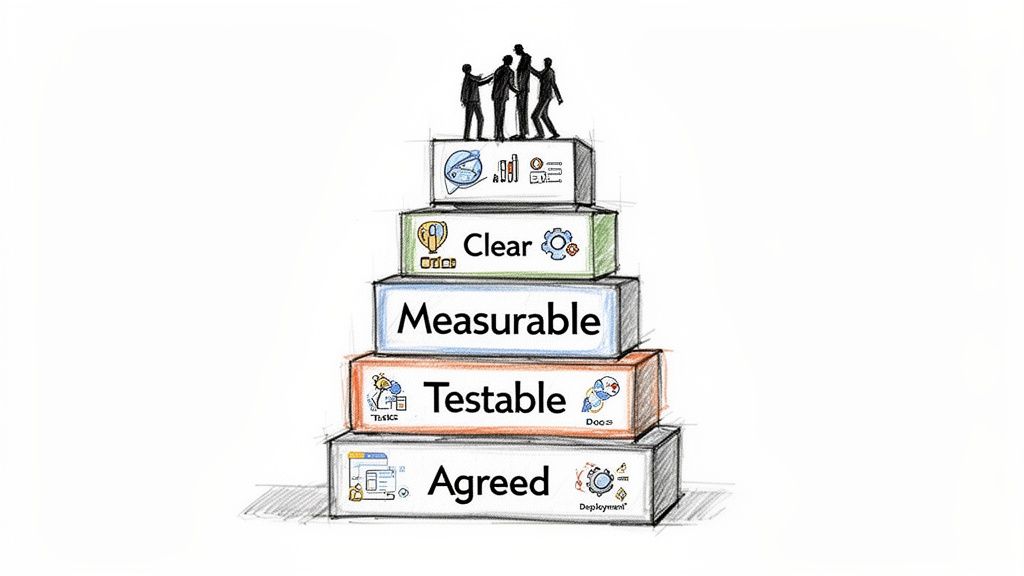
Like a house needs a solid foundation, a strong DoD is built on essential characteristics. These pillars transform a vague idea of "completeness" into a concrete, reliable standard that everyone can execute against.
This approach delivers tangible results. A 2022 Scaled Agile Framework (SAFe) survey of 500 Agile Release Trains found that teams with a consistent definition of done in agile methodology saw a 28% drop in integration failures. You can dive deeper into these core agile principles on the Agile Alliance website.
The Four Essential Characteristics
To create a DoD that works, ensure it has four non-negotiable traits. Each one builds on the last, creating an airtight agreement that prevents confusion.
-
Clear and Unambiguous: Use language so straightforward that a new team member can understand it instantly. Avoid vague terms like "tested" or "reviewed." Be specific: "Automated unit tests passed with 90% code coverage" or "Peer-reviewed by two other developers."
-
Measurable and Verifiable: Every item on your DoD checklist must have a clear pass/fail outcome. "Documentation updated" is weak. "User guide updated with new screenshots and a 'how-to' section" is verifiable and actionable.
-
Testable and Demonstrable: The team must be able to prove each criterion has been met. This could be showing a passed test suite, demoing the feature live to the Product Owner, or pointing to a merged pull request with required approvals.
-
Unanimously Agreed Upon: This is crucial. The entire team—developers, QA, product owners, designers—must build and commit to the DoD together. If it's dictated from management, it will fail. It must be a team-owned document.
Expanding Your DoD Beyond Just Code
A common mistake is making the DoD a developer-only checklist. A truly comprehensive Definition of Done covers the entire lifecycle of a user story, ensuring every aspect of the work is genuinely finished.
A mature DoD acts as a quality gate for more than just code. It ensures that testing is complete, documentation is ready, and the feature is prepared for deployment, guaranteeing that "done" means ready to deliver value.
To build a more robust checklist, structure your criteria across different domains.
1. Code and Build Quality:
- Code peer-reviewed and merged into the main branch.
- Static code analysis checks pass without critical errors.
- The feature builds successfully on the continuous integration server.
2. Testing and Validation:
- Unit and integration tests are written and passing.
- Product Owner has verified all acceptance criteria are met.
- QA has signed off after completing manual and exploratory testing.
3. Documentation and Readiness:
- End-user documentation and release notes are updated.
- Technical documentation (e.g., API specs) is complete.
- The feature is deployable with a single command or button click.
Crafting Your DoD With Real-World Checklist Examples
Knowing the theory behind the definition of done in agile methodology is one thing; putting it into practice is another. The most effective way to make a DoD useful is to build it as a series of practical checklists that scale with the work. A simple bug fix shouldn't face the same hurdles as a major feature release.
An effective DoD isn’t a monolithic document. It's a living set of standards that adapts to the task's scope. This tiered approach prevents teams from getting bogged down on small jobs while ensuring major releases are rock-solid.
A Tiered Approach to DoD Checklists
Your DoD should be like a builder's blueprint—you use different plans for a single room versus the entire building. Let's break down three actionable tiers—User Story, Sprint, and Release—to see how the quality checks build on each other.
Example DoD for a User Story
This is the most detailed level, focused on a single piece of functionality. The goal is to confirm this one piece is built correctly and ready for integration.
- Code Complete: All code is written and adheres to the team's coding standards.
- Peer Review Passed: At least one other developer has reviewed and approved the code. To build a solid review process, use a guide like The Ultimate Code Review Checklist.
- Unit Tests Written and Passing: Automated unit tests cover the new code and meet the team's minimum of 85% code coverage.
- Acceptance Criteria Met: The Product Owner has confirmed the feature functions as required.
- Code Merged to Main Branch: The feature branch is successfully merged into the
mainordevelopbranch without conflicts.
Scaling Up to a Sprint-Level DoD
At the end of a sprint, "done" means the entire package of work functions together as a cohesive, potentially shippable product increment. This DoD layer adds checks focused on integration and stakeholder sign-off.
- All User Story DoDs Met: Every story committed to in the sprint has met its individual DoD.
- Integration Testing Passed: All new features work together without introducing new bugs.
- Regression Testing Complete: The automated regression suite has run, confirming existing functionality remains unbroken.
- Sprint Demo Completed: The team has demonstrated the new functionality to the Product Owner and key stakeholders.
- Product Owner Sign-Off: The Product Owner has formally accepted the entire sprint's output.
A sprint-level DoD is the quality gate that transforms individual features into a valuable, working product increment. It shifts the focus from "did we build the pieces right?" to "did we build the right pieces together?"
The Final Gate: A Release-Level DoD
This is the final checkpoint before pushing a new version to customers. The focus here widens to include performance, security, and operational readiness.
- All Sprint DoDs Met: The work from all sprints in the release meets the sprint-level DoD.
- Performance and Load Testing Passed: The application holds up under expected and peak user loads.
- Security Scan Completed: A security audit is done, and no high-priority vulnerabilities exist.
- User Documentation Updated: All help guides, FAQs, and release notes are written and published.
- Go-Live Plan Approved: The deployment plan has been reviewed and signed off by all relevant parties (e.g., DevOps, leadership).
By structuring your definition of done in agile methodology across these tiers, you create a clear path to quality. This makes processes like managing test cases in Jira much more straightforward. This layered approach guarantees every detail is checked at the right time, leading to a smoother, more reliable delivery cycle.
Common DoD Mistakes and How to Avoid Them
Even with the best intentions, teams often make mistakes when first implementing a Definition of Done. The good news is these pitfalls are common and avoidable. Recognizing these anti-patterns early allows you to correct course before they derail your team. The key is to treat your DoD as a living agreement that helps everyone get work across the finish line, not a rigid set of laws.
The "Boil the Ocean" DoD
One of the most frequent mistakes is creating a DoD that’s too ambitious. A checklist that is too long or perfect is nearly impossible to complete within a sprint. This leads to missed sprint goals or, worse, teams cutting corners, which defeats the purpose.
How to Sidestep This:
- Start small and iterate. Begin with a simple, achievable DoD covering the absolute must-haves.
- Use your retrospectives. Regularly discuss the DoD. Ask the team, "Which item on this list saved us last sprint? Which one created unnecessary friction?" This lets you refine your DoD based on real-world experience.
Your Definition of Done should be a tool that empowers your team, not a cage that makes it impossible to ship. Aim for steady improvement, not immediate perfection.
The Top-Down Mandate
A Definition of Done forced on a team without their input is destined to fail. If developers and QA engineers don't help create the standards they're measured against, they won’t feel any ownership. The DoD becomes just another piece of bureaucratic red tape.
To get genuine buy-in, the entire team—developers, testers, and product owners—must build the DoD together. This fosters a culture of shared responsibility.
The "Set It and Forget It" Artifact
A common failure is when a team crafts the perfect DoD, then files it away in a digital folder, never to be seen again. As soon as a sprint gets stressful, that forgotten checklist is the first thing to be ignored.
To make your DoD effective, you must integrate it into your team’s daily workflow.
How to Make It Stick:
- Keep it visible. Post your DoD checklist where everyone sees it, like a physical whiteboard or the team’s digital dashboard.
- Discuss it daily. Reference DoD criteria during stand-ups, especially when a story is nearing completion.
- Integrate it into your tools. Use a tool like Jira to add the DoD as a checklist template to every user story. This makes it impossible to ignore.
By avoiding these common mistakes, your Definition of Done can transform from a static document into a dynamic guide that strengthens alignment, boosts quality, and ensures that "done" truly means done.
Bringing Your DoD to Life in Jira
A Definition of Done that exists only in a Confluence page is a suggestion, not a standard. To make it effective, you must weave it directly into your team's daily workflow. For teams using Jira, this means turning your DoD from a passive list into an active, unskippable quality gate.
By building your DoD right into Jira, you create a system that upholds your standards and makes handoffs between team members smooth and predictable. The goal is to make doing things the right way the easiest way.
Start Simple: Manual Enforcement in Jira
Before automating, build solid habits using Jira's native features. The most effective starting point is an issue checklist. Add your DoD criteria as a checklist to your Jira issue templates, making it an unmissable part of every task.
This manual approach provides immediate benefits:
- Total Visibility: The entire team sees the exact requirements to complete a task, directly within the ticket.
- Clear Accountability: Team members must physically check off each item, creating a simple but effective record of completion.
- Built-in Consistency: Every user story starts with the same quality expectations, reducing "one-off" exceptions.
For a detailed guide on this, learn how to set up a powerful checklist in Jira. It's a foundational step toward a more airtight, automated system.
The Real Game-Changer: Automated Quality Gates
Manual checklists are a great start, but they can be skipped. True enforcement comes from automation. Specialized Jira apps like Nesty from Harmonize Pro allow you to build quality gates that physically prevent tickets from moving forward until every DoD criterion is met.
Imagine a developer tries to move a ticket from "In Progress" to "Ready for QA." With an automated DoD, Jira blocks the status change until every item on the developer’s checklist is complete. It’s no longer a suggestion; it's a hard rule embedded in the workflow.
This is critical for breaking the common failure cycle many teams experience with their DoD.
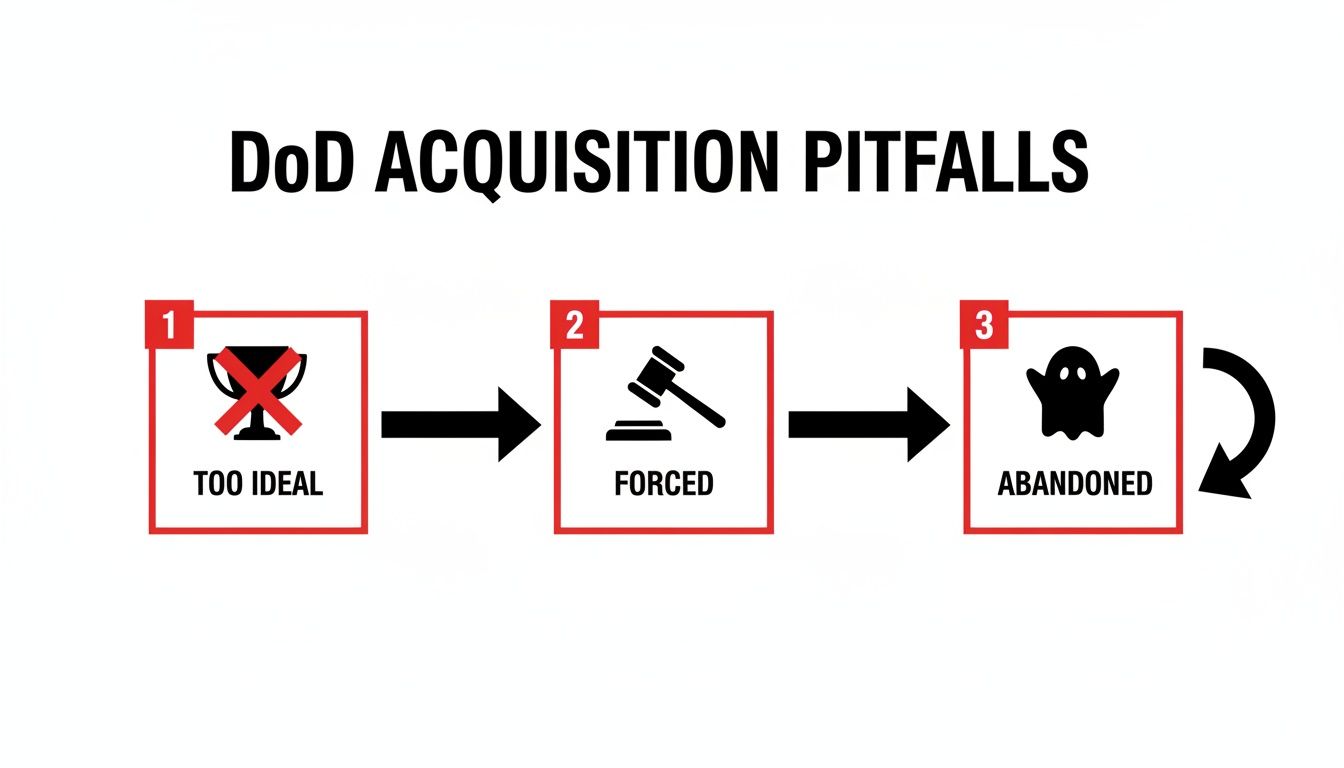
As shown, a DoD that is too idealistic or forced on the team is often abandoned. Automated enforcement breaks this cycle permanently.
Automation turns your Definition of Done from a "should do" into a "must do." It shifts quality control from individual discipline to the process itself, ensuring nothing falls through the cracks—even during a crunch.
Automating Handoffs, Artifacts, and All the Details
True automation goes beyond blocking a status change. A properly configured system can trigger a sequence of events as soon as the final DoD item is checked.
For example, once the checklist is complete:
- The ticket can be automatically reassigned from the developer to the lead QA engineer, eliminating manual handoffs.
- A notification can be instantly sent to the #qa-team Slack channel, informing them a story is ready for review.
- The system can verify that required artifacts, like a link to a build log or test plan, are attached before allowing the handoff.
This automation creates a direct, tangible link between your Definition of Done and your team's output, saving time and guaranteeing process adherence.
For teams on Jira, using an app like Nesty to build these automated gates can significantly reduce Dev-to-QA handoff times, often by as much as 40%, by ensuring all required information is present from the start.
By integrating your DoD into your daily tools, you create a self-policing system that defends quality, reduces manual check-ins, and keeps the entire team synchronized.
How to Evolve Your DoD for Continuous Improvement
A great Definition of Done is not static. Treat it as a living document that grows with your team, adapting to new challenges and becoming more effective over time. The real power of a DoD is unlocked when it becomes a central part of your continuous improvement cycle.
This evolution is driven by feedback. Just as you monitor an application's performance, you must monitor your process performance. Tracking the right metrics provides a data-backed view of how well your DoD is working.
Using Metrics to Measure Your DoD’s Effectiveness
To determine if your DoD is helping or hindering, focus on outcomes. A few key metrics act as powerful health indicators for your quality gates.
Track these metrics:
- Escaped Defect Rate: How many bugs are found in production after a release? A high or rising rate signals your DoD is missing critical quality checks.
- Sprint Rework: How much time is spent fixing work that was marked "done" in a previous sprint? If this is increasing, your DoD may be too weak.
- Team Velocity Trends: While not a direct quality measure, volatile or declining velocity can indicate friction. An overly cumbersome DoD can slow the team down.
The Sprint Retrospective: Your DoD’s Best Friend
The most important venue for evolving your definition of done in agile methodology is the sprint retrospective. This is the team's dedicated time to inspect and adapt its processes.
A DoD that isn't discussed in retrospectives is a DoD that will eventually be ignored. Make it a recurring topic to ensure it remains relevant, valuable, and owned by the entire team.
To facilitate a productive discussion, ask specific, actionable questions about your DoD.
Questions to ask in your retrospective:
- Which DoD item created more friction than value this sprint?
- Where did our DoD save us from potential issues or bugs?
- Is there a quality check we keep missing that should be added to our DoD?
- Did we have to bend any rules in our DoD to get work done? If so, why?
These discussions are fundamental to improving team collaboration. Strong processes are a cornerstone of a culture of quality. Explore more ideas in our guide on how to improve team collaboration.
The insights gained empower your team to make iterative improvements, ensuring your DoD reflects the team's growing maturity. Implementing a multi-level DoD across user stories, sprints, and releases can accelerate this effect. Data shows this approach can lead to a 47% productivity spike and get products to market 50% faster by preventing incomplete work from moving forward. You can discover more insights on the impact of a strong DoD.
Common Questions About the Definition of Done
Implementing a process like the Definition of Done often raises questions. Answering them is crucial for building team confidence and ensuring the process sticks. Here are some of the most common questions and their actionable answers.
Who Is Responsible for Creating the DoD?
The short answer: the entire team.
While a Scrum Master or Product Manager might initiate the conversation, the DoD must be a collaborative effort. If it is mandated by management, developers and QA will feel no ownership, and the process will likely be ignored.
The most effective DoD emerges from a workshop where everyone involved in building the product contributes. This ensures the criteria are realistic, comprehensive, and supported by the people who will use it daily.
How Often Should We Update Our DoD?
Treat your Definition of Done as a living document. The best time to revisit it is during every Sprint Retrospective. This regular cadence allows the team to make adjustments based on recent experiences.
A DoD that never changes is a DoD that's probably being ignored. It must evolve with the team's skills, the project's complexity, and the lessons learned from previous sprints to remain a valuable tool.
Ask specific questions during retrospectives: "Did our DoD prevent any bugs last sprint?" or "Is any part of our DoD slowing us down unnecessarily?" These conversations keep your quality standards high and your process relevant.
Can Different Teams Have Different DoD Checklists?
Yes, they absolutely should. While an organization might have a high-level quality standard, the specific details of "done" will vary significantly between, for example, a backend API team and a front-end mobile team.
Forcing a one-size-fits-all DoD across an entire engineering department leads to frustration. The goal is consistency in quality, not uniformity in process. Empower each team to define what "done" means for their context to achieve better results and a DoD that people actually use.
Ready to stop chasing down updates and start enforcing your quality standards automatically? Harmonize Pro's Nesty app for Jira turns your Definition of Done into an automated, unbreakable workflow. Build quality gates, eliminate manual handoffs, and ensure every ticket meets your criteria before it moves forward. Learn how Nesty can bring true process control to your team at https://harmonizepro.com/nesty.
Leave a Reply