
Repetitive Jira updates are a massive time-sink. Your team's most valuable asset is their focus, and manual ticket-nudging drains it dry. The solution is Jira automation rules. Think of them as simple if-this-then-that recipes that handle the grunt work for you. They’re designed to eliminate manual chores, prevent errors, and give your team their creative energy back. This guide provides actionable steps to get you started immediately.
Stop Wasting Time on Repetitive Jira Tasks
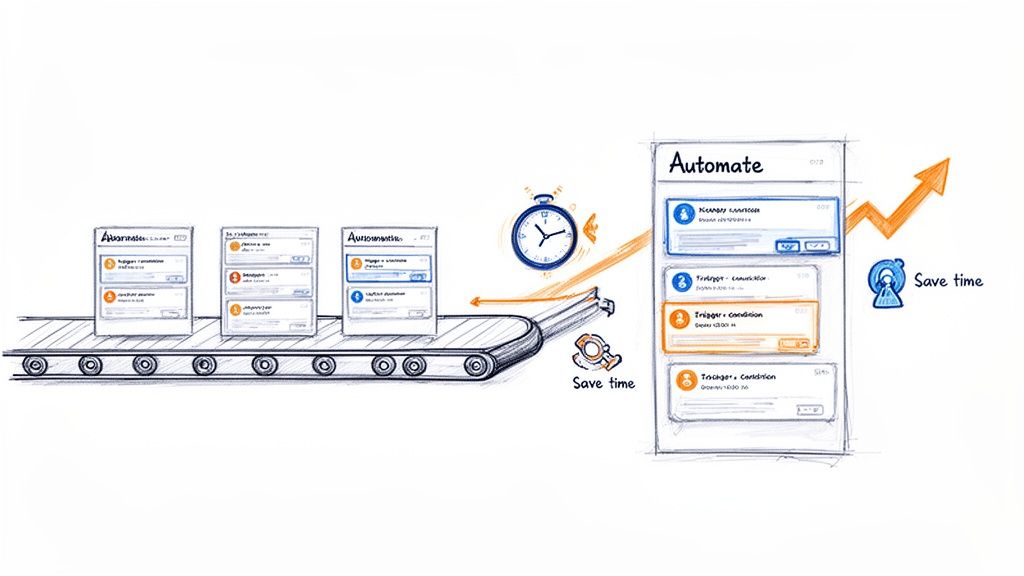
This image nails the core idea: automation turns a chaotic, hands-on process into a smoothly flowing system. It's the difference between focusing on innovation and drowning in administration.
Manual ticket management isn't just boring; it’s a major source of project friction. Every minute spent changing a status, reassigning an issue, or pinging someone for an update is a minute not spent on coding, testing, or planning. This "work about work" causes delays, invites human error, and leads to inconsistent workflows.
The core problem is that manual updates don't scale. As your team grows and projects get more complex, the administrative overhead explodes, creating a bottleneck that slows everything down.
This is exactly where Jira automation rules come into play. They act as a tireless assistant, executing tasks based on triggers you define. Once set up, your processes are followed perfectly every time, without anyone having to think about it.
Why Automation Is No Longer Optional
Jira automation became a game-changer after Atlassian acquired Code Barrel's "Automation for Jira" app in 2019. By 2022, this powerful no-code tool was built directly into Jira Cloud and modern Data Center versions.
This native integration means you can start building impactful rules right now. Here’s what you stand to gain:
- Enforce Process Consistency: Ensure every ticket moves through your workflow the same way, from "Ready for Dev" to "Done." This brings a new level of predictability.
- Eliminate Handoff Errors: Automatically assign tickets to the next team, attach the right documents, and send a notification. Nothing gets lost in the shuffle.
- Reclaim Valuable Time: Some teams save over 150 hours per month by automating administrative tasks. That’s time freed up for work that actually matters.
- Improve Cross-Team Collaboration: Keep everyone in the loop with automated updates and notifications, cutting down on status meetings. To understand the broader concepts, read our guide on what workflow automation is all about.
For any software team, a high-impact action is linking Jira to GitHub. This unlocks powerful automation, allowing you to trigger rules based on commits, pull requests, and merges, directly connecting your code to your project board.
Building Your First High-Impact Automation Rules
Theory is great, but the real "aha!" moment comes when you solve actual problems. It's time to put that knowledge into practice. We're going to walk through building three incredibly practical rules that any software team can use right away to reduce manual work and make their processes more reliable.
These aren't just simple examples. They're proven automations that fix common headaches in development, project management, and client onboarding. Let's dig in.
Rule 1: The Seamless Dev-to-QA Handoff
One of the most frustrating bottlenecks is the handoff from development to QA. A developer finishes their work, but the ticket sits there, waiting for someone to reassign it and move it to the "In QA" column. This gap creates delays and risks that tickets get lost.
This automation closes that gap. When an issue is moved to "Ready for QA," the rule instantly assigns it to your QA lead and drops a comment to notify the team.
Here’s the step-by-step setup:
- Trigger: Issue Transitioned. Be specific. Configure it to fire only when the status moves from any other status to "Ready for QA." This prevents the rule from running unexpectedly.
- Action 1: Assign Issue. Set this to automatically assign the ticket to your QA lead or the main point of contact. This immediately establishes ownership.
- Action 2: Add Comment. Notify the wider team. Use a simple, clear comment like:
Ready for testing. @qa-team, please take a look.This pings the group so someone can pick it up even if the main assignee is busy.
This simple rule enforces your workflow, creates a perfect audit trail, and ensures you never lose momentum between coding and testing. It's a cornerstone of a healthy CI/CD pipeline.
Rule 2: The Polite Stale Issue Nudge
We've all seen tickets that haven't been updated in a week, collecting digital dust. Is it blocked? Forgotten? Chasing down these updates is a massive time-sink for project managers.
This rule acts as an automated assistant. It scans for inactive issues and sends a gentle reminder to the assignee in Slack, asking for an update without any manual intervention.
Here's how to build this "nudge" rule:
- Trigger: Scheduled. Run this daily or every other day. You'll need a JQL query to define what "stale" means. A great starting point is
status not in (Done, "Won't Do") AND updated < -7d. - Action: Send Slack Notification. Connect Jira to Slack and craft a helpful message: "Hey {{issue.assignee.displayName}}! Just a friendly nudge on {{issue.key}}. It hasn't seen any updates in over a week. Is everything okay?"
Using smart values like {{issue.assignee.displayName}} makes it personal, and including a direct link with [{{issue.key}}]({{issue.url}}) makes it easy for them to jump in and provide an update.
Rule 3: The Client Onboarding Sub-Task Creator
A consistent onboarding process is critical for new clients. But it usually involves the same checklist every time: "Schedule Kickoff," "Set Up Accounts," "Send Training Docs." Creating these sub-tasks manually for every new client is tedious and error-prone.
This rule standardizes the entire process. When a new "Client Onboarding" epic is created, it automatically generates your entire predefined checklist of sub-tasks.
Here’s the configuration:
- Trigger: Issue Created. The rule fires the moment the new issue appears.
- Condition: Issue Fields Condition. This is crucial. Ensure the rule only runs on the right issue type. Set the condition to
Issue Type = Epicand add another condition to check the summary, likeSummary ~ "Onboarding for". - Action: Create Sub-tasks. Add a "Create sub-task" action for every step of your process.
For instance, your list of sub-tasks might look like this:
- Schedule Kickoff Meeting
- Grant System Access
- Deliver Welcome Packet
- Conduct Initial Training Session
- Schedule First Check-in Call
By turning your onboarding into a Jira automation rule, you build a repeatable, scalable system that delivers a consistent experience to every new client.
To tackle more complex processes, our guide on Jira workflow automation dives into more advanced strategies. Mastering these foundational rules will give you a solid base to build from.
Advanced Automation for Complex Workflows
Once you've nailed the basics, you can use Jira automation to tackle your organization's most complex, multi-step processes. Advanced features—smart values, rule branching, and rule chaining—allow you to build sophisticated systems that handle complex handoffs without manual intervention.
This is about transforming a convoluted manual process into a self-managing system. It frees up your team to focus on high-value work instead of playing project traffic controller.
Let’s walk through a common and often messy DevOps workflow to see these concepts in action.
Building a Multi-Environment Deployment Rule
Coordinating deployments across development, staging, and production is a massive headache. The process is often a chaotic mix of manual ticket updates, Slack pings, and the risk of someone dropping the ball. A well-designed Jira automation rule can orchestrate this entire sequence.
The goal is to create a system where a single trigger—like merging a pull request—kicks off a cascade of updates, assignments, and notifications across several related tickets representing each environment.
This visualization shows the core flow for many automations, from handling handoffs to nudging people and creating new tasks.
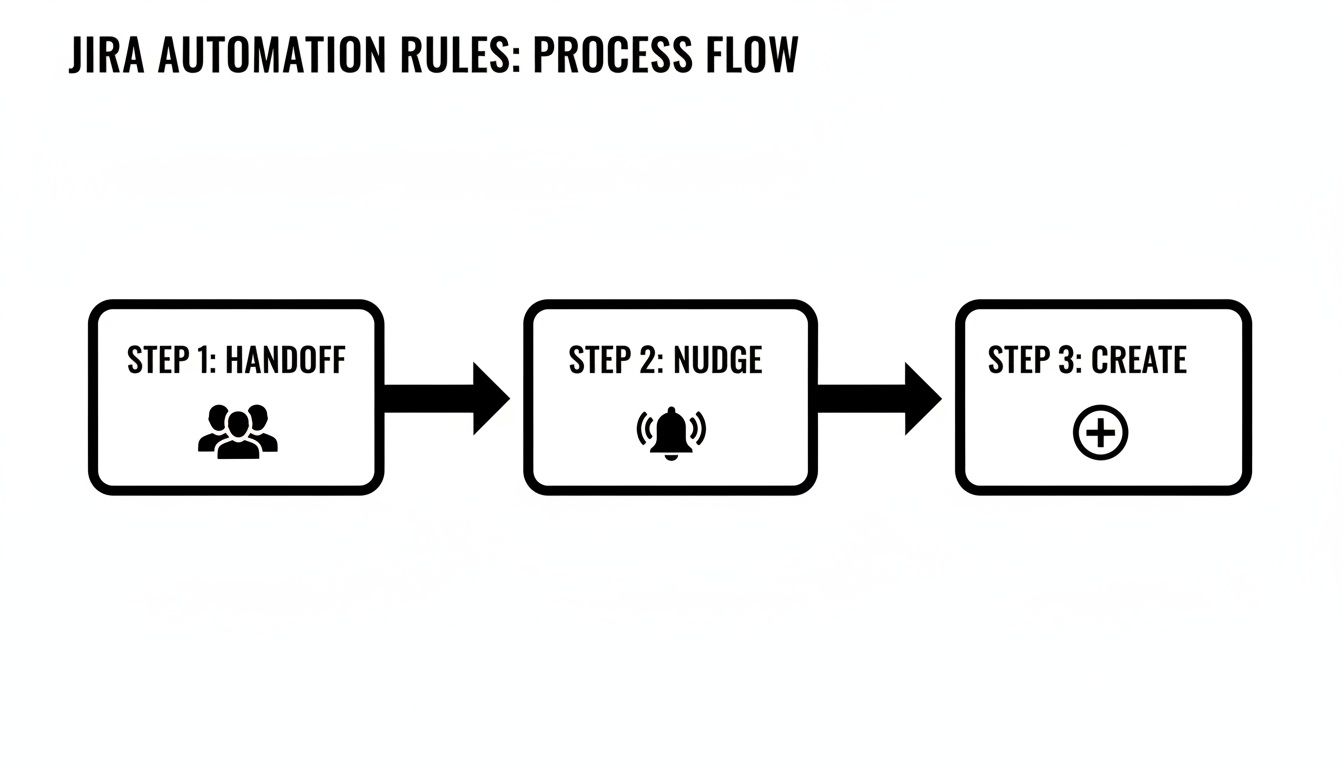
A single event can set off a chain reaction that keeps work moving forward without manual intervention.
To build our deployment rule, we’ll use a few advanced components:
- Smart Values: Dynamic variables that pull data from your Jira issues. We’ll use them to copy info from a parent ticket to its sub-tasks. For instance,
{{triggerIssue.fields.summary}}grabs the summary from the issue that kicked off the rule. - Lookup Issues Action: A powerful action that lets your rule search for other issues using JQL. It's the key to connecting our main development ticket to its staging and production counterparts.
- Rule Branching: This lets the rule perform actions on multiple related issues, like those found with "Lookup Issues." It’s like running a mini-rule for each issue in a list.
Orchestrating the Deployment Flow
Let's say our setup is a main feature story with sub-tasks like "Deploy to Staging" and "Deploy to Production." Our automation will kick in the moment the development work is finished.
The trigger is a Pull Request Merged event from your connected code repository. When a developer merges their code, the magic begins.
First, the rule uses the Lookup Issues action with a JQL query like this: parent = {{triggerIssue.key}} AND summary ~ "Deploy to". This finds all sub-tasks under the story whose summaries are about deployment.
Next, we use a Branch rule / related issues action. Inside this branch, the rule will execute a set of actions for each sub-task it found.
Within the branch, we can add an If/else block to check the summary of each sub-task.
- If
{{issue.summary}}contains "Staging," the rule can transition that sub-task to "In Progress" and assign it to the DevOps team. - If
{{issue.summary}}contains "Production," it can add a comment like:Ready for production deployment pending successful staging validation.
By using branching and conditions, a single trigger intelligently updates multiple tickets according to their specific purpose. This creates a clear, automated audit trail and ensures the right team is notified at exactly the right moment.
Leveraging Scheduled Triggers and Smart Values
Advanced Jira automation rules are also perfect for proactive cleanup and reporting. For these routine jobs, use scheduled triggers.
Imagine you need a weekly report of all production bugs that have been sitting idle. A scheduled rule can run every Friday, find those issues, and send a summary to a Slack channel.
Here’s a quick recipe for that rule:
- Trigger: Scheduled (e.g., weekly on Friday at 9 AM).
- JQL Condition:
project = "PROD" AND type = Bug AND status != Done AND updated < -7d. - Action: Send Slack message. Use smart values to build a formatted list:
*Weekly Stale Bug Report:* {{#lookupIssues}} - {{key}} - {{summary}} {{/lookupIssues}}.
The {{#lookupIssues}} block loops through all the issues found by the JQL, creating a neat, clickable list in Slack. This proactive reporting keeps critical issues from falling through the cracks, with zero manual effort.
Mastering these workflows is a core part of effective process orchestration. To go deeper on connecting separate tasks into a cohesive system, you might be interested in learning more about process orchestration and its applications.
By combining smart values, branching, and scheduled triggers, you can build robust systems that manage your team's most challenging workflows.
Keeping Your Automation Rules From Breaking Jira
As your team builds more Jira automation rules, you'll see a massive leap in productivity. But here's the catch: inefficient rules can slow your entire Jira instance to a crawl and chew through your monthly execution limits.
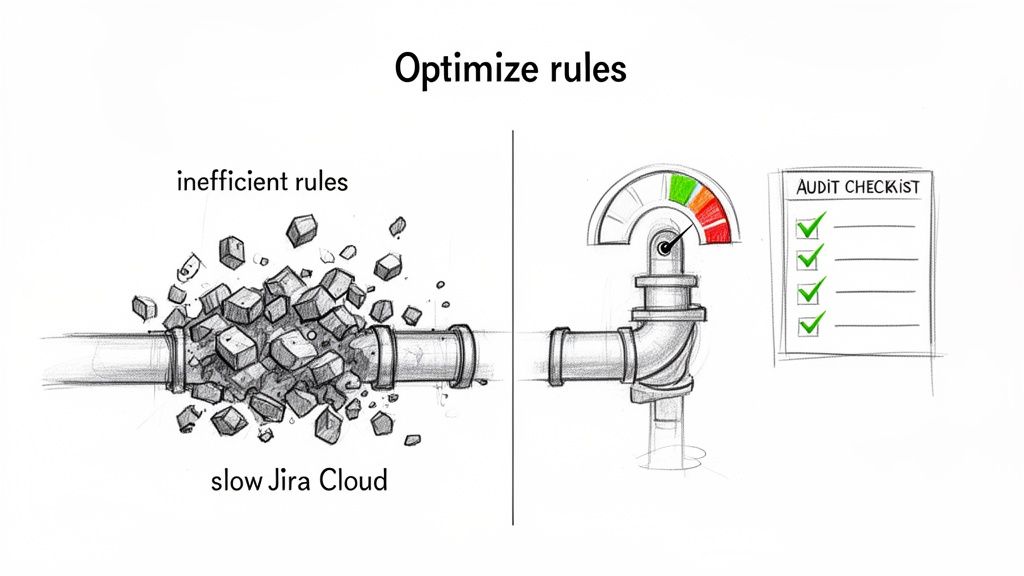
Good governance and smart optimization are non-negotiable. The goal is to build rules that are not just effective but also incredibly efficient.
Understanding Jira Automation Limits
Your ability to run automations isn't unlimited. Atlassian sets monthly execution limits based on your Jira Cloud plan.
In late 2023, a big change occurred: Atlassian moved away from a shared pool of executions. Now, each product has its own quota. Only successful actions count toward this limit now, but a few high-volume rules can still drain your allowance fast. Get the full rundown on these Atlassian automation changes and what they mean for your team.
The key takeaway is that every execution counts. A single poorly configured rule triggering hundreds of times a day can exhaust a month's worth of executions in a week.
Regularly auditing your rules is essential maintenance. The first place to check is your automation settings under the "Usage" tab. This dashboard shows you exactly which rules are using the most executions. Look for rules with sky-high counts; those are your prime candidates for optimization.
A Practical Guide to Optimizing Your Rules
Once you’ve identified your most resource-hungry rules, it’s time to optimize them. The core strategy is to make them more specific so they only fire when absolutely necessary. Think of it as using a scalpel instead of a sledgehammer.
Here are some quick wins for rule optimization.
Rule Optimization Quick Wins
| Inefficient Method (High Usage) | Optimized Method (Low Usage) | Why It Works |
|---|---|---|
Trigger: Issue Updated |
Trigger: Issue Transitioned |
Fires only on status changes, not every minor edit, comment, or field update. |
| One rule with no conditions | A rule with a JQL condition or If/else block | Adds a gatekeeper. The rule stops if the issue doesn't match specific criteria, saving an execution. |
| A rule that fires on every individual event | A Scheduled trigger processing issues in bulk | Instead of 100 executions for 100 events, you get one execution that handles all 100 issues at once. |
This table shows how easy it is to slash your execution count by being more precise.
Here are the techniques in action:
- Swap Broad Triggers for Specific Ones: The
Issue Updatedtrigger is the number one offender. If you only care about status changes, swap it for the much leaner Issue Transitioned trigger. - Add More Conditions: Use an If/else block or a sharp JQL condition to double-check that the issue is exactly what you're looking for. For example, check if the
Assigneefield is empty before trying to assign the ticket. - Process Issues in Batches: Instead of a rule that reacts to every event, switch to a Scheduled trigger. A daily rule that runs a JQL query to find all "stale" tickets is far more efficient than an "Issue Updated" rule checking every modification across your instance.
Establishing Team-Wide Best Practices
To prevent performance problems, establish clear ground rules for creating Jira automation rules.
Implement these guidelines for your team:
- Enforce a Naming Convention: A standard like
[Project Key] - [Trigger] - [Action]makes it instantly clear what a rule does. - Require Descriptions: Every rule needs a simple description covering its purpose and who to contact if it breaks.
- Perform Peer Reviews: Before a new global or multi-project rule goes live, have another person review it. This quality check is great for catching potential performance hogs.
By proactively managing and optimizing your automations, you ensure they remain a powerful asset instead of becoming a performance liability.
Getting Your Automation Rules to Work Flawlessly
An automation rule is only useful if you can trust it to work every single time. This is why treating your rules like any other piece of code is essential. They need solid testing before deployment and ongoing monitoring once they're live.
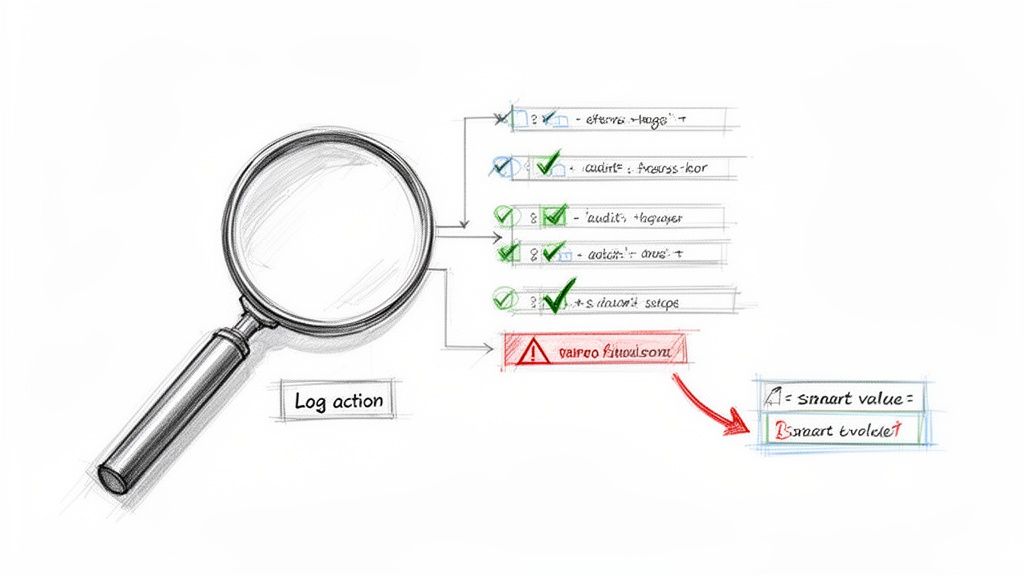
Thankfully, Jira gives you a powerful tool for this: the audit log. It's your command center for figuring out what’s really going on.
The Audit Log Is Your Best Friend
The audit log is the black box recorder for your Jira automation rules. Found in each rule's settings, it keeps a detailed history of every time that rule has tried to run. It tells you what happened, when, and why.
When a rule misbehaves, the audit log should be your first stop. It gives you a play-by-play of the trigger, each condition, and every action, flagging the exact point of failure with an "ERRORED" status. This is a lifesaver for troubleshooting.
Using the Log Action for Smarter Debugging
What about when a rule runs successfully but produces the wrong outcome? This often happens when a smart value isn't behaving as expected. The best trick here is to temporarily add a Log action to the rule.
This action prints the value of any smart value directly into the audit log. It’s the Jira equivalent of a print statement in code. It’s perfect for seeing what values are actually being used at runtime for things like {{issue.fields.summary}} or {{now.plusDays(5)}}.
By adding a temporary Log action, you can see precisely what your smart values contain before the rule commits to its final action. It's a clean, non-disruptive way to confirm your logic is sound.
Monitoring usage is also critical for managing your execution limits. Since the 2023 limit changes, some teams have discovered that a single inefficient rule was eating up 50-80% of their monthly quota. A runaway rule can burn through a free or standard plan's limits in days. Learn more about how to manage your Jira automation usage from Atlassian.
Keep Your Automation Library Clean
A healthy automation setup needs regular housekeeping. Don't let your rule list become a junkyard of old, disabled, or redundant automations.
Set a quarterly reminder to review all your global and project-specific rules. As you review each one, ask:
- Is this still relevant? Workflows evolve. A rule that was a lifesaver last year might be obsolete today.
- Can this be more efficient? Could a broad trigger be narrowed down to save executions?
- Does this have an owner? Every rule should have someone responsible for it.
By disabling or deleting rules that are no longer serving a purpose, you'll declutter your instance and stop them from chipping away at your monthly execution limits.
Got Questions About Jira Automation? We've Got Answers.
As you build more sophisticated Jira automation rules, questions will pop up. That’s a good sign—it means you're pushing past the basics. Here are clear, straightforward answers to some of the most common questions.
Think of this as your go-to reference to get you unstuck and help you build smarter, more reliable automations.
Can Jira Automation Rules Work Across Different Projects?
Yes, and this is one of Jira Automation's most powerful capabilities. You can create global rules that aren't tied to a single project. These are fantastic for standardizing processes across your entire organization, like a rule that automatically closes any stale ticket in any project after 30 days of inactivity.
When creating a rule, select "Global" for its scope. A word of caution: a poorly configured global rule can cause widespread chaos, so they demand extra testing and a solid understanding of your execution limits.
What Are the Most Common Reasons a Rule Fails to Run?
When an automation rule doesn't fire, it's usually one of a few common culprits. Check these first:
- Permissions Problems: The rule runs with the permissions of the user who triggered the action or a designated "rule actor." If that account can't edit a field or transition an issue, the rule will fail. This is the most common issue.
- A Flawed JQL Condition: A typo or logical error in your JQL query will stop a rule in its tracks. Always test your JQL in Jira’s advanced issue search before plugging it into a rule.
- Mismatched Statuses: The "Issue Transitioned" trigger is very literal. It will only fire if the issue moves directly from the exact "From" status to the "To" status you defined.
How Many Automation Rules Can I Have?
There's no hard limit on the number of rules you can create in Jira Cloud. You could have hundreds of rules in a single project.
The real constraint isn't the number of rules, but the number of times they execute each month. Atlassian's limits are based on rule executions, which is why optimizing your rules to run only when necessary is so critical.
A single, inefficient rule that runs constantly can chew through your monthly quota way faster than 50 well-designed, efficient ones. It’s all about efficiency, not volume.
Is It Possible to Trigger a Rule from an External Tool?
Yes, using an Incoming Webhook trigger. This gives you a unique URL that an external system can call to kick off a Jira automation.
A great example is connecting your CI/CD pipeline. After a successful deployment, a tool like Jenkins or GitHub Actions could send a webhook to Jira. Your rule catches that signal, then automatically transitions the related tickets to "Done" and adds a comment with the release version. It's a powerful way to link your development work directly to your project tracking.
Ready to move beyond basic rules and orchestrate complex, multi-step handoffs right inside your Jira issues? Harmonize Pro's Nesty app transforms your tickets into self-managing workflows with unlimited nested checklists, intelligent triggers, and automated quality gates. Eliminate missed steps and manual coordination for good.
Discover how Nesty can extend your Jira automation capabilities today.
Leave a Reply